
Video Safety & Dash Cams
Dash Cams for Trucking Fleets: What's Different From a Personal Dash Cam
Dash cams for trucking fleets need side and rear lenses, event upload, a driver-facing policy and footage that holds up in a claim.
How Do Dash Cams for Trucks Differ From Personal Ones?
Dash cams for trucks in a fleet have to cover a bigger vehicle, upload footage on their own and stand up as evidence, while a personal dash cam only shows what happened in front of one car. For trucking fleets in Canada and the United States, High Point GPS supplies and installs fleet dash cams and provides a camera policy template with every deployment. A truck is longer, higher and slower to stop, with blind spots on the right side and behind, and when it is in an incident the claim can be far larger than a car's. Your driver is a professional whose record and income the footage affects. The carrier answers to safety regulators (the FMCSA in the US, the provinces and territories under the National Safety Code in Canada) as well as to the insurer, and each of those facts changes what the camera has to do.
Coverage: More Than the Windshield
The most expensive incidents for trucking fleets often happen away from the front bumper. Right-turn conflicts with cyclists and cars in the blind spot, backing collisions at docks, sideswipes during lane changes and trailer strikes on turns all fall outside a forward lens. A truck camera system adds side and rear cameras, and a five-camera layout is common, so the footage covers the whole vehicle as well as the road ahead. If you run trailers, a rear camera on the tractor won't be enough. You need the trailer's own view when the incident happens at its back.
Driver-Facing in a Cab Someone Lives In
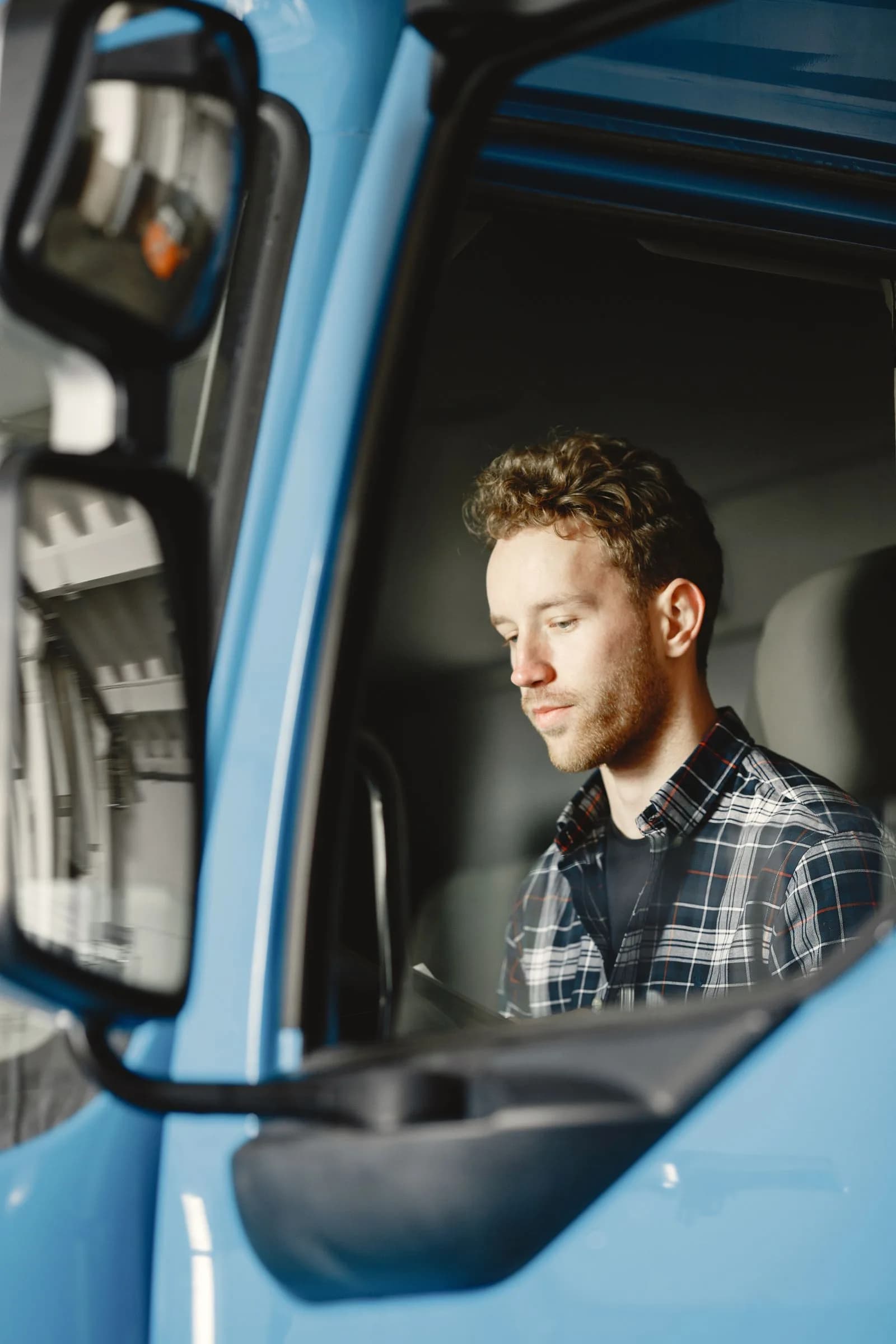
A long-haul cab is a workplace and a bedroom, and a driver-facing recording policy has to respect both. Record while driving and during events, never in the sleeper or off duty. Keep audio off unless you have a stated reason. Show footage only to the people who need it, and tell drivers all of this in writing before the camera goes in. A camera that lets you set driver-facing recording per vehicle and per duty status is what turns that policy into something you can enforce. Fleets that skip the policy end up with cameras their drivers cover with tape.
Why Events Should Come From the Truck
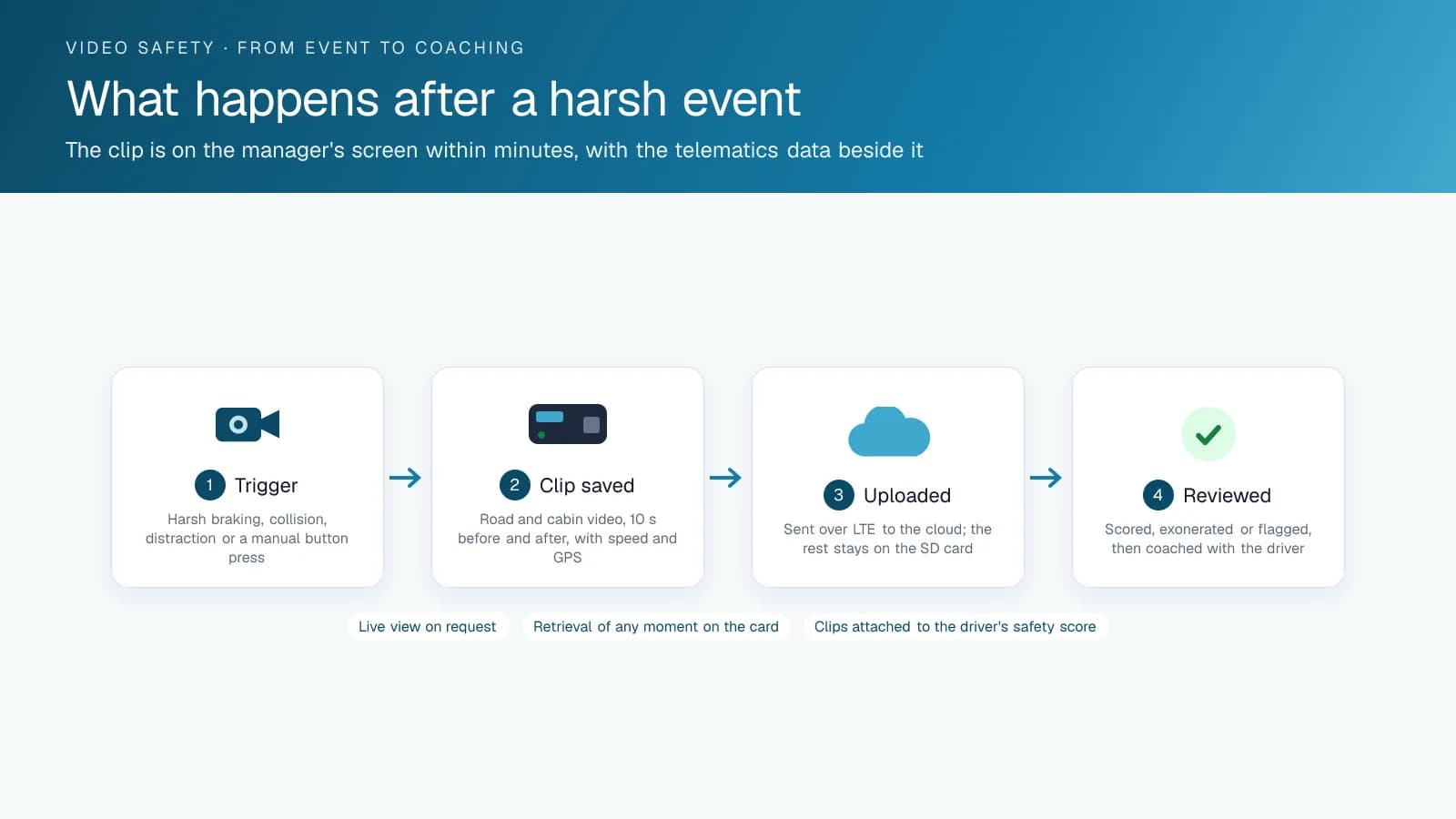
A personal camera uses its own accelerometer to decide what counts as an event. In a truck, the telematics device already knows: harsh braking calibrated for a loaded tractor, a collision, a speeding event, or a following-distance alert from the camera's AI. The camera's job is to upload the clip that event requests, tagged to the driver's log. That link is what makes footage usable across a whole fleet. Your safety manager reviews the events that matter instead of hours of highway, and each clip carries the telematics context an adjuster or a court will ask for.
What Makes Truck Footage Stand Up?
In a trucking claim, people paid to find fault with the footage will examine it closely. Four things turn a clip into evidence: time and location synchronized with the telematics record, automatic upload before any card can be overwritten, retention that matches the claims period, and an access log showing who viewed and exported it. Fleet camera platforms are built to provide all four. A memory card in a glovebox can't.
Personal Dash Cam vs Truck Fleet Camera
Here are the differences in one table.
| Item | Personal dash cam | Trucking fleet camera |
|---|---|---|
| Coverage | Forward, sometimes cabin | Forward, driver, sides, rear; trailer where needed |
| Event detection | Camera's own accelerometer | Telematics device events calibrated for the truck, plus in-camera AI |
| Footage retrieval | Pull the card | Automatic event upload; on-demand from the platform |
| Driver-facing policy | N/A | Configurable by vehicle and duty status; written policy |
| Evidence quality | Timestamp set by hand | Time and GPS from the platform; access log; retention |
| Who reviews | The driver | Safety manager, with coaching workflow |
| Cost of the incident it protects against | A car repair | A truck claim, a CSA or NSC safety record, an insurance renewal |
What Should a Truck Camera Policy Cover?
The camera policy trucking fleets sign with drivers covers six points, and the platform enforces each one. Recording modes: road-facing records continuously, while driver-facing records only during driving and events and stays off in the sleeper and off duty, enforced through the camera's duty-status link. Audio: off, unless the fleet states a reason and the driver agrees. Access: the safety manager and the dispatcher on duty, assigned by role, with every view logged. Use: coaching, claims defence and the driver's own exoneration, and never productivity monitoring. Retention: event clips kept for the claims period your insurer specifies, with continuous footage overwritten on the card. Notice: drivers sign the policy before installation, a copy goes in the driver file and a summary card stays in the cab. Fleets that write this down keep their cameras uncovered, and fleets that install first and explain later spend a year arguing about it. High Point GPS provides the policy template with every camera deployment.
Frequently asked questions
Why can't a trucking fleet use personal dash cams?
Personal dash cams only cover the road ahead, rely on their own accelerometer to spot events, store footage on a card the driver has to retrieve, and offer no policy controls. Truck incidents happen at the sides and rear, cost far more, and need footage that uploads automatically with telematics context and holds up in a claim.
How many cameras does a truck need?
A truck needs forward and driver-facing cameras at minimum. Side and rear cameras cover blind-spot, lane-change and backing incidents, which is why five-camera systems are common on tractors. If your fleet's incidents tend to happen at the back, add a camera that gives the trailer its own rear view instead of relying on the tractor.
Is driver-facing recording allowed in a sleeper cab?
A written policy should govern it. The usual approach is to record while driving and during events, never in the sleeper or off duty, keep audio off unless there is a stated reason, and restrict who can view footage. A camera that sets recording by vehicle and duty status makes that policy enforceable.
What makes truck dash cam footage hold up in a claim?
Footage holds up when its time and location are synchronized with the telematics record and it uploads automatically before the card overwrites it. Retention should match the claims period, and an access log should show who viewed and exported each clip. Those records answer the questions an adjuster or a court will ask.
Related solutions & products
Continue reading
- Dash Cams & AI Video Safety overview →
- Trucking Telematics: What Long-Haul Fleets and Operators Should Track →
- Telematics Fleet Management for Trucking: How GPS and Telematics Cut Costs on the Road →
- Driver Training Software vs Telematics Coaching: Which Changes Behaviour? →
- What Is a Driver Safety Program? How Fleets Build One That Works →
- More in Video Safety & Dash Cams →
Get a free quote
- Over 500 fleets
- Since 2013
- 4.9 on Google (19 reviews)
What are you looking for?
Prefer to talk?Call 1-800-613-6323[email protected]