
Safety
Dash Cams & AI Video Safety
AI dash cams for fleets: road- and driver-facing cameras that warn drivers about risky driving and capture footage that clears them when not at fault.
Updated October 14, 2026
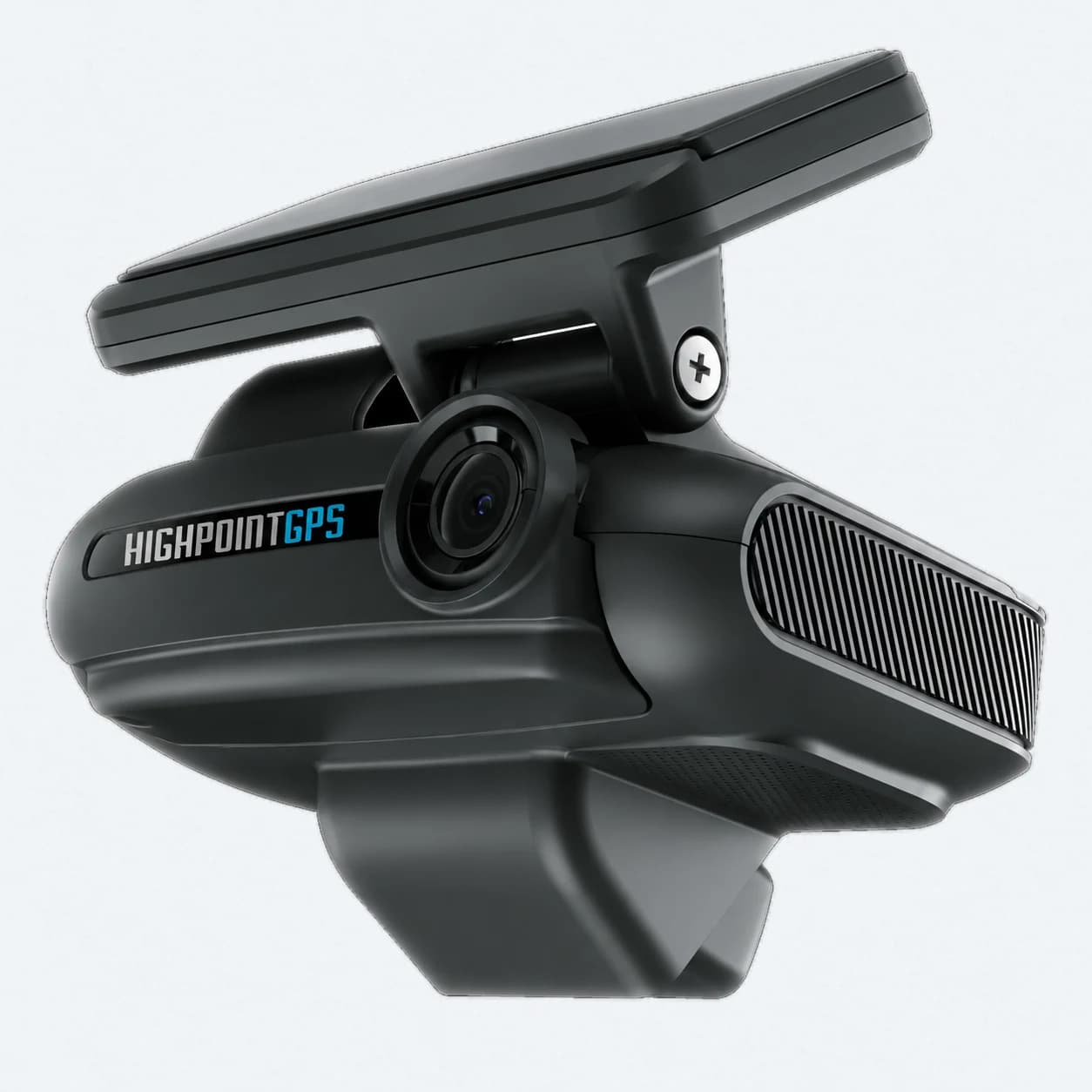
High Point GPS dash cams are for trucking, delivery, service and passenger fleets that want to correct risky driving as it happens and settle incidents and claims faster. We supply the GO Focus Plus dual dash cam and the GO Focus Pro truck camera system, have them installed by professional installers and bring the video into the High Point GPS platform next to your GPS tracking. Every model has a road-facing camera and most add an in-cab camera, with onboard AI and ADAS (Advanced Driver Assistance Systems) that flag harsh braking, tailgating, fatigue and distracted driving the moment they happen. The camera gives the driver a verbal alert in the cab and sends the clip straight into the High Point GPS platform. The Dual Dash AI Camera (GO Focus Plus) covers road-facing and in-cab views, with a Road-Only variant for fleets that want detection without a driver-facing lens. The 5-Camera System (GO Focus Pro) takes up to 5 auxiliary cameras for full 360° coverage around the vehicle. With video in place, fleets review incidents faster, face fewer disputed insurance claims and coach drivers with clips they respond to.
What's included
- Road-facing HD video on every model, plus an in-cab camera on the Dual Dash AI Camera
- AI and ADAS detection of harsh braking, tailgating, fatigue and distracted driving
- Verbal in-cab alerts at the moment a risky event happens
- Clips captured automatically and tied to the exact telematics event
- Smart Sequence coaching workflows in the High Point GPS video platform
- Footage that settles disputed insurance and liability claims faster
How does AI dash cam event detection work?
Onboard AI and ADAS (Advanced Driver Assistance Systems) processing watches the road-facing feed, and the driver-facing feed where fitted, in real time for set patterns: harsh braking or acceleration, following too closely, fatigue and signs of distraction. When the camera detects one, it gives the driver a verbal alert at that moment and pulls the clip around it into the High Point GPS video platform inside the main platform.
Automatic clip capture is what makes AI dash cams workable across a whole fleet. Continuous recording on its own produces footage nobody has time to review. With event tagging, a safety manager works through a short list of moments that mattered, not hours of raw video.
What happens after the camera flags an event?
The flagged clip appears in the High Point GPS video platform with the vehicle's speed, location and time at that moment, and you open it from the same dashboard you use for tracking. Smart Sequence coaching workflows group flagged events by driver, so a safety manager can review patterns on a regular schedule (weekly is common) instead of reacting to every alert as it comes in.
Which dash cam setup fits your fleet?
The Dual Dash AI Camera covers road-facing and in-cab driver-facing views. Its Road-Only variant keeps the same detection and alerts without the driver-facing lens, for fleets that want the safety benefit without the privacy discussion. The 5-Camera System builds on that with up to 5 auxiliary cameras (side and rear) for fleets whose liability goes beyond the road ahead, such as NEMT vehicles boarding passengers or delivery vans with exposure in the cargo area.
Dash cam for trucks or truck camera system: which do you need?
A dash cam for trucks covers the road ahead and, on the dual model, the driver, which answers most collision questions. A truck camera system adds side and rear cameras for the zones a driver cannot see: the SAAQ notes that a heavy vehicle's blind spots sit in front, along both sides and behind, and grow with the vehicle's height and length.
Choose the GO Focus Plus for vans, pickups and trucks where the risk is mostly in front and in the cab. Choose the GO Focus Pro for straight trucks, tractor-trailers, buses, refuse trucks and delivery vehicles that turn, reverse and stop at curbs all day, where side-swipe and backing claims start beside and behind the vehicle.
Why add dash cams to the GPS tracking you already run?
GPS data tells you what happened: speed, location and timing. A dash cam shows you why. Together they settle a disputed collision claim much faster than video or telemetry alone, because the clip comes tied to verified speed and location data. Dash cams work with the GPS tracking device you already installed for tracking, and we confirm the pairing for each vehicle, so adding video is usually an incremental step and you don't have to stand up a second system.
How do the cameras work with GPS fleet tracking and the GO10?
The GO10 handles GPS fleet tracking: location, speed, trips and engine data. Geotab says its next-generation GO devices support native video synchronization with the GO Focus family of dash cams, so clips and trips share one platform. We confirm the pairing for each vehicle and camera model during planning.
How are fleet dash cams quoted and installed?
We quote each fleet instead of publishing prices, based on the number of vehicles, the camera model, any auxiliary cameras and the plan features you choose. Our plans run on 3-year contracts with the equipment free, and they can include add-ons, custom plans and bundles with GPS tracking.
Professional installers mount and connect the cameras for High Point GPS across North America, including Montreal. The GO10 they pair with connects at the OBD-II (or 9-pin) port through a T-harness with no wires cut, or with a 3-wire kit; a fleet can connect it itself, but we always recommend a professional installer. Our Montreal team then configures the alerts and supports your staff in English and French.
What should drivers be told before cameras go in?
In Quebec, sections 8 and 8.1 of the Act respecting the protection of personal information in the private sector require you to tell people why and how you collect their personal information, and to give notice beforehand when the technology can identify, locate or profile them. This is general information, not legal advice.
ATRI's 2023 report on driver-facing cameras recommends event-based recording, the same cameras across all trucks, limited access to footage and a written policy shared with drivers. Fleets that settle these points before installation also have a clear answer when a driver asks what the camera records.
Frequently asked questions
Do AI dash cams record all the time or only during incidents?
Most fleets run continuous recording with rolling storage. On top of that, AI event detection tags and uploads the clips around a harsh-braking, collision or distraction event, so your team starts with those clips and doesn't have to scrub through hours of footage to find the moment that matters.
What's the difference between the Dual Dash AI Camera and the 5-Camera System?
The Dual Dash AI Camera covers road-facing and in-cab views, and its Road-Only variant offers the same detection without a driver-facing lens. The 5-Camera System takes up to 5 auxiliary cameras, up to 4 of them side or external rear cameras for 360-degree coverage, which suits fleets whose liability extends to the sides or rear.
Can dash cam footage help lower insurance costs?
It can help with claims. In a 2023 survey of legal and insurance experts, the American Transportation Research Institute found that driver-facing camera footage, when available, exonerated drivers in 52% of insurance claims and 49% of litigation cases, and helped lead to settlements instead of trials in 86% of cases. Ask your insurer how it treats a documented camera program.
How much do fleet dash cams cost?
High Point GPS quotes each fleet instead of publishing prices. The quote depends on the number of vehicles, the camera model, the auxiliary cameras on the GO Focus Pro and your plan features. Our plans run on 3-year contracts with the equipment free, and they can include add-ons, custom plans and bundles with GO10 GPS tracking on the same plan.
Who installs fleet dash cams?
Professional installers do, working for High Point GPS across North America, including Montreal. For the GO Focus Pro we plan the camera layout per vehicle first; for the GO Focus Plus we confirm the pairing with each vehicle's tracking device. After installation, our Montreal team configures the alerts and recording settings and supports your staff in English and French.
Do drivers have to be told about dash cams in Quebec?
Yes, Quebec's private-sector privacy act sets notice rules. Section 8 requires you to tell people why and how you collect their personal information and what rights they have, and section 8.1 requires notice beforehand when technology can identify, locate or profile them. A written camera policy given to drivers before installation covers this. Confirm your obligations with a lawyer.
Sources
- Geotab: GO Focus Plus product page
- Geotab: GO Focus Pro product page
- Geotab: Next Gen GO vehicle tracking device (GO10)
- SAAQ: Angles morts des véhicules lourds (heavy vehicle blind spots, in French)
- ATRI: Issues and Opportunities with Driver-Facing Cameras (2023)
- Trucking Dive: summary of the ATRI driver-facing camera findings
- LégisQuébec: Act respecting the protection of personal information in the private sector (P-39.1)
Related guides
Get a free quote
- Over 500 fleets
- Since 2013
- 4.9 on Google (19 reviews)
What are you looking for?
Prefer to talk?Call 1-800-613-6323[email protected]