
Compliance
Ruleset Switcher: Changing Hours-of-Service Rules in Geotab Drive When the Truck Crosses the Border
A Quebec driver runs under Canadian cycle rules until the Champlain crossing, then under US 70-hour rules, then back. A Texas driver goes from the oilfield exemption to interstate rules and back in a week. Ruleset Switcher lets the driver change the hours-of-service ruleset in Geotab Drive, within the set the fleet allows, so the log is right on both sides.
One Driver, Several Rulesets
Hours-of-service rules are not one thing. A cross-border driver is under the Canadian federal rules — cycle 1 or cycle 2, the 13-hour driving limit, the deferral — until the border, and under the US rules — 11 hours driving, 14-hour window, 70-hour cycle — after it. Within the US, oilfield, short-haul, agricultural and adverse-conditions provisions change the limits for particular trips. An ELD applies one ruleset at a time, and a driver logged under the wrong one is out of compliance even with the hours to spare.
What the Add-In Does
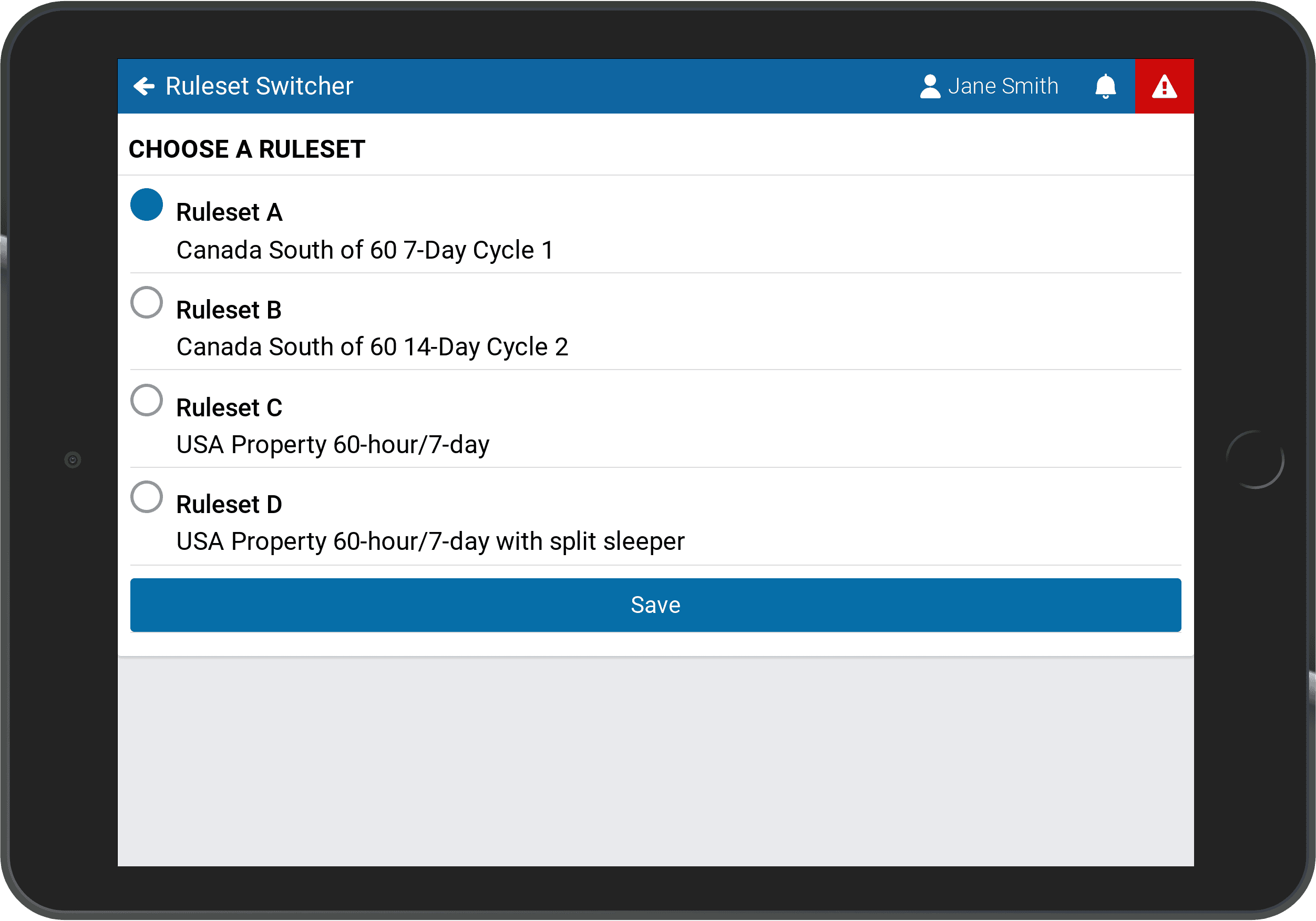
Ruleset Switcher gives the driver a control in Geotab Drive to change the active ruleset, from a list the fleet defines. The administrator decides which rulesets each driver or group may use — a cross-border group gets Canadian and US federal; an oilfield group gets the exemption and standard; a local group gets only its own — and the driver picks the right one when the operation changes, with the change and its time recorded in the log. The fleet keeps control over what is allowed; the driver keeps the ability to be compliant without calling the office.
Where It Matters
Every Quebec and Ontario carrier running into the US, and every northeastern US carrier running into Canada: the switch at the border is a daily event. Fleets using exemptions that apply trip by trip. Fleets whose drivers split time between regulated and exempt work. Fleets that have been cited for a driver logged under the wrong ruleset, which is a common finding at both Canadian and US inspections.
Setup
Installed into the fleet's MyGeotab database; the allowed rulesets are assigned per driver or group, and the switch appears in Drive. High Point GPS configures Ruleset Switcher with the cross-border rulesets for carriers in Quebec, Ontario and the northeastern US as part of ELD deployment.
Frequently asked questions
What is Ruleset Switcher?
A Geotab Drive add-in that lets a driver change the active hours-of-service ruleset from a list the fleet allows, with the change recorded in the log.
Can a driver pick any ruleset?
No. The administrator assigns which rulesets each driver or group may use.
Is the switch recorded?
Yes. The ruleset change and its time are part of the ELD record.
Which fleets need it?
Cross-border carriers switching between Canadian and US rules, and fleets using exemptions that apply trip by trip.
Does it change the driver's available hours?
Yes. The available hours are recalculated under the new ruleset from the driver's history.
Related solutions & products
Continue reading
- Compliance (ELD, DVIR, IFTA) overview →
- HOS Driver Summary: The Weekly Hours-of-Service Violation Report That Runs Itself →
- Geotab ELD Compliance: Everything Fleets Need to Know →
- ELD Settings Validator: Catching the Configuration Error Before the Officer Does →
- ELD Info: The Documents a Driver Must Show at a Roadside Inspection, in the App →
- More in Compliance →
Get a free quote
What are you looking for?