
Compliance
ELD Settings Validator: Catching ELD Setup Errors Before the Officer Does
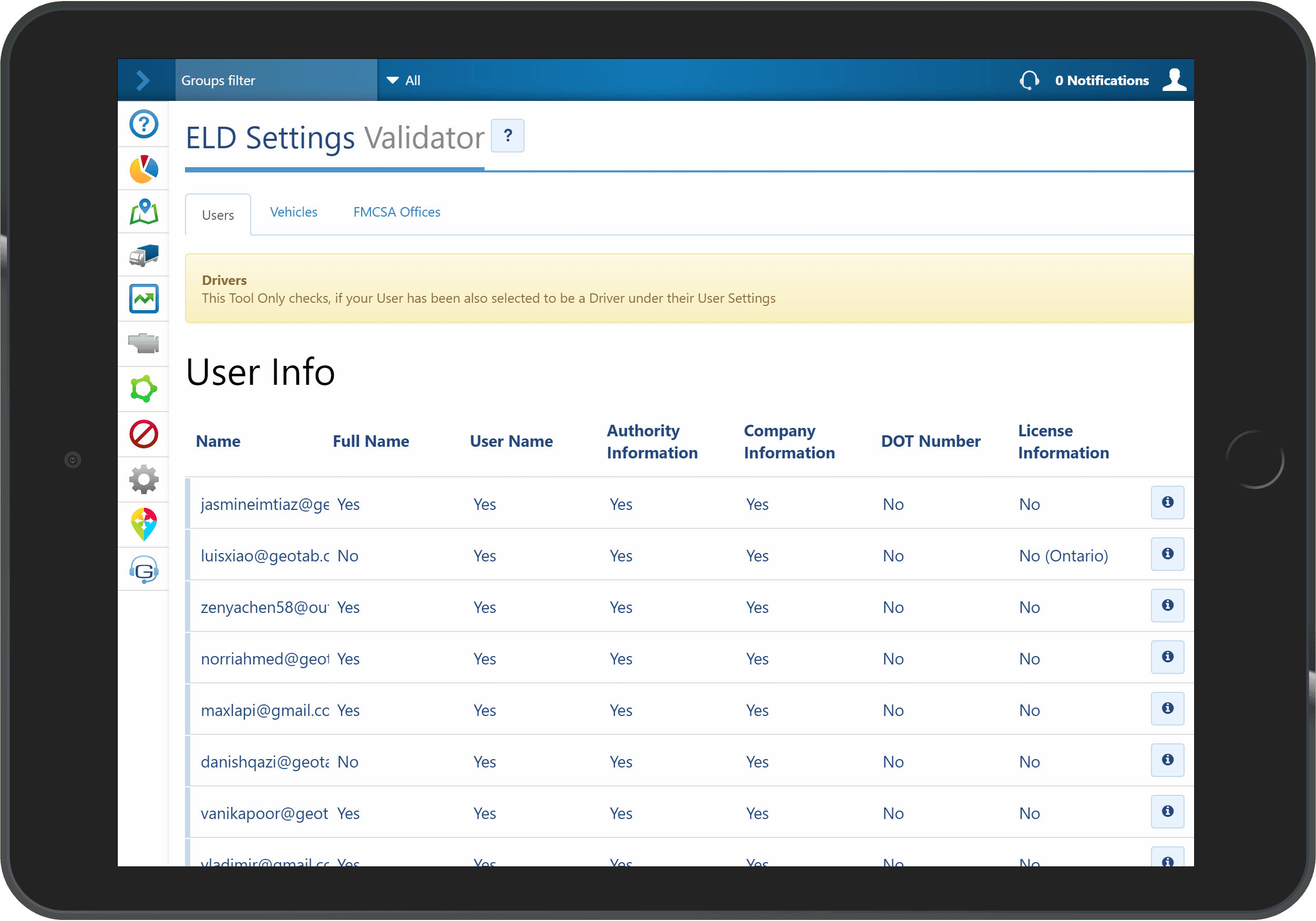
ELD Settings Validator checks your ELD setup in the High Point GPS platform and flags missing or wrong driver and vehicle fields before an inspection does.
Which ELD Fields Does an Inspection Read?
An ELD settings validator checks your ELD setup, meaning the configuration fields an officer reads at roadside, so you can fix them first. In the US, the transferred ELD record carries more than hours: the carrier's USDOT number and name, the driver's licence number and issuing jurisdiction, the vehicle's VIN and unit number, the ELD's registration identifier, and the driver's home terminal and time zone. Canadian ELD records identify the carrier by the names and addresses of its home terminal and principal place of business instead of a USDOT number. Each is a field in the High Point GPS platform, typed in when someone created the driver or vehicle, usually in a hurry. A blank licence field, a VIN copied from a photo or a driver on the wrong ruleset can draw a citation at inspection, and the driver finds out at the scale.
What ELD Settings Validator Checks
ELD Settings Validator runs across the whole database and checks each driver and vehicle against the required fields: present, correctly formatted, consistent. It catches a VIN that fails its check digit, a licence number with no jurisdiction, a driver with no home terminal, a vehicle with no odometer calibration, and a ruleset that does not match the operation. You get a list per driver and per vehicle of what needs fixing and why, and your administrator clears it before the next trip instead of after the next citation.
When Should You Run the Validator?
Run it after you onboard a batch of drivers or vehicles, after a device swap, before a compliance review or facility audit, and on a schedule (monthly is common), because profiles drift as people leave and trucks get replaced. Fleets that run it find a handful of errors the first time and very few after that.
The ELD Setup and Configuration Errors It Finds Most Often
On an established database, the first run usually returns a few dozen items. Nearly all fall into the categories below, and most take about a minute each to fix once listed.
| Error | Why it happens | Roadside consequence |
|---|---|---|
| Driver licence number or jurisdiction blank | Driver created quickly during onboarding | Incomplete ELD record, which can draw a citation |
| VIN fails check digit | Typed from a photo or a registration | Vehicle record does not match the truck |
| No home terminal or time zone | Field skipped at setup | Logs show the wrong day boundary |
| Ruleset does not match operation | Driver copied from a template | Driver appears in violation with hours to spare |
| Odometer not calibrated | Device swapped without re-entering | ELD odometer disagrees with the dash |
| Carrier USDOT or name outdated | Company renamed or merged | Record names the wrong carrier |
How to Set It Up
You install it from the add-on library into your fleet's High Point GPS platform database; it reads the existing driver and vehicle records and needs nothing else. High Point GPS runs it at the end of each ELD deployment, hands over a clean database, and leaves it installed for the fleet's own monthly check.
Frequently asked questions
What is ELD Settings Validator?
ELD Settings Validator is a High Point GPS platform add-in that checks each driver and vehicle record for the fields the ELD regulation requires. It lists anything missing, malformed or inconsistent, with the reason, so an administrator can correct it before a roadside inspection.
What kinds of errors does it find?
It finds missing licence numbers or jurisdictions, VINs that fail the check digit, missing USDOT numbers or home terminals, rulesets that do not match the operation, and uncalibrated odometers. Most come from rushed onboarding, copied driver templates or device swaps.
Do these errors cause violations?
Yes. The ELD record transferred at roadside carries these fields, and officers can cite missing or invalid data independently of the driver's hours. A driver with hours to spare can still be written up for a blank licence field or a mismatched VIN.
How often should it run?
Run it after any onboarding or device change, before audits, and on a monthly schedule. Driver and vehicle profiles drift as people leave and trucks are replaced, so a regular check catches new errors while there are only a few.
Does it fix the errors?
No. It lists each error with the reason it failed, and the administrator corrects the records in the High Point GPS platform. Most fixes take about a minute once the validator has pointed to the exact field that needs attention.
Related solutions & products
Continue reading
- Compliance (ELD, DVIR, IFTA) overview →
- ELD Compliance Guide: What the ELD Enforces and What Fleets Still Do →
- What Is an ELD? Electronic Logging Devices Explained →
- ELD Info: The Documents a Driver Must Show at an ELD Roadside Inspection →
- Personal Conveyance Rules and MyGeotab Setup: Staying Compliant →
- More in Compliance →
Get a free quote
- Over 500 fleets
- Since 2013
- 4.9 on Google (19 reviews)
What are you looking for?
Prefer to talk?Call 1-800-613-6323[email protected]