
Compliance
ELD Compliance Guide: What the ELD Enforces and What Fleets Still Do
ELD compliance takes a certified ELD, the right ruleset for each driver and a weekly log review. What the device enforces and what your fleet still owns.
What Does ELD Compliance Require?
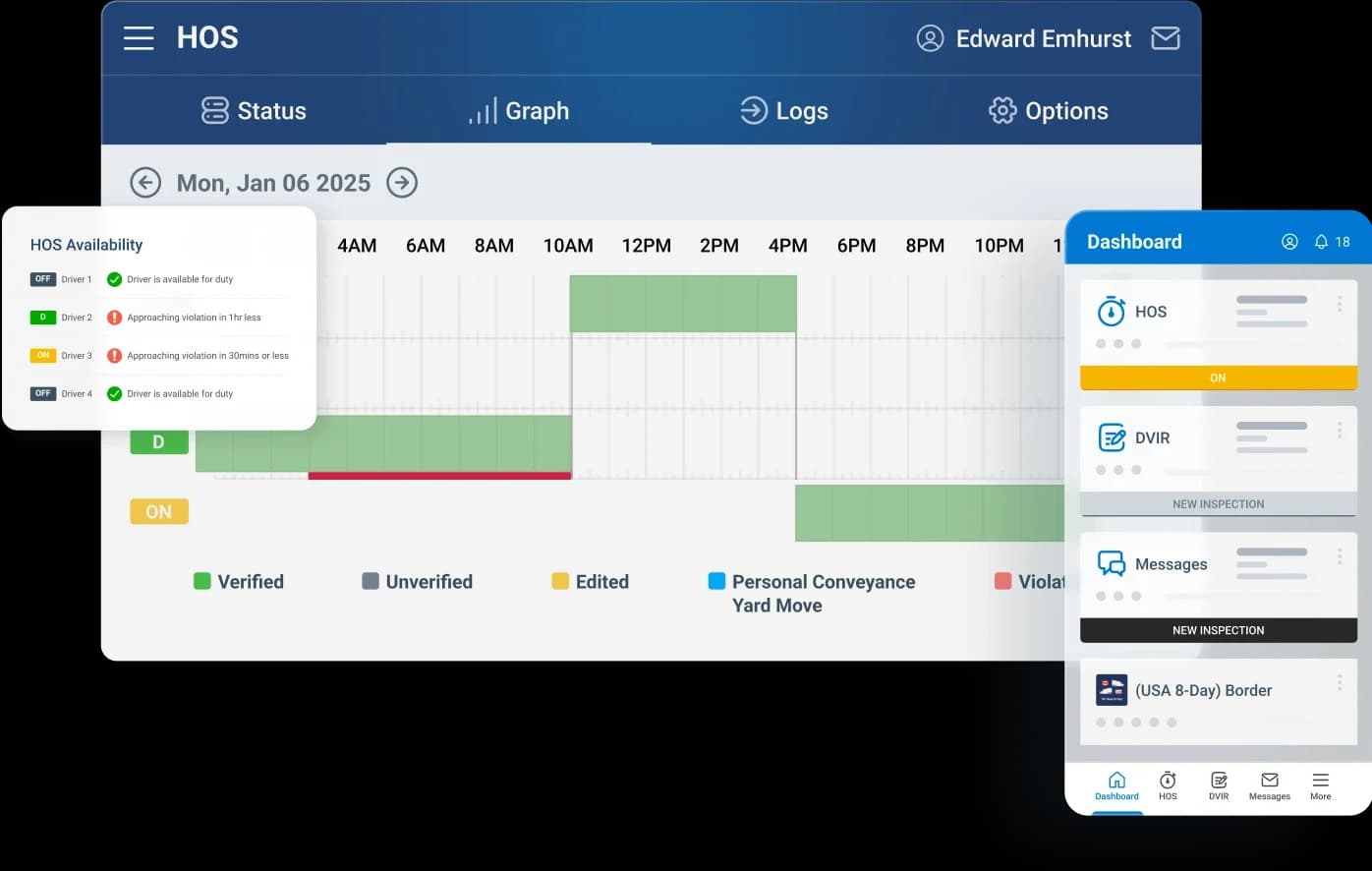
ELD compliance comes from three parts working together: the GPS tracking device in the vehicle, the ELD app on the driver's phone or tablet, and an hours-of-service ruleset assigned to each driver in the High Point GPS platform. With High Point GPS, a Geotab partner, that ELD app is Geotab Drive. The device supplies the engine-tied movement, location and odometer data the regulation requires. The driver uses the app to log in, change duty status, certify logs and show the record at roadside. In the High Point GPS platform, the carrier assigns rules, reviews logs, handles edits and pulls the records an auditor asks for.
For the United States, the ELD is self-certified and listed on the FMCSA's ELD registry. For Canada, where the mandate requires third-party certification, Geotab Drive is certified by COMDriver Tech and listed with the status Active. Transport Canada's List of electronic logging devices shows every device certified for use in Canada; search it by vendor, certification number or ELD identifier to confirm an entry's status. A cross-border fleet needs both, because a device that complies in one country does not automatically comply in the other.
Which Hours-of-Service Rules Does the ELD Enforce?
Once you assign a ruleset, the app counts the driver down: driving time left, time left in the on-duty window, when the required break is due, and hours remaining in the cycle. It warns the driver before a limit is reached, instead of only recording the violation afterward. The ELD detects movement from the engine, so a driver cannot sit in off-duty status while the truck is rolling. The app switches to driving, which is the behaviour the regulation exists to guarantee.
You assign rulesets per driver, not per fleet. A carrier running under both the US property-carrying rules and the Canadian cycles gives each driver the set that matches their operation, and can move a driver who crosses the border from one set to the other. Exceptions and special categories (personal conveyance, yard moves, the adverse-driving extension, the US short-haul exception) are switched on per driver in the High Point GPS platform. None of them is on by default.
What Does a Driver See and Do in the App?
At the start of the day, the driver logs into the driver app, confirms the vehicle and completes the pre-trip DVIR if the fleet uses one. During the shift the app shows the current status and the hours remaining. On duty, off duty and sleeper each take a tap, and the engine sets driving automatically. At the end of the shift the driver certifies the day's log. At roadside, the app produces the record for transfer or display in whatever form the officer requests.
Discipline shows up in the edits. A driver can annotate and propose edits, and a carrier can suggest them, but the driver has to accept any change, and the original record is never overwritten. Inspectors and auditors can see the full edit history, so a fleet's edit rate is one of the first things a compliance review looks at.
What Does the Fleet Still Have to Do for ELD Compliance?
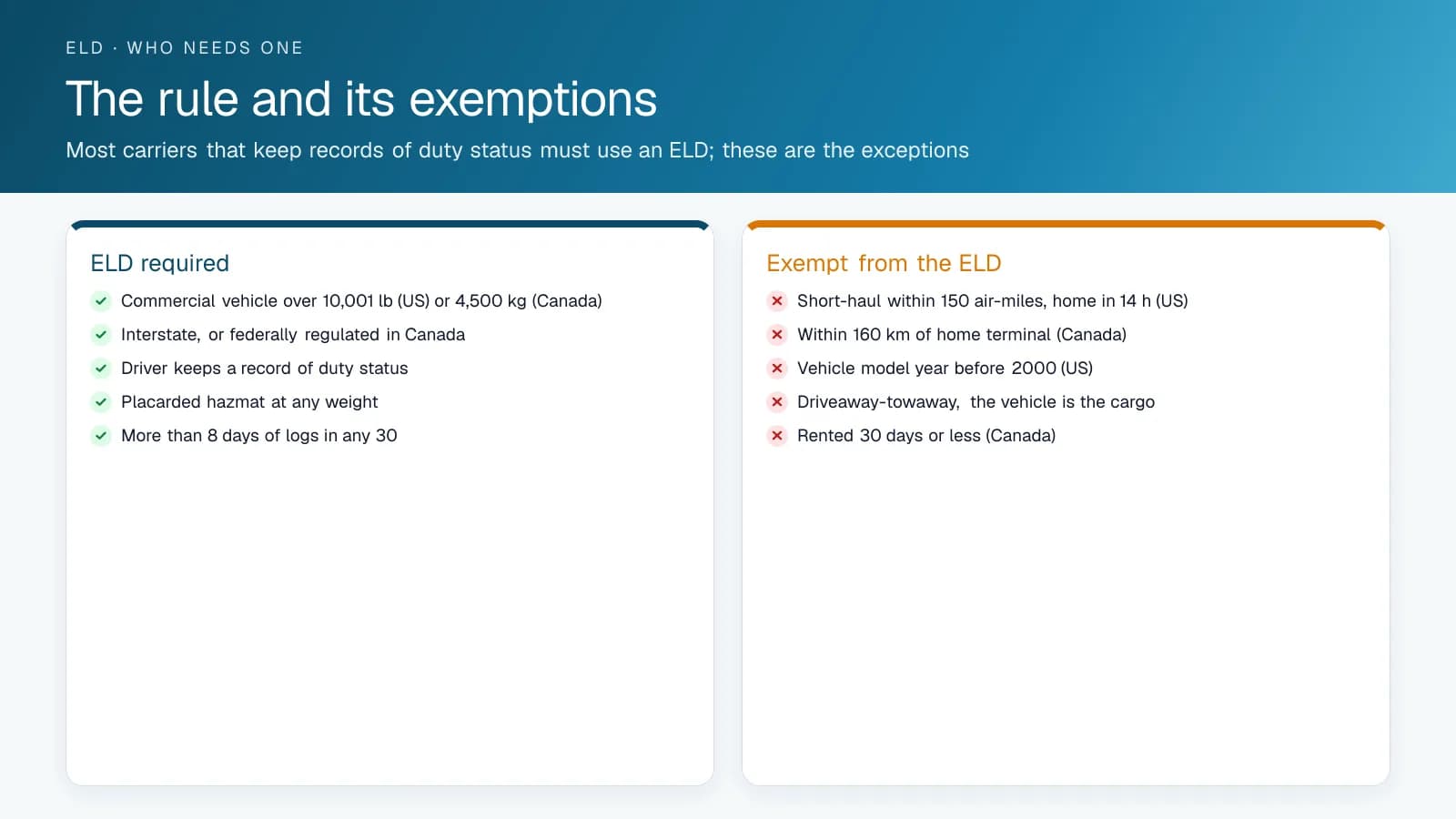
A certified ELD gives you the tool, and your fleet still has to run the practice. The carrier has to assign the right ruleset to every driver and keep six months of logs and supporting documents. It has to review unassigned driving time (movement recorded when nobody was logged in) and either assign it or annotate it. Malfunctions must be repaired within eight days under the US rule, or within 14 days under the Canadian rule (or when the driver returns to the home terminal, if a planned trip runs longer). Drivers need training on the app, on their rights at roadside and on what each special category is for.
The failures to watch for are these: unassigned driving left to pile up, a driver on the wrong ruleset for the trip, personal conveyance used to move the load forward, and a malfunction nobody noticed. The platform's exception rules can flag each of these. A fleet that sets those rules up and reviews them every week covers the part the device cannot.
What Should the Weekly ELD Review Cover?
These are the checks a carrier runs in the High Point GPS platform each week to cover what the device cannot, with the report or rule behind each one.
| Check | Where | What to do |
|---|---|---|
| Unassigned driving time | Unassigned logs report | Assign to the driver or annotate as yard move or mechanic; never leave it |
| Violations by driver | HOS violation report | Review the cause; coach or fix the schedule |
| Edit rate and pending edits | Log edits report | Drivers accept or reject; a high edit rate is what auditors read first |
| Personal conveyance and yard move use | Exception rules on special categories | Confirm each use fits the definition |
| Malfunctions and diagnostics | Device status and malfunction report | Resolve within eight days (US) or 14 days (Canada); paper logs meanwhile |
| Rulesets by driver | Driver settings | Match the operation; cross-border drivers switched at the border |
| Uncertified logs | Certification report | Drivers certify each day; chase the gaps |
| Documents in the app | ELD Info add-in | Manual, transfer and malfunction sheets current |
How Do You Set Up Personal Conveyance and Yard Moves in MyGeotab?
In MyGeotab you switch personal conveyance and yard moves on driver by driver: open People > Users & Drivers, select the driver, and turn on the exemptions that apply on the HOS Settings tab. Geotab records personal conveyance as an off-duty event and a yard move as an on-duty event, and neither counts as driving time. Once enabled, the driver starts and stops the category from the exemptions on the HOS screen in Geotab Drive. A maximum personal conveyance distance per day can be set for the whole database in System Settings or for each driver, and the driver's setting takes precedence. For Canadian drivers, Geotab caps it at 75 km per day and then takes the driver off personal conveyance automatically. Geotab's setup guide lists the Yard Move exemption as available to US customers only.
In the United States, FMCSA guidance allows personal conveyance only when the carrier has relieved the driver of all work, though the truck may be laden. Driving from a motel to a restaurant or moving to the first safe place to rest after unloading qualifies; bypassing rest stops to get closer to the next pickup, or driving to the terminal after a delivery, does not. Carriers can set tighter limits, such as a distance cap or a ban while laden.
Canada's Commercial Vehicle Drivers Hours of Service Regulations keep personal use out of on-duty time only if the vehicle is unloaded, trailers are unhitched, it is not used for the carrier's business, the distance stays within 75 km in a day, the odometer is recorded at the start and end, and the driver is not under an out-of-service declaration. A driver who forgets to select a category cannot later edit the driving event into it, FMCSA says; the driver annotates the record instead.
How Do You Evaluate an ELD, and Is a Driver Tracking App Enough?
A phone app that tracks location with the phone's own GPS is not an ELD. FMCSA requires an ELD to be integrally synchronized with the engine, meaning it captures engine power status, vehicle motion, miles driven and engine hours automatically, and it states that GPS data cannot substitute for that engine data. An app can be the ELD only when it connects to the engine's electronic control module bus and meets the technical specifications, and a phone or tablet used that way must be mounted in a fixed position the driver can see from the seat. With Geotab Drive, the Geotab device installed in the vehicle supplies the engine data.
Next, check the lists. In the US, providers self-certify and register each ELD model with FMCSA; models that fail the requirements move to a revoked list, and carriers then have up to 60 days to replace them. In Canada, an ELD must be certified by a third-party body accredited by the Minister of Transport, so look for an Active status on Transport Canada's list. That list shows four Geotab, Inc. entries certified by COMDriver Tech, two for Android and two for iOS, all Active.
Then test the roadside workflow and the carrier controls. In Geotab Drive, a US driver enters the officer's transfer code and sends the logs by web services or email, a Canadian driver enters the officer's email address and presses Transfer (Canada), and Compliance print shows the logs on screen where coverage is poor. Geotab's compliance guide describes a report where the carrier sets what counts as excessive personal conveyance, and it advises checking unidentified driving logs every day.
What Should Your Fleet Do Next?
Open each driver's HOS settings and confirm the ruleset, which exemptions are switched on and the personal conveyance distance limit, then compare them with your written personal conveyance policy. Turn off any exemption a driver has no reason to use.
High Point GPS is a Montreal fleet telematics company and Geotab partner. We install Geotab devices with professional installers across Canada and the United States, set up Geotab Drive rulesets, exemptions and exception reports for your operation, and support your drivers and office staff in English and French. Use the free quote form on this page: select Get a free quote and tell us about your fleet.
Frequently asked questions
Is the ELD app High Point GPS installs certified in the US and Canada?
Geotab Drive, the ELD app High Point GPS installs, is registered on the FMCSA ELD list (US ELDs are self-certified by their maker) and third-party certified on Transport Canada's list. A cross-border fleet needs both, since compliance in one country does not carry over to the other, and High Point GPS provides hours-of-service rulesets for each.
Do I need a tablet, or will a phone work?
Either one works. The driver app runs on Android and iOS phones and tablets. The GPS tracking device in the vehicle does the logging on the vehicle side, and the phone or tablet is the driver's interface for duty status, log certification and the roadside display an officer asks to see.
What is unassigned driving time on an ELD?
Unassigned driving time is movement the GPS tracking device recorded while no driver was logged into the driver app. The regulation requires the carrier to assign it to the right driver or annotate why it is unassigned. Leaving it to pile up creates a gap an auditor can see in the record.
Can a carrier edit a driver's ELD log?
A carrier can propose an edit, but the driver has to accept it before it takes effect. The original record stays in place alongside the edit history, and nothing is overwritten. The regulation requires this, and an inspector or auditor checks the edit history when reviewing the fleet's logs.
Is personal conveyance limited to 75 km a day in Canada?
Yes. Under Canada's Commercial Vehicle Drivers Hours of Service Regulations, personal use stays out of on-duty time only if the distance does not exceed 75 km in a day and the vehicle is unloaded, with trailers unhitched. The driver records the odometer at the start and end. In MyGeotab, Canadian drivers are taken off personal conveyance automatically at 75 km.
Can a GPS tracking app replace an ELD?
No. FMCSA requires an ELD to be integrally synchronized with the engine so it records engine power, motion, miles and engine hours automatically, and it says GPS data cannot replace that engine data. A phone app counts as an ELD only when it connects to the engine's control module and the model is registered or, in Canada, third-party certified.
Sources
- FMCSA: ELD registry
- Transport Canada: Electronic Logging Devices
- Transport Canada, List of electronic logging devices
- Geotab Support: HOS setup in MyGeotab
- Geotab Support: Hours of Service rulesets
- Geotab Support: Geotab Drive ELD compliance and implementation guide
- Geotab Support: Driver's guide to data transfer at roadside checks
- FMCSA: Personal conveyance
- FMCSA: Editing a driving event to personal conveyance or yard move
- FMCSA: ELD functions FAQs (engine synchronization)
- FMCSA: Can an ELD be on a smartphone or other wireless device?
- FMCSA: Devices removed from the registered ELD list
- Justice Laws: Commercial Vehicle Drivers Hours of Service Regulations
Related solutions & products
Free tools for this topic
Related terms
Continue reading
- Compliance (ELD, DVIR, IFTA) overview →
- ELD and Telematics: Do You Need Both? →
- Compliance Data Summary: Hours of Service and Inspection Status on the Live Map →
- Personal Conveyance Rules and MyGeotab Setup: Staying Compliant →
- ELD Info: The Documents a Driver Must Show at an ELD Roadside Inspection →
- More in Compliance →
Get a free quote
- Over 500 fleets
- Since 2013
- 4.9 on Google (19 reviews)
What are you looking for?
Prefer to talk?Call 1-800-613-6323[email protected]