
Compliance
HOS Driver Summary: The Weekly HOS Violations Report That Runs Itself
HOS Driver Summary turns ELD data into a scheduled HOS violations report: violations by driver and type, hours and DVIR completion, ready for the auditor.
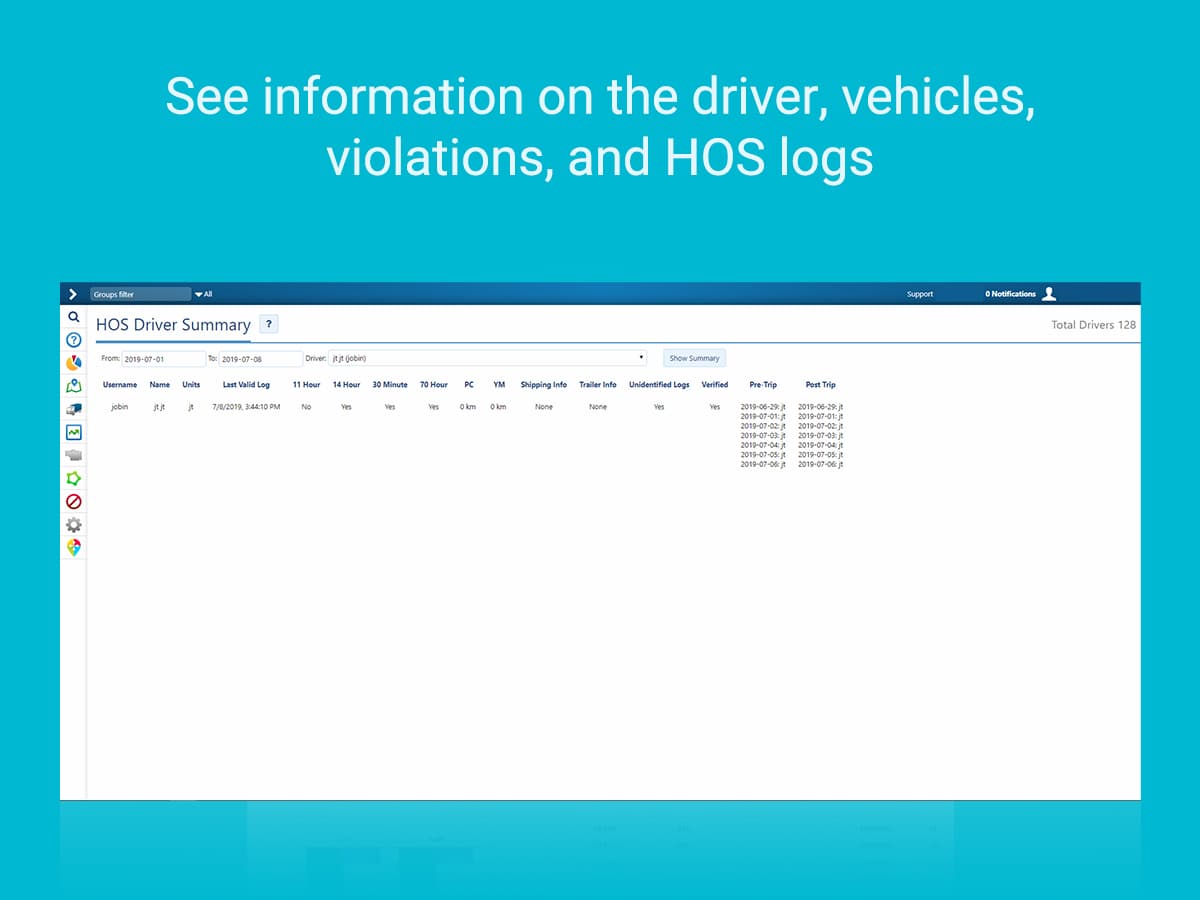
Why Run an HOS Driver Summary Report?
HOS Driver Summary is a High Point GPS platform add-in that turns ELD data into a scheduled HOS violations report, so nobody has to open each driver's log. The ELD records violations, and the rules put the follow-up on the carrier: Canada's federal hours-of-service regulations require it to monitor each driver's compliance and take immediate remedial action, and US rules bar it from permitting a driver to exceed the limits. Most safety managers open the HOS logs only when something goes wrong, and violations pile up unread. Then an audit or compliance review finds a pattern, like the same driver over the US fourteen-hour window (sixteen hours elapsed in Canada) every Thursday or a terminal where nobody takes the US thirty-minute break, that the fleet could have fixed months earlier.
What Does the Driver HOS Report Contain?
Per driver, it reads the period's ELD data and lists driving hours, on-duty hours, off-duty and sleeper time, and each violation with its type (driving limit, duty window, break or cycle) and date. It shows whether the required inspections were completed (pre-trip in Canada, the post-trip DVIR in the US), totals the fleet and each terminal, and ranks drivers by violation count. Scheduled, it lands in the safety manager's inbox every Monday without anyone opening the High Point GPS platform.
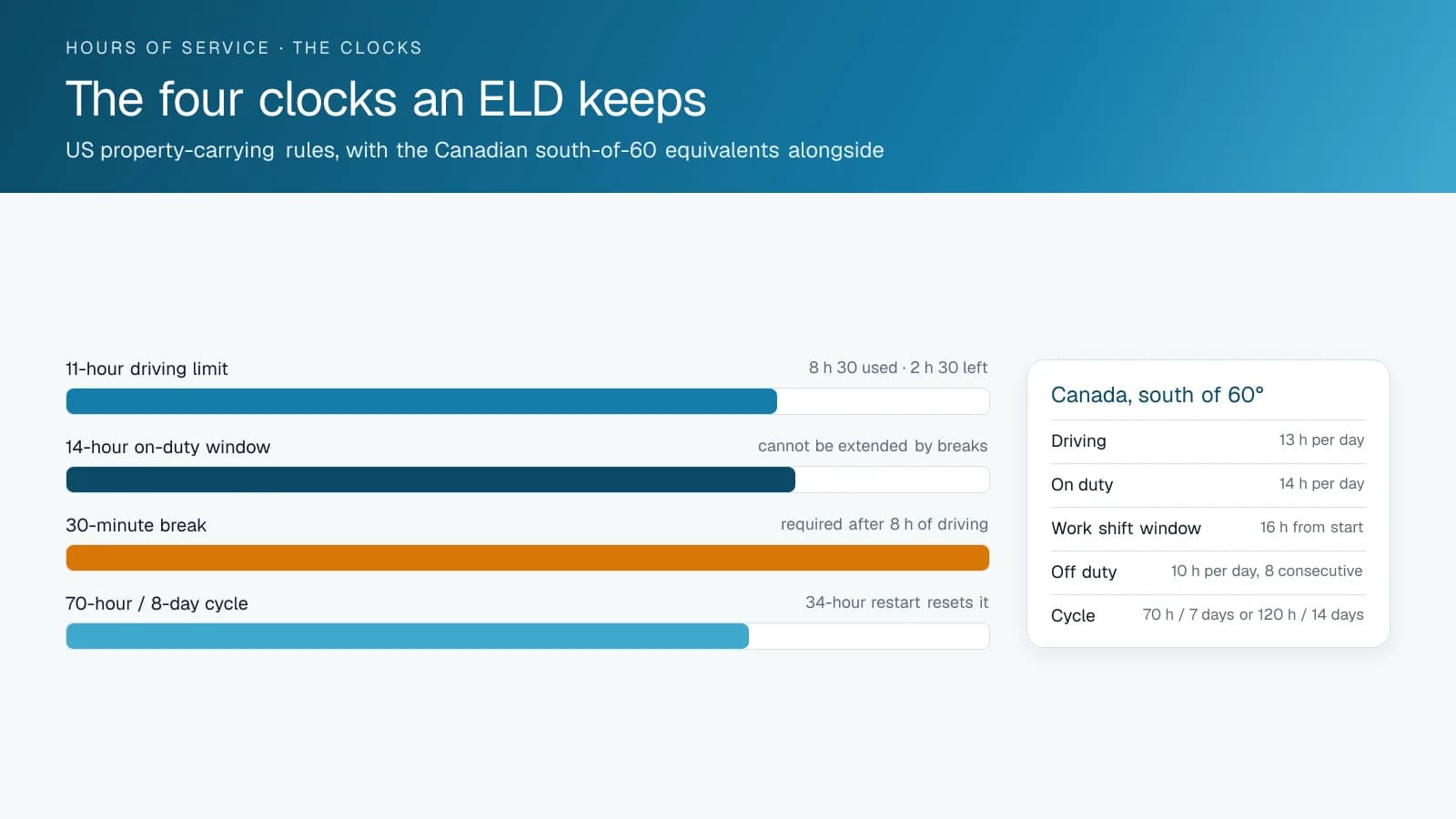
What Do Fleets Do With It?
The weekly report sets the coaching agenda: which drivers, which violations, and whether scheduling or the driver is the cause. The monthly report is the safety meeting's compliance slide. The period report goes to the auditor, and a year of weekly reviews with actions noted shows the fleet's safety management controls work, which is what the review assesses.
Which HOS Violations Does the Report Surface Most?
After a few months of weekly reports, most fleets see the same short list, each needing a different fix.
| Violation | Usual cause | Usual fix |
|---|---|---|
| 14-hour window exceeded (US; 16 hours elapsed in Canada) | Long detention at a customer | Dispatch sees remaining hours before assigning |
| 30-minute break missed (US rule) | Break taken but logged as on duty | Driver training on duty-status changes |
| Missing required inspection report | Driver started the trip before the inspection | Prompt in the driver app and a weekly check |
| Unassigned driving time | Yard moves with nobody logged in | Yard-move status and login enforcement |
| Cycle limit reached | Same driver covering every weekend | Scheduling, not coaching |
| Wrong ruleset | Cross-border trip without switching | Ruleset Switcher and a border reminder |
How Is It Set Up?
You install it into the fleet's High Point GPS platform database and schedule it with the recipients and period you want. It reads the driver app's HOS and DVIR records and needs nothing else. High Point GPS sets it up during ELD deployments for carriers across Canada and the United States, for the Canadian and US rulesets each fleet runs.
Frequently asked questions
What is HOS Driver Summary?
HOS Driver Summary is a High Point GPS platform add-in that builds a per-driver hours-of-service report for a chosen period. It lists hours by duty status, each violation by type and date, and inspection completion, with fleet and terminal totals.
Can it run automatically?
Yes. You can schedule HOS Driver Summary so the report is emailed to the people you pick on a set day, such as every Monday. Nobody has to open the High Point GPS platform to run it, so the review happens every week.
Does it include DVIR status?
Yes. For each driver, the report shows whether the required inspections were completed in the period: pre-trip in Canada, the post-trip DVIR in the US. A missing inspection report sits next to the hours-of-service violations, so the safety manager can raise both in the same coaching conversation.
Does it work for Canadian rules?
Yes. HOS Driver Summary reports each violation against whichever ruleset that driver runs, Canadian or US. For carriers with cross-border drivers, a trip logged under the wrong ruleset also shows up in the report as its own problem to fix.
Is the report useful for an audit?
Yes. A history of periodic reviews with actions noted is evidence that the carrier's safety management controls work. A year of weekly HOS Driver Summary reports, each with its follow-up recorded, shows that the fleet reviewed violations and acted on them.
Sources
Related solutions & products
Related terms
Continue reading
- Compliance (ELD, DVIR, IFTA) overview →
- Ruleset Switcher: Changing Hours-of-Service Rules in the Driver App When the Truck Crosses the Border →
- How to Pass a DOT Inspection: Checklist and Inspection Levels →
- Compliance Data Summary: Hours of Service and Inspection Status on the Live Map →
- Carrier Safety Programs in Every Canadian Province and Territory: CVOR, NSC Certificates and Safety Fitness Certificates →
- More in Compliance →
Get a free quote
- Over 500 fleets
- Since 2013
- 4.9 on Google (19 reviews)
What are you looking for?
Prefer to talk?Call 1-800-613-6323[email protected]