
Industry
GPS Fleet Tracking for Employee Shuttles & Corporate Fleets
GPS fleet tracking for employee shuttles and corporate pool fleets: live arrival times, on-time reports and a record of who took which vehicle and when.
Updated September 21, 2026
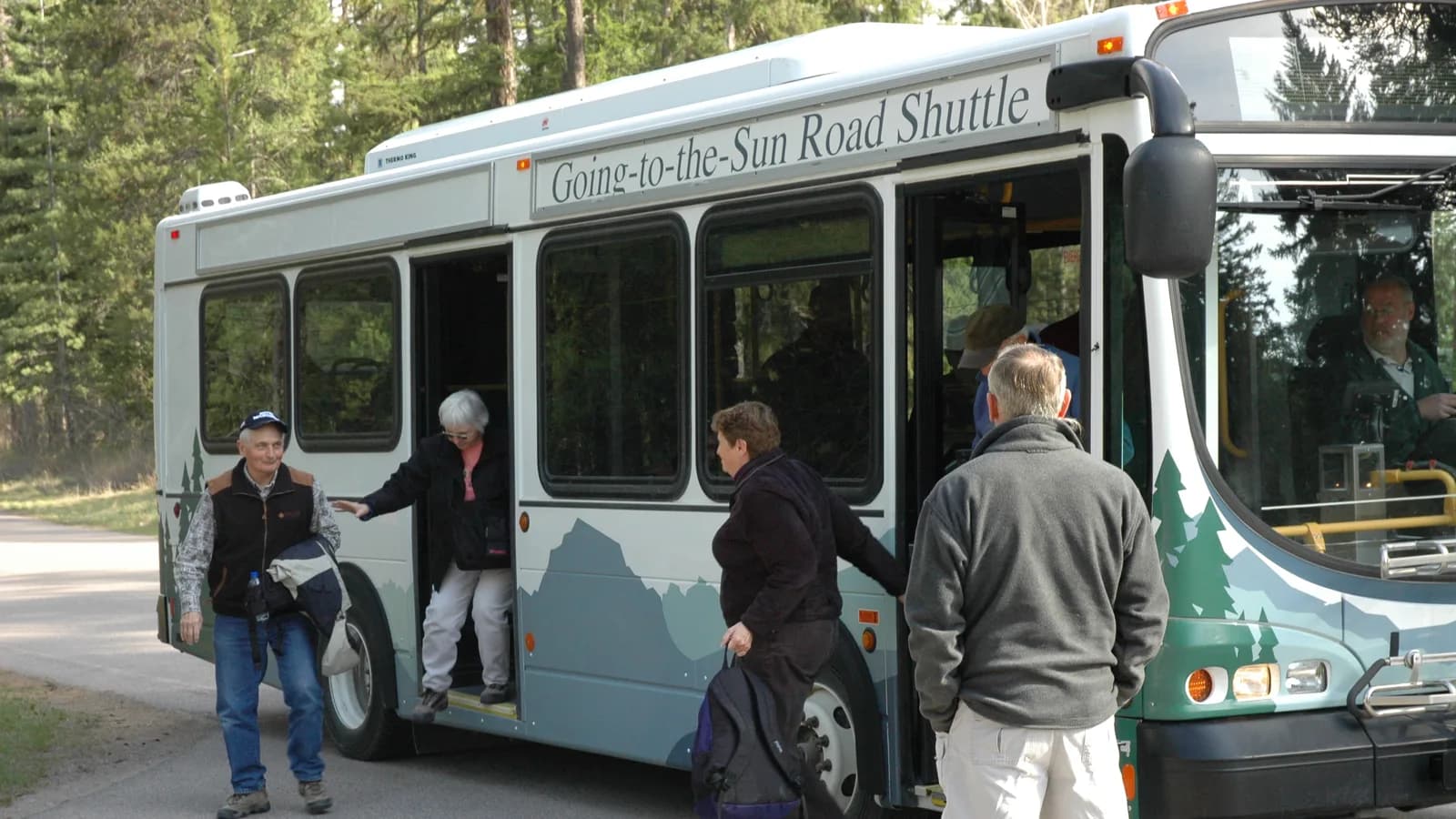
GPS fleet tracking from High Point GPS puts every employee shuttle on one live map and records who took each corporate pool vehicle, where it went and how it was driven. Employees get an arrival estimate on their phone, and the facilities or HR team gets the on-time record that the operator contract and the budget talk with finance both rely on. A shuttle is judged by the person standing at the stop at 7:50 a.m. who has to be at their desk at 8:00 a.m. The GPS tracking device records each loop, each stop and the time spent there, so a shuttle that keeps leaving the parking structure two minutes early shows up in the report. Pool vehicles are the other half: sedans and vans signed out by staff, driven across the region and returned late, dirty or with a new scratch. Driver ID through an NFC tag or a keyless reservation system records who took which vehicle and when. The trip record shows where it went, how it was driven and whether it left the region it was booked for. Driver scoring holds employees to the company's driving policy, and after-hours and weekend movement triggers an alert. Engine-hours maintenance, fault codes and fuel-card reconciliation keep a fleet that nobody owns personally in service, and the utilization report shows which vehicles could go. The employee tracking page and the facilities login to the High Point GPS platform run from the same database.
Common challenges
- Employees who miss the shuttle or wait in the cold because nobody can tell them when it will arrive
- On-time and ridership disputes with a shuttle contractor, with only the contractor's own log as evidence
- Pool vehicles signed out on a clipboard and returned late, with nobody sure who had one on the day of a parking ticket
- Personal and after-hours use of company vehicles, showing up as fuel and mileage nobody can explain
- A pool fleet sized by guesswork, with some vehicles idle for weeks and others never free
- Fuel-card charges that do not match the vehicle's location, found months later
How High Point GPS helps
- Live shuttle position and arrival estimate that employees check on a phone or a lobby screen
- On-time performance by loop, stop and hour, taken from geofence arrivals instead of the contractor's log
- Ridership counts by stop and loop where a passenger counter or card reader is installed
- Pool vehicle sign-out with driver ID through an NFC tag or a keyless reservation system
- Alerts for after-hours movement, geofence exits and vehicles that leave the region they were booked for
- Driver scoring on speeding, hard braking and seat belt use, measured against the company's driving policy
- Utilization reports by vehicle with days used, kilometres and idle days, for right-sizing the pool
- Engine-hours maintenance, fault codes and fuel-card reconciliation for vehicles no one owns personally
How do employees know when the shuttle will arrive?
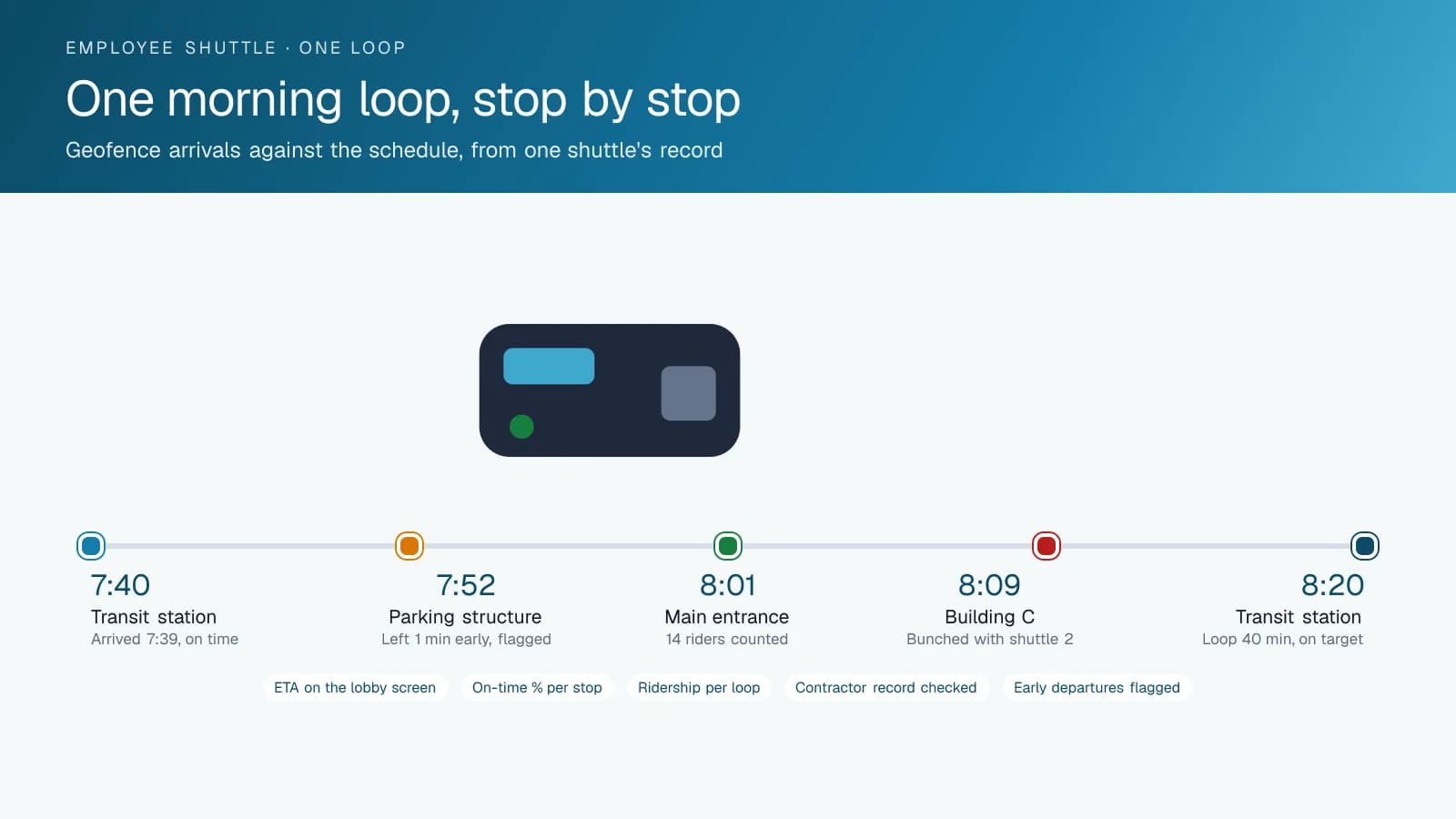
Employees check a tracking page from High Point GPS, on a phone or a lobby screen, that shows each shuttle on the loop and its arrival estimate for every stop. People rely on a shuttle they can see. Someone at the transit station can decide to wait or walk based on a number. Geofences at each stop record the actual arrival and departure of every shuttle on every loop, and a skipped stop or an early departure appears in the day's report before anyone complains.
Most employee shuttles are run by a contractor, and the contract sets an on-time target. The geofence record measures it independently: arrivals per stop per hour, the percentage inside the window, and the trips where a shuttle bunched with the one behind it. Ridership from a passenger counter or a badge reader at the door shows which loops are full and which run empty at 2 p.m. At renewal, facilities negotiates from a year of its own data, and any talk of adding or dropping a loop starts from counts instead of impressions.
Who has the pool car?
A pool vehicle is signed out on a clipboard, driven for the day and returned to a spot. When the parking ticket, the toll invoice or the body damage appears three weeks later, the clipboard rarely settles who had it. With an IOX-NFCREADERA reader in the cab, the employee taps a badge before driving, and every trip is attributed to them. Where the company uses a keyless reservation system, the reservation opens the vehicle and the GPS tracking device records the trip under that booking. Either way, the trip record shows where the vehicle went, when it came back and how it was driven.
Rules follow from the record. An alert fires if a pool vehicle moves outside business hours, leaves the region it was booked for or crosses into personal-use territory the policy does not allow. A geofence around the office lot records the return time, and a vehicle booked until 5 pm that comes back at 8 pm shows in the report. Fuel-card integration matches each purchase to the vehicle's location at the time, and a fill-up 60 kilometres from the vehicle's position gets flagged the same day rather than at the quarterly review.
Driving policy that applies to everyone
Employees driving a company vehicle are driving under the company's name and the company's insurance. Driver scoring in the High Point GPS platform measures speeding, hard braking, fast cornering and seat belt use on each trip and reports by employee. The fleet coordinator sees who drives within policy and who does not, with the specific trip to discuss. High Point GPS sets thresholds to match the policy in the employee handbook, with tighter rules on the campus loop where pedestrians are everywhere. A monthly scorecard shared with managers is often enough; the driver who is consistently at the bottom is the exception that needs a conversation.
AI dash cams are optional in a corporate fleet and common in shuttles. A road-facing camera records what happened in front of the shuttle, and event-based clips reach the coordinator only when hard braking, a collision or a distraction event triggers them. When a shuttle is rear-ended at a stop or a pool car is involved in a parking-lot collision, the video and the trip record settle the claim quickly and keep the premium where it is. Employees are told what the cameras record, and the retention policy is set by the company rather than by default.
Right-sizing and maintaining a fleet nobody owns
A pool fleet grows by requests and shrinks by nobody. The utilization report in the High Point GPS platform shows, for each vehicle, the days it moved, the kilometres it covered and the days it sat, over a quarter or a year. A sedan used four days in three months is a lease payment that can be cancelled; a van booked every day with a waiting list is a reason to add one. Facilities managers who bring this report to the budget meeting tend to keep the vehicles they need and lose the ones they do not, and the argument is over in one slide.
Vehicles nobody owns get the least care. Engine fault codes reach the fleet coordinator as the vehicle logs them, and maintenance reminders run on engine hours and mileage rather than on a calendar that assumes every vehicle drives the same amount. Shuttles that idle at the stop with the heat on for waiting passengers accumulate engine hours a mileage schedule would miss. Electronic inspections in the driver app give the shuttle contractor's drivers a pre-trip checklist, and a defect on a shuttle reaches the contractor and facilities at the same time, with a photo attached.
Frequently asked questions
Can employees see the shuttle's location?
Yes. High Point GPS sets up a tracking page that shows each shuttle on the loop and its arrival estimate for every stop. Employees open it on a phone or see it on a lobby screen. The page shows the shuttle and nothing else about the company's fleet, and it works for a contractor-run shuttle as well as one you operate yourself.
Can we track a contractor's shuttles?
Yes. The contractor's shuttles carry a GPS tracking device on your database, or the contractor shares access from its own, and facilities sees arrivals, departures and on-time performance for every loop. That record is independent of the contractor's log, which counts when the contract's on-time target is measured at renewal time.
How does the system know who has a pool vehicle?
Employees tap a badge on an NFC reader in the cab before driving, and every trip is attributed to them. Where the company uses a keyless reservation system, the booking opens the vehicle and the trip is recorded under it. If a vehicle moves without a tap or a booking, the fleet coordinator gets an alert.
Can it flag personal or after-hours use?
Yes. Alerts fire when a vehicle moves outside business hours, leaves a defined region or exits a geofence it should stay inside. Fuel-card integration flags purchases that do not match the vehicle's location at the time. The company sets the rules to match its own policy, and the report lists only the exceptions instead of every trip.
Will it help us decide how many vehicles we need?
Yes. The utilization report shows, for each vehicle, the days it moved, the kilometres it covered and the days it sat, over any period you choose. It points to the vehicles you could remove and the places where demand exceeds supply. Facilities can bring that report to the budget meeting instead of estimates.
Related solutions
Related guides
- Keyless Monitor: The Command Centre for a Shared Vehicle Pool →
- Keyless Vehicle Access for Shared Fleets: Keyless and Keyless Lite Explained →
- IOX-NFCREADERA: Driver ID by NFC Tap, So Every Trip Has a Name on It →
- Company Vehicle GPS Tracking Policy: Can My Employer Track Me? →
- What Is Geofencing? How It Works in Fleet Tracking →
- Fuel Card Integration With GPS Fleet Tracking: Fraud Prevention →
Get a free quote
- Over 500 fleets
- Since 2013
- 4.9 on Google (19 reviews)
What are you looking for?
Prefer to talk?Call 1-800-613-6323[email protected]