
Industry
GPS Fleet Tracking for Irrigation & Sprinkler Contractors
GPS tracking for irrigation and sprinkler contractors: every start-up, repair and fall blowout recorded by property, with proof of time on site.
Updated September 21, 2026
High Point GPS provides GPS tracking for irrigation and sprinkler contractors that puts every truck and trailer on one live map and records each property visit with an arrival, a departure and the time on site. That record backs a per-visit invoice and answers the customer who says the blowout was never done. The year runs as two rushes with a repair season between them: start-ups and controller programming in April and May, then blowouts against the first frost, with broken heads, valve replacements and new installs filling the summer. Geofences around each customer property build the visit record from the trucks' movements alone. The GPS tracking device also reads the vehicle's own circuits through IOX-AUXM auxiliary inputs, so a truck-mounted compressor running during a blowout shows up as engine-driven equipment time instead of idling. Bluetooth asset tags on trenchers, pipe pullers, locators and hand compressors show which trailer each tool is on and which job site it was left at. Engine-hours maintenance, fault codes and fuel-card integration keep a fleet of pickups, dump trailers and mini-excavators running through the rush without a breakdown taking a crew off the schedule. High Point GPS installs the hardware, maps the customer list to zones and configures the reports an irrigation office reads: the day's start-ups completed, the blowouts left on the list and the equipment inventory at the end of the season.
Common challenges
- Customers disputing a start-up or blowout invoice, with no record of the truck at the property
- Fall blowout lists of several hundred properties with no clear picture of what is done and what is left before frost
- Trenchers, locators and compressors left at a job site and not found until the next crew needs them
- Compressor time during blowouts logged as idling, or not logged at all, in the fuel and maintenance numbers
- Repair calls dispatched by phone to whoever picks up, while the closest crew is two streets away
- Seasonal crews on unfamiliar routes who drive harder and take longer than the regular technicians
How High Point GPS helps
- Live location of every truck and trailer on one map, with the day's start-up or blowout list beside it
- Geofence arrival and departure records at each customer property, with minutes on site, to back the invoice
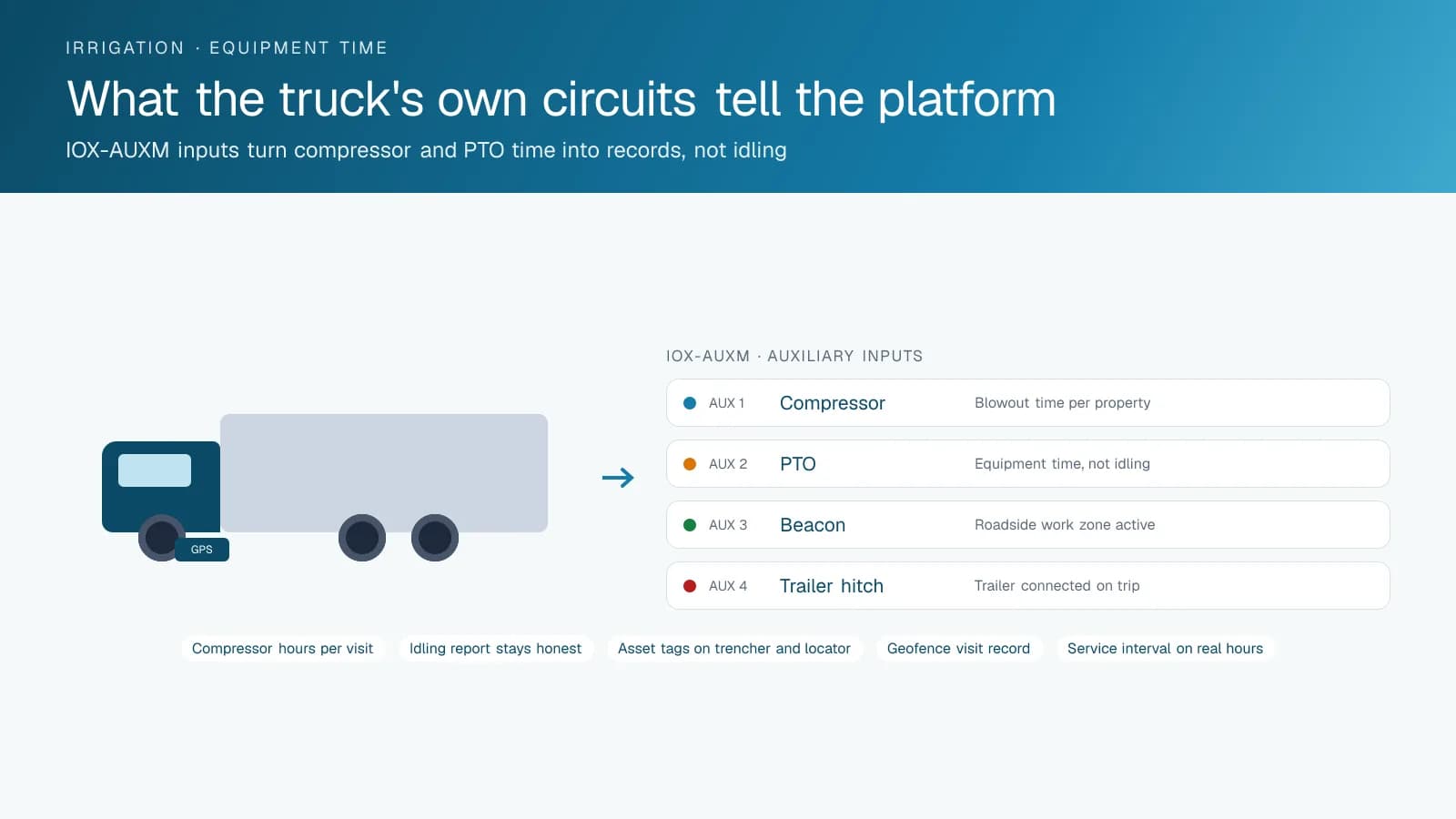
- Compressor and PTO status read from the truck's own circuits through IOX-AUXM auxiliary inputs
- Bluetooth asset tags on trenchers, pipe pullers, locators and compressors that show which trailer each is on
- Nearest-crew dispatch for broken-head and valve repairs through the driver app
- Trip replay showing the route, each stop and the equipment time for any truck on any day
- Engine-hours maintenance reminders and fault codes for pickups, trailers and compact equipment
- Fuel-card integration that matches each fill-up to the truck, the driver and the location
How does GPS tracking manage the fall blowout list?
A geofence around each customer property lets the platform record every blowout visit as the truck arrives and leaves, so the office knows each evening which properties are done and which are left. Blowouts run against a deadline no irrigation contractor controls: several hundred properties need clearing before the ground freezes, and the office has to plan where the trucks go tomorrow. The day's list updates from the trucks' movements instead of a phone call at the end of the day, and a supervisor sees which routes are ahead and which crews need help before the forecast changes.
The same record backs the invoice. A customer who says the blowout was never done, or who was billed for a visit they did not see, gets the arrival time, the minutes on site and the compressor run time from the truck's own record. High Point GPS builds the zones from the customer list at setup, and the trip replay shows the truck at the property with the compressor running through an IOX-AUXM input. Over a season, the zone data also shows the average time per blowout by crew and by property type, which tells you how many crews next fall's list will need.
Keeping track of the trencher
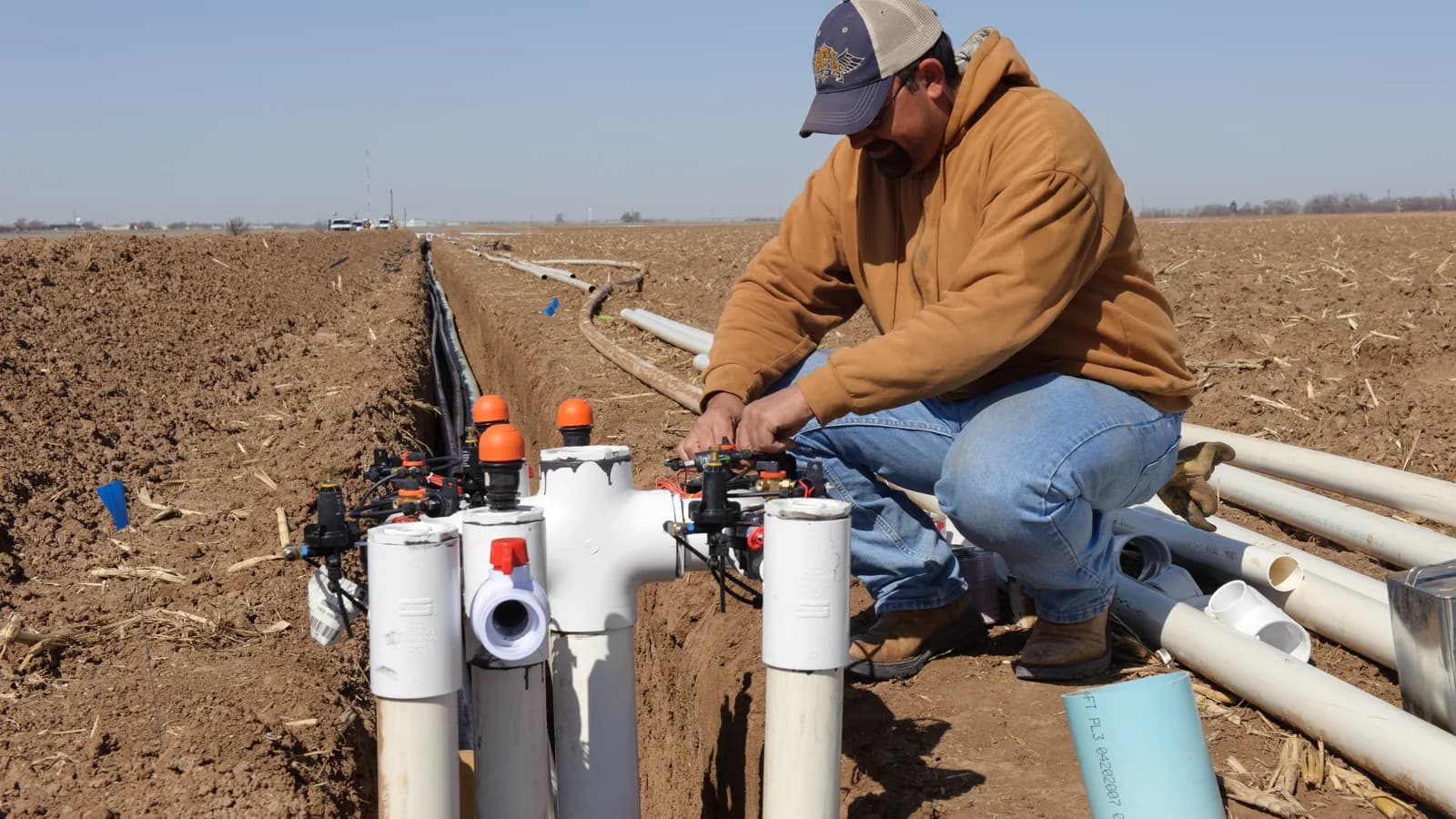
An irrigation install needs equipment that rides on trailers and gets left on sites: a vibratory plow or trencher, a pipe puller, a wire and valve locator, a portable compressor and a mini-excavator for the bigger jobs. Bluetooth asset tags on each tool report through the GPS tracking device on the truck or trailer they are riding with, and a tag that stopped moving with its vehicle is flagged the moment the truck drives away. The locator left in a customer's flower bed is found before the next crew wastes an hour looking for one.
For the trailers themselves and for equipment stored at a job site for a week, battery-powered trackers report position on a schedule and wake on movement. That is the alert that matters when a trailer leaves a yard at two in the morning. The inventory report at the end of the season lists every tagged item, the vehicle it was last seen with and the date. The same report at the start of the season is how a new crew gets a full trailer. High Point GPS tags the equipment at installation and adds tags as the fleet grows.
Repairs between the rushes
Summer is repair season: broken heads, stuck valves, a controller that lost its program in a power outage, a main line cut by another contractor. The calls come in all day, and the dispatcher sees every truck on the map with its current stop and the stops left on its route. The closest crew with the right parts gets the job in the driver app with the address, the customer's notes and the system details, and the customer gets an arrival window the office can stand behind. The route the crew was on is reordered rather than dropped, and the stops that were pushed appear on tomorrow's list.
The record of that day shows what the reshuffling cost in kilometres and overtime, which is the number the owner needs when deciding whether a dedicated repair truck pays. Driver scoring for speeding, hard braking and fast cornering keeps seasonal hires in check on a pickup towing a loaded trailer. AI dash cams add the road-facing view for the collision claim when a customer's car backs into the trailer at the curb. The open API lets a contractor push visit records into its billing or scheduling software rather than typing them a second time.
Compressors, fuel and maintenance
A truck-mounted compressor running for a blowout looks like idling to a plain GPS tracker. An IOX-AUXM auxiliary input reads the compressor or PTO circuit, so the platform separates equipment time from idling and records the compressor hours per property. The fuel number that comes out is honest, the idling report is not padded with legitimate work, and the compressor's own service interval runs on real hours rather than a guess. The fuel-card integration then matches every fill-up to the truck, the driver and the odometer, and flags the fill-up that does not match the truck's location.
Maintenance on an irrigation fleet is the maintenance of vehicles that tow and idle in the heat: brakes, cooling systems, transmission fluid and tires that carry a trailer all summer. The GPS tracking device reports engine hours and mileage for each truck and sends engine fault codes to the shop as they appear, which is how a charging problem gets caught before a truck strands a crew and a day's start-ups. High Point GPS sets up the maintenance reminders on the intervals the fleet actually uses and the reports the office reads, from the Monday route summary to the season-end inventory.
Frequently asked questions
How do we prove a blowout or start-up was done at a property?
A geofence around each customer property lets the GPS tracking device record the truck's arrival, minutes on site and departure automatically. With an IOX-AUXM input on the compressor circuit, the record also shows the compressor running during the visit. When a customer questions the invoice, the office pulls the zone report or the trip replay and sends the times.
Can it track trenchers, locators and compressors as well as the trucks?
Yes. Bluetooth asset tags on tools and compact equipment report through the GPS tracking device on the truck or trailer carrying them, and the platform flags a tag left behind when the truck leaves a site. Battery-powered trackers cover trailers and equipment stored on a job site for days or weeks, and they wake on movement.
Does compressor time count as idling?
Not when an IOX-AUXM input reads the compressor or PTO circuit. The platform then records equipment time separately from idling and ties the hours to the property where the truck was parked. Your fuel and idling reports reflect the work done, and the compressor's service interval runs on its real hours instead of a calendar.
How does dispatch work for summer repair calls?
The dispatcher sees every truck's live location and the stops left on its route, and sends the repair to the closest crew with the right parts through the driver app. The platform records the reshuffled route, and the stops that were pushed appear on the next day's list so the office does not lose track of them.
What does the technician have to do differently?
Very little. Tracking, visit records, compressor time and asset tags work without any input from the crew. Technicians log in to the driver app so trips are attributed to them, and they receive dispatched repair jobs there with the address and notes. If the contractor uses it, crews also run a short electronic pre-trip inspection on the truck and trailer.
Related solutions
Related guides
- What Is Geofencing? How It Works in Fleet Tracking →
- IOX Meaning: What Is an IOX Port and What Does It Do? →
- Asset Tracker Tags vs. Powered GPS Trackers for Equipment →
- How Does Trailer GPS Tracking Work, With or Without a Truck? →
- GPS Tracking for Landscapers and Lawn Care: Crew Time, Equipment and Snow Season →
- Fleet Maintenance Schedule: Engine Hours vs Calendar and Mileage →
Get a free quote
- Over 500 fleets
- Since 2013
- 4.9 on Google (19 reviews)
What are you looking for?
Prefer to talk?Call 1-800-613-6323[email protected]