
Video Safety & Dash Cams
What Is a Fleet Dash Cam? How Fleet Cameras Work
A fleet dash cam records the road, and often the cab, across many vehicles while AI flags the risky moments. How it works and which setup fits your fleet.
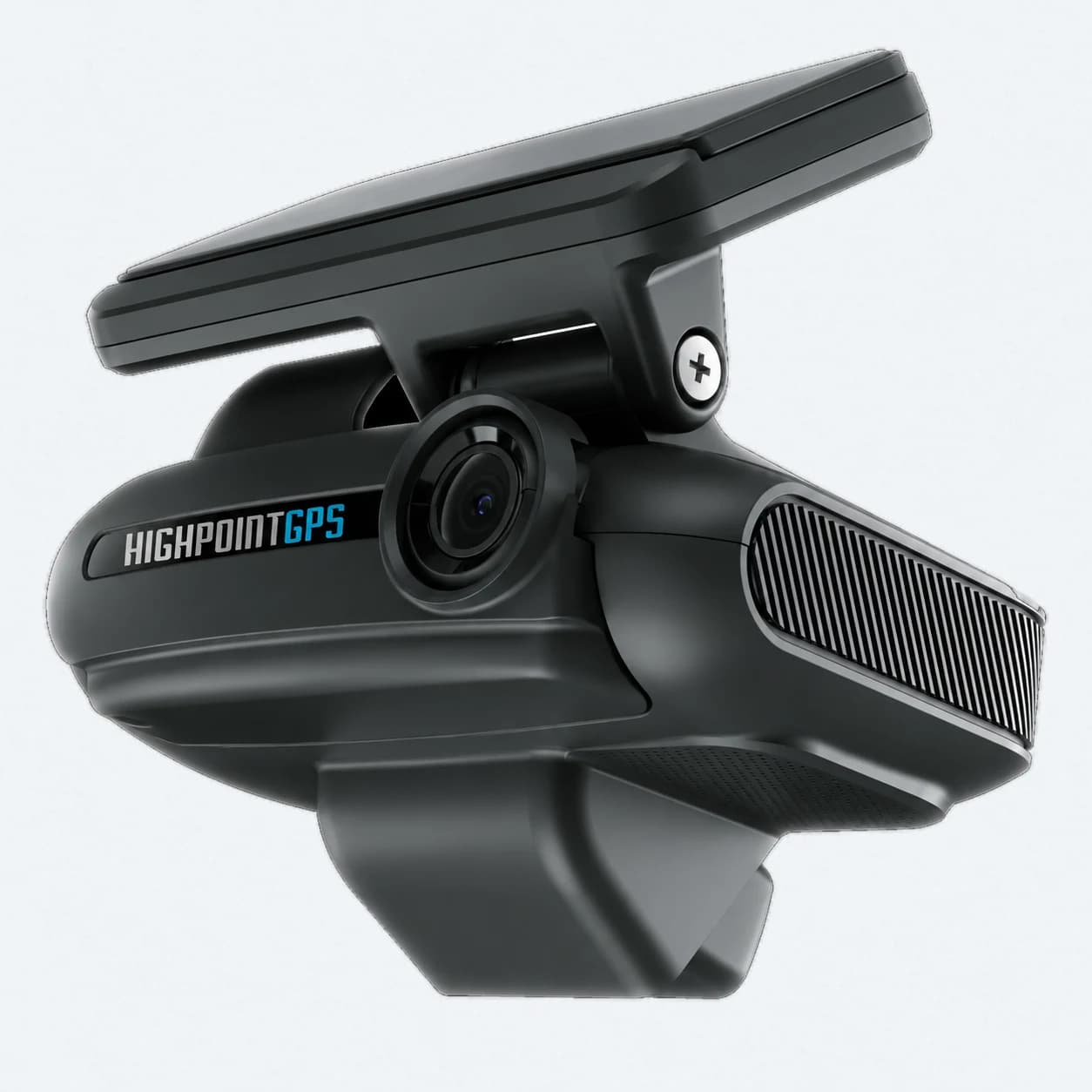
What Is a Fleet Dash Cam, and How Is It Different From a Consumer Camera?
A fleet dash cam is a camera that records the road (and often the cab) across dozens or hundreds of vehicles, then finds the few clips worth a manager's time out of thousands of hours of footage. A consumer dash cam keeps footage in case something happens to your one car. The two can look alike, but the fleet camera also has to fit into how a safety manager works, so it can't simply record and sit there.
The biggest practical difference is AI event detection. A camera that only records continuously is a black box: after an incident, someone has to scrub through the footage by hand, assuming they even know when to look. A camera with onboard AI flags harsh braking, following too closely, distracted driving and collisions as they happen, and pulls the relevant clip on its own. Nobody has to sit through hours of video hoping to find the right ten seconds.
Scale drives every other requirement on this list. One camera in one car can afford to be simple. A hundred cameras across a fleet need central management, consistent footage quality across different vehicle types, and a review workflow that doesn't take a full-time person to keep up with the volume.
Should You Choose Road-Facing or Dual-Facing Cameras?
Your next decision is road-facing only or dual (road- and driver-facing). Road-facing footage is what typically clears a driver in a collision dispute or insurance claim. Driver-facing footage shows distraction and fatigue, which helps with coaching. It also raises privacy questions, and you should talk them through with drivers openly before installation, before anyone notices the second lens on their own.
A middle option exists too: a road-only variant of a dual-camera system, which the GO Focus Plus offers as its Road Only version. That kind of variant keeps the AI event detection and alerting on the road side and leaves out the driver-facing lens. Fleets that want the safety and liability benefits without the privacy discussion a cab camera brings often find it a reasonable compromise.
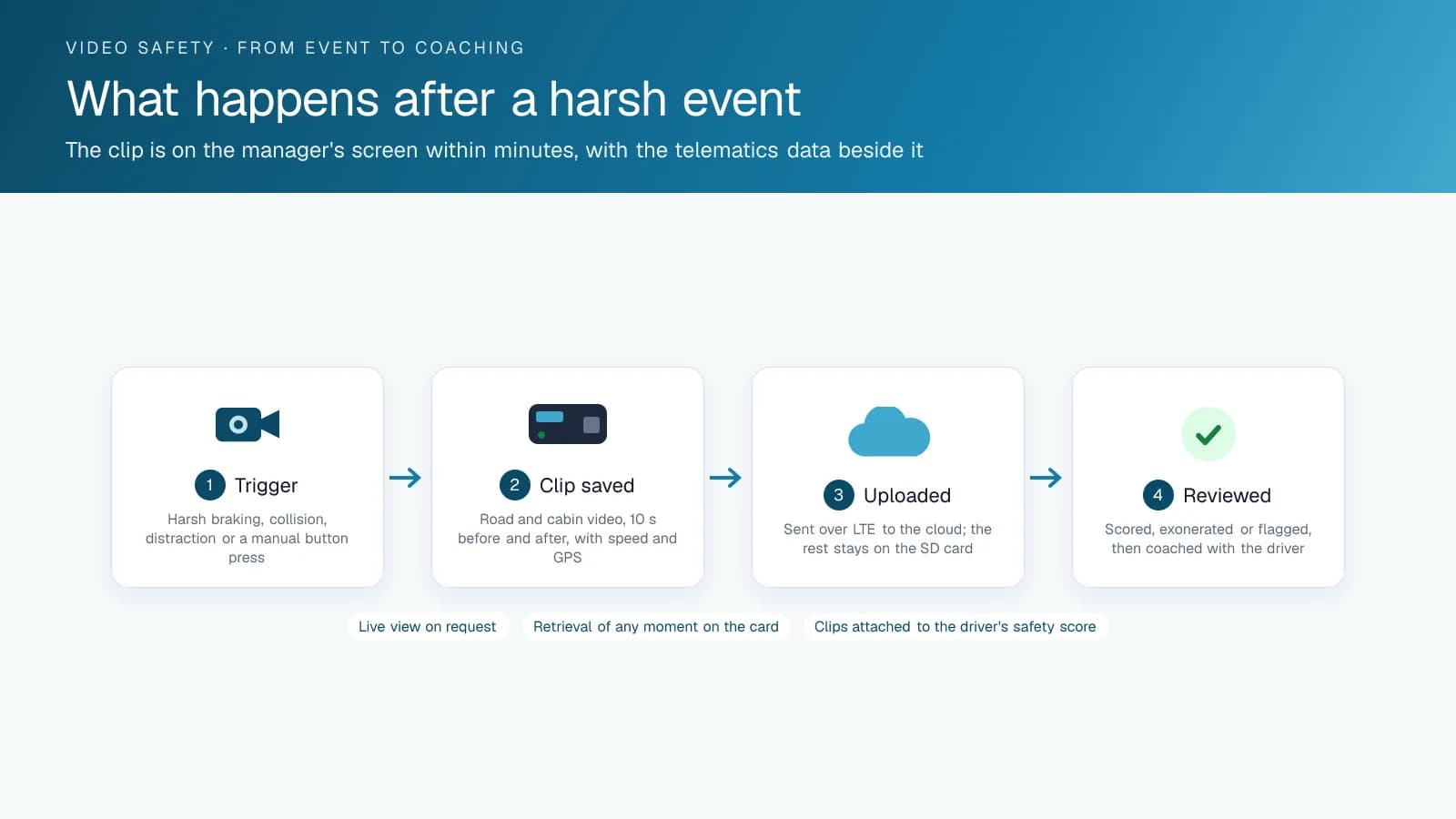
How Does a Fleet Dash Cam Decide Which Clips to Keep?
A fleet dash cam keeps a clip when something triggers it: a harsh driving event picked up by the vehicle's sensors, a behaviour its onboard AI recognizes, or a driver pressing a button. The rest is ordinary recording that the camera overwrites in a loop on its memory card.
The AI runs on the camera itself. Geotab lists 8 CPU cores, a GPU and an AI accelerator in the GO Focus Plus, and names the detections it handles: distracted driving, tailgating, hard braking, fatigue, rear-end collision risks, backing incidents and blind spot risks. The GO Focus Pro adds pre-collision and forward collision warnings, traffic light detection, pedestrian and motorbike detection, low-profile hazards such as bollards, speed bumps and curbs, phone use and Smart Driver ID.
You also decide what each trigger saves. On the GO Focus Plus, an event can record a snapshot and video, a snapshot only, video only or nothing, and drivers can flag footage themselves with an event button. Start with the few triggers your safety manager will review every week, and add more once that volume is under control.
What Privacy Rules Apply to a Driver-Facing Camera?
In Canada, the privacy law that applies depends on the employer. PIPEDA covers the personal information of employees of federally regulated businesses, a group that includes interprovincial and international transportation companies. Alberta, British Columbia and Quebec have their own private-sector privacy laws. In Quebec, review your Law 25 obligations, with the Commission d'accès à l'information's guidance or your counsel, before you install cab cameras. In the US, check the rules in each state where your drivers are based with counsel.
PIPEDA's fair information principles make a practical checklist for any fleet. Identify the purpose before or when you collect. Collect only what that purpose needs. Use the footage only for that purpose and keep it only as long as the purpose requires. Make your policy readily available. For a cab camera, that means a written policy that says why the camera is there, what triggers a recording, who can watch clips and how long they are kept.
A road-only camera narrows the question without removing it, because road footage still shows where and how an identifiable driver was driving.
What Matters Most on Integration and Cost?
Integration is where many fleets get burned after the purchase. A dash cam that lives in its own app, cut off from your GPS and telematics data, gives you event clips with no speed, location or driver context. In a dispute, that clip is worth far less than one tied to exactly what the vehicle was doing at that moment. If you already run a telematics platform, check compatibility before you buy a standalone camera system that can't talk to it.
Pricing varies a lot between vendors in this category, and plenty of fleets shop around for good reason. Compare total cost, meaning hardware plus any required data or software plan, and look past the sticker price of the camera. Ask each vendor how footage gets from the vehicle to a manager's screen: automatic upload on a trigger, live streaming on demand, or someone pulling the SD card by hand. That answer decides how useful the system is day to day.
Which Fleet Dash Cam Configuration Fits Your Fleet?
Here are the four configurations most fleets choose between, and the type of fleet each one suits.
| Configuration | Records | Detects | Fits |
|---|---|---|---|
| Road-facing, recording only | Forward video, continuous on the card, clips on impact | Impacts | Fleets that want claims footage and nothing else |
| Road-facing with AI | Forward video, event clips | Following distance, forward collision, lane departure, rolling stops | Fleets coaching driving without a cab lens |
| Dual-facing with AI | Forward and cab video, event clips | The above plus distraction, phone use, drowsiness, seat belt | Fleets with a written policy and a coaching routine |
| Multi-camera with AI | Forward, cab, sides and rear | The above plus blind-spot and backing events | Buses, refuse, delivery and trucks with trailers |
Frequently asked questions
What is a fleet dash cam, and how is it different from a consumer dash cam?
A fleet dash cam manages footage across many vehicles at once. It typically uses AI event detection to surface the clips that matter, connects to your fleet telematics data, and gives safety managers central access to video. A consumer dash cam usually records continuously to a memory card in one vehicle, and you go looking for footage only after something happens.
Do fleet dash cams require a data plan?
Most AI-enabled fleet dash cams need a data connection so they can upload event clips automatically, and that plan is usually a separate line item from the hardware cost. Some models can share the connection of a GPS device already installed in the vehicle, so they don't need a cellular plan of their own. Ask the vendor which setup applies before you compare prices.
Will drivers push back on having a camera in the cab?
Some drivers will push back, especially on driver-facing cameras. You'll usually get less resistance if you present the camera as a coaching tool that also protects drivers from false liability claims, and if you tell drivers about it openly during rollout. Installing cameras quietly and letting drivers discover them tends to create more pushback than an open rollout does.
Is there a middle ground between road-only and full dual-facing cameras?
Yes. A road-only variant of a dual-camera system keeps the same AI detection and alerting on the road-facing side and leaves out the driver-facing lens. Some fleets choose it as a compromise on privacy, because they still get event clips for coaching and claims without placing a camera that points at the driver inside the cab.
Which privacy law applies to a driver-facing dash cam in Canada?
It depends on the employer. PIPEDA covers the personal information of employees of federally regulated businesses, including interprovincial and international transportation companies. Alberta, British Columbia and Quebec have their own private-sector privacy laws, and in Quebec you should review your Law 25 obligations. Under any of them, state the purpose, record only what it needs and set a retention period.
What events does an AI fleet dash cam detect?
It depends on the model. Geotab's GO Focus Plus lists distracted driving, tailgating, hard braking, fatigue, rear-end collision risks, backing incidents and blind spot risks. The GO Focus Pro adds forward collision warning, traffic light detection, pedestrian and motorbike detection, low-profile hazards such as curbs, and phone use. Ask each vendor which detections run on the camera itself.
Sources
- IIHS: Large Trucks
- Geotab, GO Focus Plus
- Geotab Support Center, GO Focus Plus technical specifications
- Geotab, GO Focus Pro
- Office of the Privacy Commissioner of Canada, PIPEDA in brief
- Office of the Privacy Commissioner of Canada, PIPEDA fair information principles
- Publications du Québec, Act to modernize legislative provisions as regards the protection of personal information (S.Q. 2021, c. 25)
- Commission d'accès à l'information du Québec
Related solutions & products
Related terms
Continue reading
- Dash Cams & AI Video Safety overview →
- Fleet Dash Cams Compared: Samsara, Motive, Lytx, Netradyne and Geotab GO Focus →
- Do AI Dash Cams Need Wi-Fi or a Subscription to Work? →
- Dash Cams for Trucking Fleets: What's Different From a Personal Dash Cam →
- Do Dash Cams Lower Insurance? How Fleets Get the Discount →
- More in Video Safety & Dash Cams →
Get a free quote
- Over 500 fleets
- Since 2013
- 4.9 on Google (19 reviews)
What are you looking for?
Prefer to talk?Call 1-800-613-6323[email protected]