
Industry
GPS Fleet Tracking for Property Management & Maintenance Fleets
GPS tracking for property management maintenance fleets proves when technicians arrived for work orders and verifies snow and landscaping contractors.

Updated September 21, 2026
High Point GPS provides GPS tracking for property management and building maintenance fleets serving residential, commercial and condominium portfolios. It puts every service vehicle on one map and a geofence around every building, so each visit becomes a record with an arrival time, a departure time and a duration, tied to the technician who was logged in. Your technicians cover dozens or hundreds of buildings, and every building has tenants who notice when nobody shows up. A work order says the plumber was on site Tuesday morning; the tenant says nobody looked at the leak until Thursday. The snow contractor invoices for clearing eleven properties after the storm, and the manager of two of them says the lot was never plowed. An after-hours callout is paid at premium rates, and nobody can say how long the technician was there. The work order in the maintenance system and the visit in the High Point GPS platform line up on the time, so you answer a tenant complaint with the record and skip the phone call to the tech. Contractors who plow, mow or clean under contract can carry a small device on their own equipment, on the property manager's terms, and the geofence at each property shows which ones they visited and for how long. Driver scoring, maintenance reminders and dash cams keep the vans and the people in them safe, and High Point GPS installs and supports the system.
Common challenges
- Tenants and boards saying a technician never came, with only the work order's closing note to answer them
- Snow, landscaping and cleaning contractors invoicing for properties they may or may not have visited
- After-hours callouts billed at premium rates with no record of when the tech arrived or how long the visit took
- Technicians dispatched by phone to whoever is free, not to whoever is closest to the building
- Vans parked at home overnight with tools aboard, and no way to know when they move outside working hours
- Monthly owner and board reports pieced together from work orders, invoices and memory
How High Point GPS helps
- A geofence around every building in the portfolio, recording each service vehicle's arrival, departure and time on site
- Work-order arrival proof: the visit record matched to the ticket by time and technician, exportable for tenants, boards and owners
- Dispatch that shows the closest available technician to the building and sends the job to the driver app
- Contractor oversight, with snow, landscaping and cleaning vehicles tracked on the property manager's terms and a visit log per property
- After-hours callout records with arrival time, duration and departure, for billing the owner and paying the technician
- Unauthorized-use alerts when a van moves outside working hours, with Bluetooth tags on the tools and equipment inside
- Driver behaviour scoring and optional AI dash cams for a fleet that spends its day on residential streets and in parking garages
- Maintenance reminders on engine hours and mileage, with fault codes reaching the fleet coordinator as they occur
How does GPS tracking prove a maintenance technician was on site?
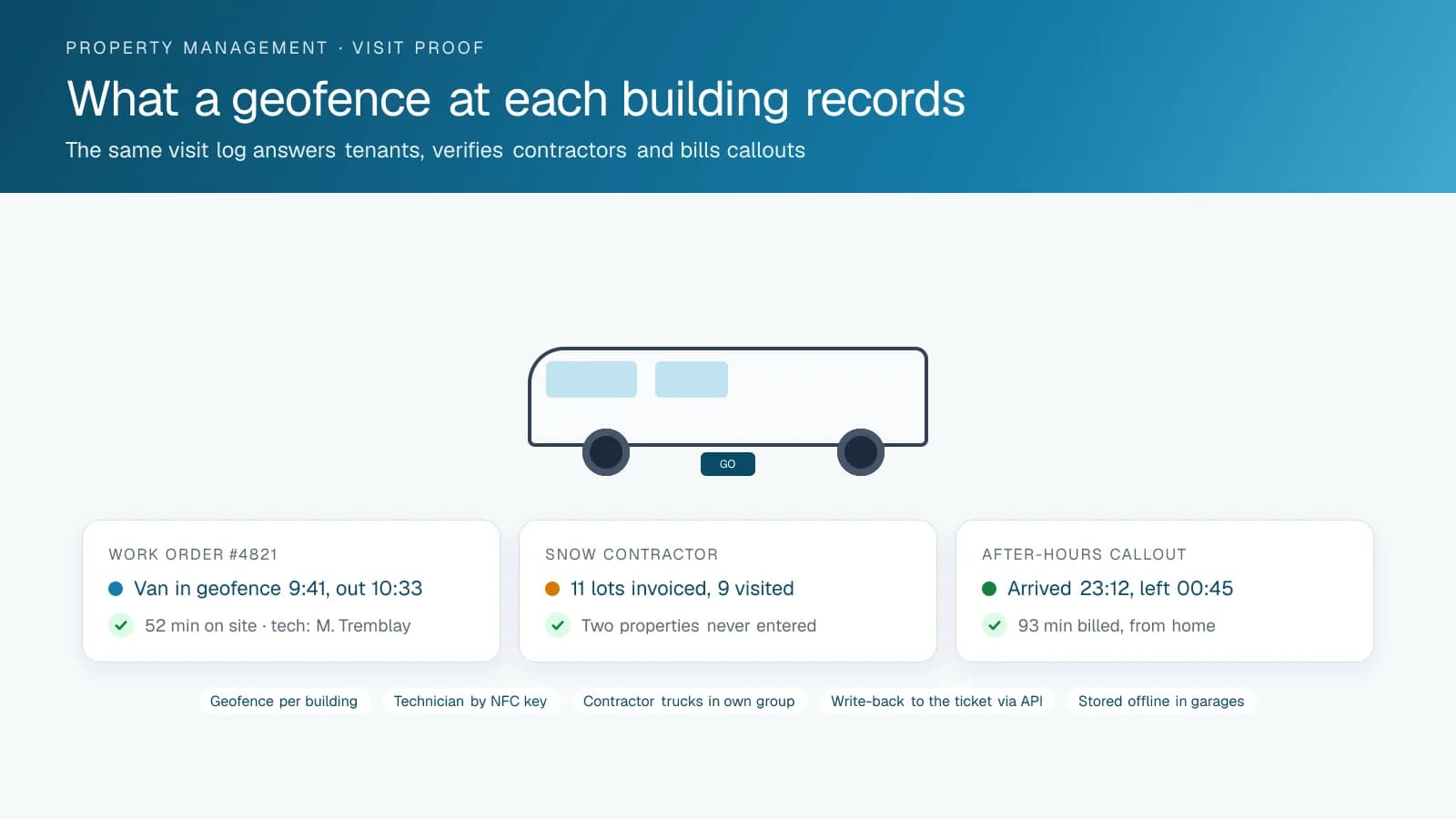
A geofence around each building turns a technician's visit into a record with arrival, duration and departure, so the property manager can show a tenant exactly when someone came. The complaint usually runs the same way: the tenant says nobody came, the technician says they did, and you are in the middle. With the geofence, the record says the van entered at 9:41, stayed 52 minutes and left. The technician logged in through the NFC key or the driver app is named on it. The work order in the maintenance system carries the same time, and the manager forwards the record to the tenant or the board without calling anyone.
The record works the other way too. A work order marked complete in four minutes at a building where the van stayed forty prompts a different conversation with the technician. High Point GPS builds the geofences from the portfolio's property list, names them by building, and sets up the visit report so you can pull it per property, per technician or per day. Where the maintenance system has an API, the visit record can be written back to the ticket automatically, and the closing note carries the arrival and departure times without the technician typing them.
Contractors Who Get Paid for the Properties They Visited
Snow removal is the clearest case. A storm ends at 3 a.m., the contract says every lot is cleared by 7, and the invoice lists all of them. A property manager who wants to check has to drive the portfolio. With a small GPS device on each of the contractor's trucks, provided under the contract, the geofence at each property records the visit and its duration, and the report at the end of the storm lists which properties were plowed, when and for how long. The two lots that were missed are visible before the tenant calls come in.
Landscaping, cleaning and pest control contractors are the same problem on a slower clock. Weekly mowing that becomes every ten days shows up in the visit log. A contractor who spends eight minutes at a property that is invoiced for an hour shows up too. High Point GPS sets up the contractor's vehicles in a group the property manager sees and the contractor manages, so the contractor's own dispatch is not affected and the property manager's report is complete. Contractors who agree to it tend to be the ones whose invoices were already honest, and the ones who refuse have told the property manager something too.
After-Hours Callouts and the Van That Went Home
An after-hours callout is expensive on both ends: the owner is billed at a premium and the technician is paid one. Both rest on the time the technician was on site. The geofence record gives it: the van arrived at the building at 23:12, left at 00:45, and the callout is billed and paid on 93 minutes, not a round number. The trip before and after shows whether the technician came from home or from another call, which matters when travel time is paid. Over a year, the difference between rounded callouts and recorded ones is usually large enough to notice on both the owner's statement and the payroll summary.
The vans go home at night with tools and parts aboard. An alert when a van moves outside working hours tells the coordinator before the loss is discovered in the morning, and Bluetooth asset tags on the expensive tools show whether they left with the van or stayed on a job site. Trips are stored on the device in an underground garage and uploaded when the van surfaces, so the record is complete even for buildings where the signal is poor. Vans that are supposed to return to the yard at night are checked against a yard geofence, and the ones that did not are listed each morning.
Dispatch, Driving and the Owner's Report
A portfolio spread across a metro area rewards dispatching by distance. With every technician on the map, the coordinator sends a no-heat call to the tech who is ten minutes away, not the one who is next on the list and forty minutes out, and the job lands in the technician's driver app with the unit number and the access instructions. Live ETAs let the office tell the tenant when to expect someone. Trip replay at the end of the week shows which technicians are covering ground efficiently and which are doubling back.
The fleet's driving happens in residential streets and parking garages, where collisions are low-speed and disputes are frequent. Driver scoring and dash cams with event clips keep the fleet's insurance record clean. Maintenance reminders on engine hours and mileage, with fault codes sent to the coordinator, keep vans on the road. The monthly report to owners and boards, with visits per property, response times and contractor compliance, comes out of the High Point GPS platform on a schedule that High Point GPS sets up. A board that receives it every month before its meeting asks fewer questions at the meeting.
Frequently asked questions
How does it prove a technician arrived for a work order?
A geofence around each building records the service vehicle's arrival time, departure time and time on site, and names the technician logged in by NFC key or the driver app. The record matches the work order by time, and you can export it for a tenant, board or owner or write it back to the ticket through the API.
Can we track our snow and landscaping contractors?
Yes, with a small GPS device on each contractor vehicle under the terms of the contract. The geofence at each property records the visit and its duration, and the report lists which properties were serviced, when and for how long. The contractor still manages its own vehicles, and the property manager sees the visits.
How are after-hours callouts documented?
The geofence record shows when the van arrived at the building and when it left, which gives the time on site for billing the owner and paying the technician. The trips before and after the callout show where the technician came from, which matters when your contract or payroll policy pays travel time.
Will it work in underground garages and dense buildings?
Yes. The GPS tracking device stores trips and stops while it has no signal and uploads them when the vehicle surfaces. The platform records the geofence entry and exit from the stored data, so the visit record stays complete at buildings with poor coverage, including underground parking where most service vans spend part of the day.
Can it connect to our maintenance or work-order system?
Yes. Through the open API, visit records can be pulled into the maintenance system or written back to the ticket, and work orders can go to the driver app as jobs. High Point GPS scopes the integration with your system's vendor, so the technician's arrival time appears on the ticket without anyone typing it.
Related solutions
Related guides
- What Is Geofencing? How It Works in Fleet Tracking →
- HVAC and Plumbing Dispatch Software: What to Look For →
- GPS Tracking for Landscapers and Lawn Care: Crew Time, Equipment and Snow Season →
- Bluetooth Asset Tracking Tags and the IOX-BT: How They Work and What to Tag →
- What Is Dispatch Software? How It Works and Who Uses It →
- Fleet API Explained: What You Can Build With High Point GPS →
Get a free quote
- Over 500 fleets
- Since 2013
- 4.9 on Google (19 reviews)
What are you looking for?
Prefer to talk?Call 1-800-613-6323[email protected]