
Industry
GPS Fleet Tracking for School District Facilities & Maintenance
GPS tracking for school district facilities fleets: which school each trades van and plow visited and when, with a record for principals and trustees.
Updated September 21, 2026
GPS tracking for school district facilities fleets from High Point GPS puts every trades van, grounds truck, plow and pool vehicle on one live map, with a geofence around each school. It is built for facilities departments that serve dozens of buildings across a territory and have to answer principals and the board for how the fleet is used. That fleet includes trades vans for electricians, plumbers and HVAC technicians, grounds trucks, mowers, plows for parking lots and bus loops, warehouse delivery vans and the pool vehicles staff sign out. Every principal wants their work order done first, and the board asks why the fleet costs what it does. Each site visit becomes a record: which van, which technician, arrival and departure, and what the truck's own circuits show about the work done there. A GPS tracking device covers the vans and trucks, IOX-AUXM auxiliary inputs read the plow, the salt spreader and the mower deck, and Bluetooth asset tags cover the trailers and equipment that move between schools. When a principal asks why the heating call took three days, the facilities director sees the van's visits and the time on site. When someone questions a snow day, the plow record shows which lots were cleared and when. The platform also includes driver ID for pool vehicles, engine-hours maintenance, electronic pre-trip inspections and after-hours use reports. If the district runs buses, the facilities fleet sits in the same High Point GPS platform database, and each department sees its own vehicles.
Common challenges
- Principals asking when the technician came and how long they stayed, with only the work order's closing note to answer
- Pool vehicles signed out by staff with no record of who drove them, where they went or whether they came back at night
- Snow-day decisions questioned by parents and trustees, with no record of which lots and bus loops were cleared and when
- Trades technicians sent across the district to a school when a colleague was already next door
- Trailers, mowers and lifts left at one school when another needs them, found by phoning custodians
- Aging vans and plows that fail in winter because maintenance runs on the calendar instead of on use
How High Point GPS helps
- Every van, truck and plow on one live map, with a geofence around each school, the administration building and the warehouse
- Site-visit records showing which vehicle and technician were at which school, and for how long, on any day
- Plow, salt spreader and mower deck status read from the vehicle's own circuits through IOX-AUXM auxiliary inputs
- Driver ID with the IOX-NFCREADERA for pool and trades vehicles, with after-hours and weekend use reported by person
- Dispatch from the live map, or through a connection to the district's work-order system via the High Point GPS API
- Bluetooth asset tags on trailers, lifts and grounds equipment that report where they were last seen
- Engine-hours and mileage maintenance reminders, with fault codes sent to the district's shop or its service vendor
- Electronic pre-trip inspections in the driver app, with defects routed to the shop before the vehicle leaves the yard
How does GPS tracking show a principal when a technician visited?
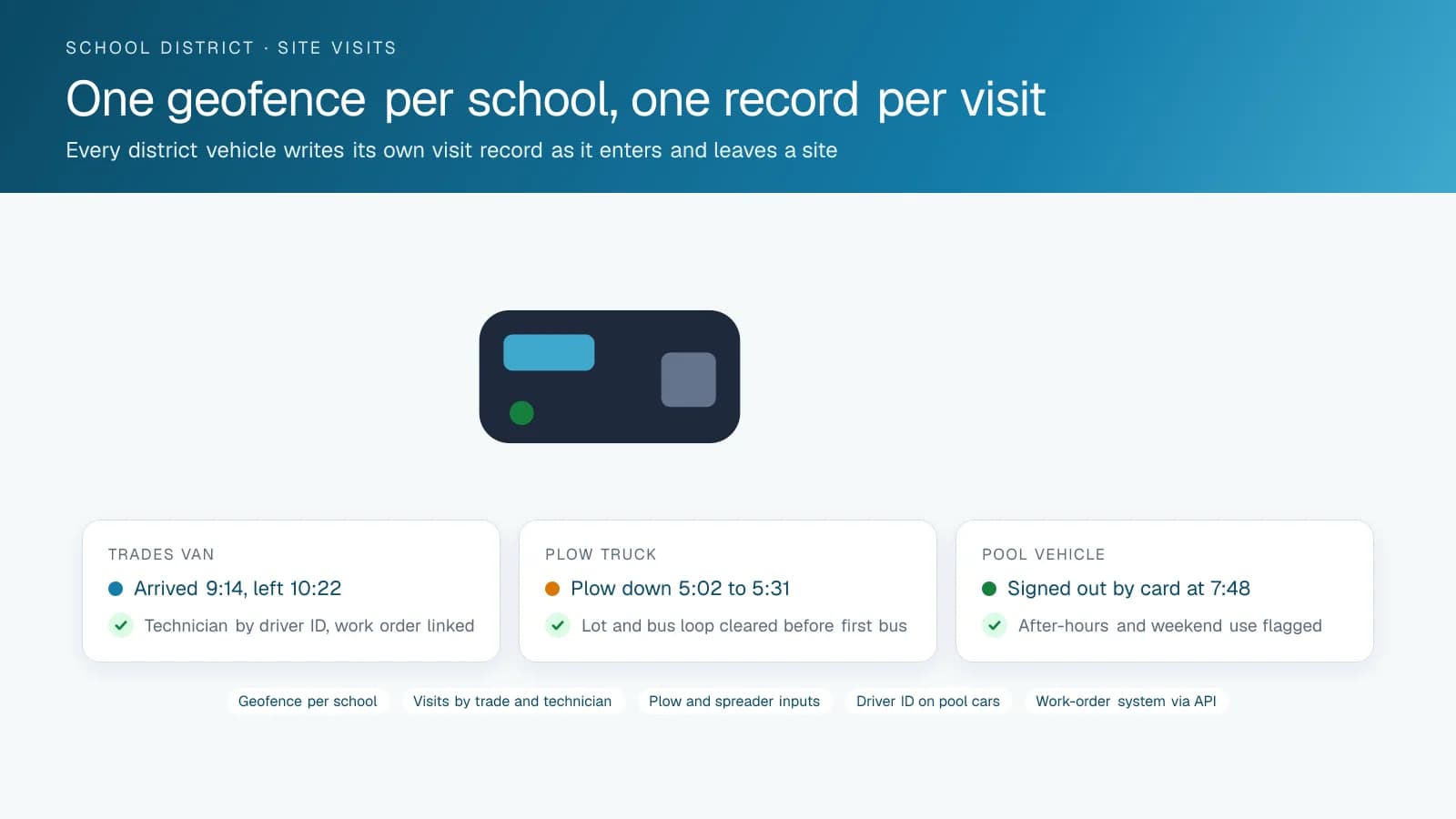
A geofence around each school records the arrival and departure of every district vehicle, so the facilities director can answer a principal with a date and a duration. The usual dispute goes like this: the principal says the plumber never showed, the plumber says they were there for an hour, and the work order has only a closing note. The visit record for the school shows the van, the technician who tapped in, the time on site and a replay of the trip there. Once the director has that record, the conversation moves on to the work itself.
High Point GPS builds the site list from the district's own building inventory: each school, each annex, the administration building, the warehouse and the yard. Reports then run by school. A monthly report shows every visit to each building, by trade and by technician, which the department can use to show a board committee how maintenance is spread across the district and which schools take the most trades time. The same report supports a capital request. A building that draws a technician every week has a problem the board should see.
Snow, grounds and what the truck actually did
The morning after a storm, the lots and bus loops at every school need to be clear before the first bus arrives, and the plow crews start hours earlier. A parent's complaint about an uncleared lot, or a trustee's question about a snow-day call, is answered by the plow record. An IOX-AUXM module on the GPS tracking device reads whether the plow is down and the spreader is running, and stamps each state with the time and the school's geofence. The report for the storm shows which lots were plowed, in what order and when each was finished.
The same inputs work for the grounds season. Deck hours at each school's fields tell the department what mowing costs per site, and the spreader record can serve as a salt log if the district keeps one. When the district hires a snow contractor for some schools and plows others itself, the contractor's trucks can carry a GPS tracking device on the district's terms, and the same report covers both. The contract's performance review becomes a matter of record rather than a dispute.
Pool vehicles, trades vans and who drove them
A district's pool vehicles are signed out by teachers, coaches, administrators and support staff, and the sign-out sheet is the only record of who had the car. An IOX-NFCREADERA reader in each vehicle attributes every trip to the person who tapped in, and the High Point GPS platform reports trips, kilometres, speeding and after-hours use by driver. A vehicle that leaves the yard on Saturday or is parked at a residence overnight shows up on the exception report, and the district's vehicle-use policy has a record behind it.
For the trades vans, driver ID does the same for the technicians, and dispatch gains a second tool. The facilities office sees which electrician is at which school and assigns the next call to the one nearest, instead of to the one who happens to answer the radio. Districts that run a work-order system can connect it through the High Point GPS API, so a work order's address creates the geofence and the technician's arrival is written back to the work order without anyone keying it in.
Keeping an aging fleet in service through the winter
School district fleets are kept longer than most, and the plows, dump trucks and vans that carry the winter are often the oldest vehicles the district owns. Maintenance reminders in the High Point GPS platform run on engine hours and mileage rather than the calendar, and engine fault codes reach the shop or the district's service vendor when they appear. A charging or cooling fault on a plow truck is fixed in November, not discovered at four in the morning in January. Electronic DVIR in the driver app replaces the paper pre-trip inspection, and a defect the driver reports becomes a work order the same morning.
Where the district also runs its own buses, the facilities fleet lives in the same High Point GPS platform database with its own groups, reports and permissions, and the shop sees both fleets on one maintenance screen. High Point GPS sets up that structure and the reporting the district's finance office wants for fleet costs by department. It also provides the installation and support that keep the facilities office from running a telematics project on top of its own work. Installations are scheduled around the school calendar, in the yard during breaks or on site during the summer shutdown.
Frequently asked questions
Can we see when a technician was at a specific school?
Yes. A geofence around each school records every district vehicle's arrival and departure, and the driver ID reader attributes the visit to the technician. The visit record shows the date, the time on site and the trip replay. A monthly report lists every visit to each building by trade and by person, ready for a principal or a board committee.
Does it record plowing and salting at each school?
Yes. An IOX-AUXM input on the plow truck reads the plow position and the spreader through the truck's own circuits, and the platform stamps each state change with the time and the school's geofence. The storm report shows which lots and bus loops were cleared, in what order and when, which answers a parent's or trustee's question.
How do we track the pool vehicles staff sign out?
Install an IOX-NFCREADERA reader in each pool vehicle. Each staff member taps a card at the start, and every trip after that is attributed to them. The exception report flags after-hours use, weekend trips and overnight parking away from the yard, with the driver's name beside each one, so the vehicle-use policy has a record behind it.
Can it connect to our work-order system?
Yes, through the High Point GPS API. A work order's address creates a geofence, the assignment reaches the technician's device, and the arrival and departure are written back to the work order. High Point GPS builds the connection for the district's system, or provides a data export if the district does not want a direct connection.
Our buses already use High Point GPS. Can the facilities fleet share it?
Yes. The facilities vehicles join the same High Point GPS platform database in their own groups, with permissions so the transportation office and the facilities office each see only their own fleet. The shop sees both fleets on one maintenance screen, and the finance office gets fleet cost reports broken down by department.
Related solutions
Related guides
- Public Sector Fleet Tracking and Dispatch for Government Fleets →
- Municipal Fleet Tracking: A Buyer's Guide for Cities, Counties and Public Works →
- What Is Geofencing? How It Works in Fleet Tracking →
- IOX-NFCREADERA: Driver ID by NFC Tap, So Every Trip Has a Name on It →
- IOX Meaning: What Is an IOX Port and What Does It Do? →
- Fleet Maintenance Schedule: Engine Hours vs Calendar and Mileage →
Get a free quote
- Over 500 fleets
- Since 2013
- 4.9 on Google (19 reviews)
What are you looking for?
Prefer to talk?Call 1-800-613-6323[email protected]