
Video Safety & Dash Cams
Dash Cam With Live View for Fleets: What the Stream Shows and When to Use It
A dash cam with live view streams the camera on demand. What the live stream shows, what it costs in data, and the few situations where fleets use it.
What Is a Dash Cam With Live View?
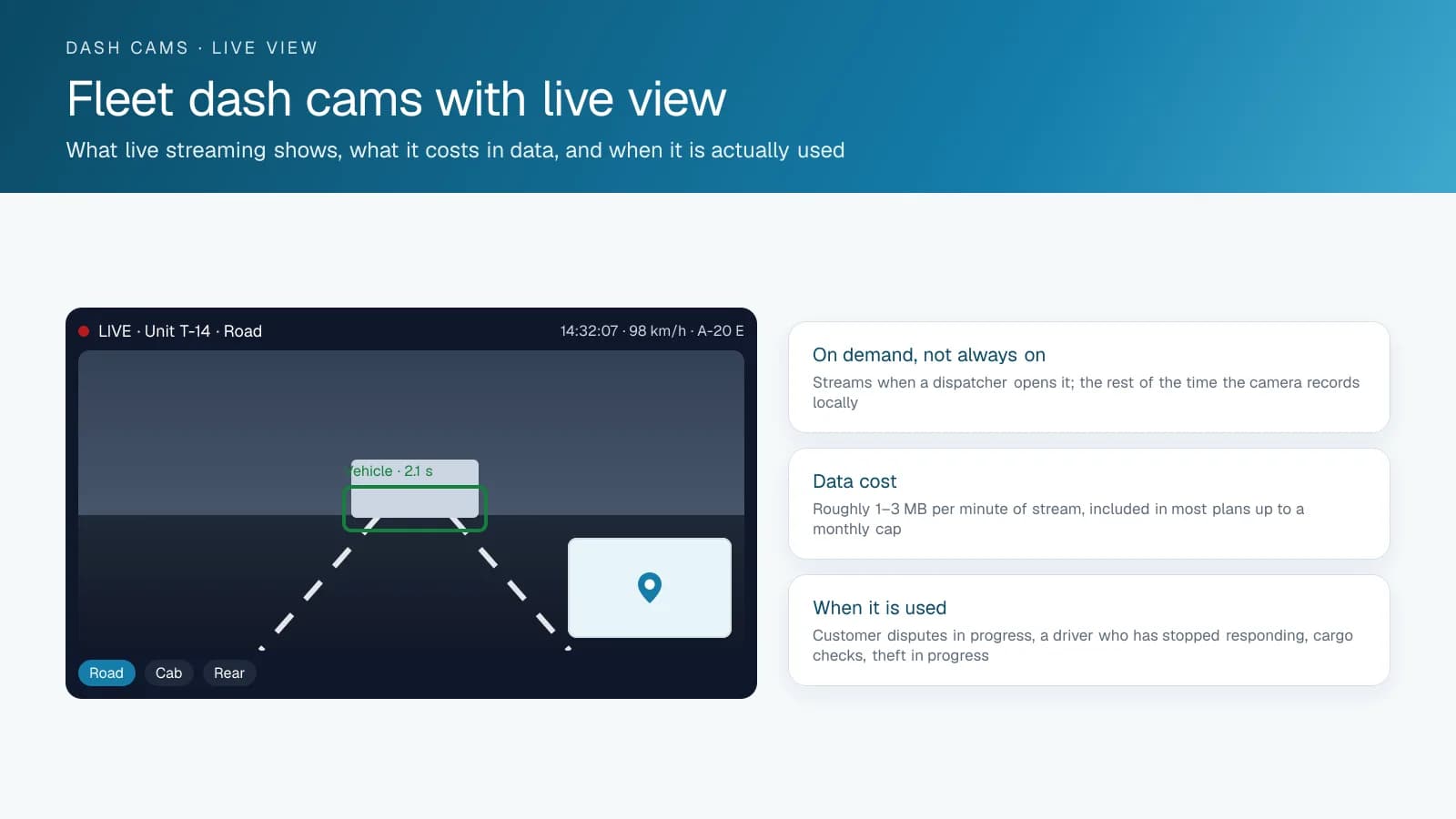
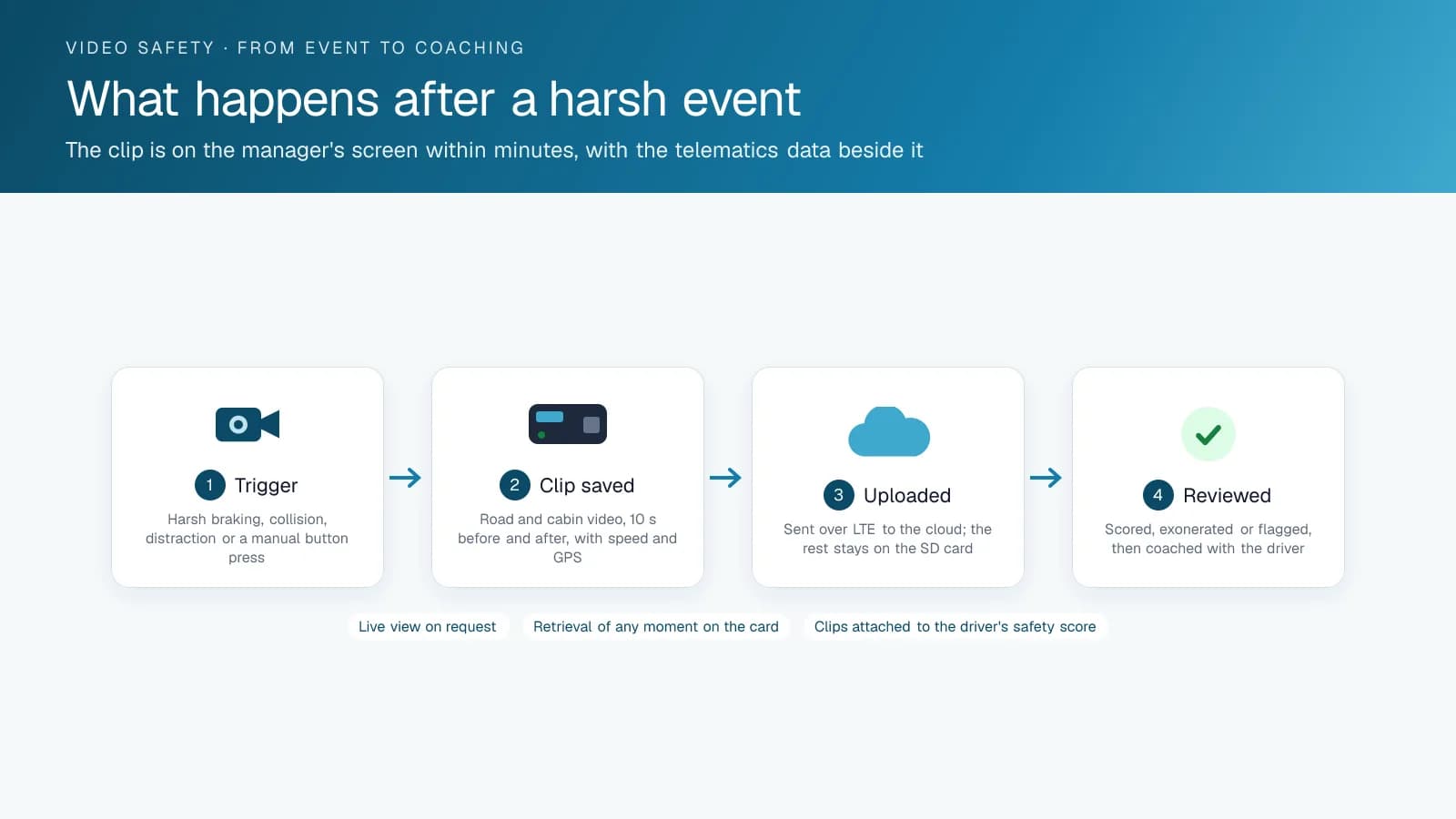
A dash cam with live view gives a fleet a stream from the camera right now, opened by a user in the platform and running only while they watch. It is one of three kinds of video a fleet camera produces, and the least used. Event clips are short recordings around a detected or triggered event (a harsh brake, a collision, a distraction alert, a driver pressing the button) and upload on their own within seconds. Continuous recording is everything the camera saw, stored on a local card for days, and you retrieve it by requesting a time window from the platform. The three work together: the clip tells you something happened, the continuous record shows what led up to it, and live view shows what is happening at this moment.
How Much Data Does a Live Streaming Dash Cam Use?
Streaming uses cellular data for every minute it runs, at a rate that depends on resolution, so live view runs on demand and stays off the rest of the time. Most video plans include a monthly allowance of live minutes per vehicle and charge or throttle beyond it. The stream lags by a few seconds, quality drops where the signal is weak, and a camera in a garage or a dead zone can't stream at all. Treat live view as a tool with limits, not a security camera feed.
When Do Fleets Use Live View?
Fleets open it for specific reasons, and not often. A customer is on the phone disputing what is happening at their dock while the truck is there. A driver has stopped moving and stopped answering. A high-value shipment needs a cargo or load check. A vehicle is moving after hours and the fleet wants to see who is driving before calling the police. A passenger or NEMT operator needs to check on an incident in progress. Fleets that expect to watch drivers all day find they don't, and the system earns its keep through event clips and coaching instead of the stream.
Who Should Have Access to Live View?
A live stream from a driver-facing camera is the most intrusive thing a fleet camera does, so keep access narrow and put it in writing: who can open it, in what circumstances, and whether the driver is notified. Most platforms log every live view session, and many fleets tell drivers that log exists. High Point GPS sets up camera permissions and live view access for fleets across Canada and the United States as part of a camera deployment.
A Live View Policy on One Page
A good starting point is a short policy that drivers sign. It allows live view only for listed reasons: a driver who has stopped responding, a vehicle moving outside working hours, a customer dispute in progress at the vehicle's location, a passenger incident, or a request from the driver. It names who may open the stream by role, usually the safety manager and the on-duty dispatcher, and nobody else gets that permission in the platform. The platform logs every session with the user, time and duration, and drivers can see the log on request. The camera's privacy mode stops the driver-facing lens from streaming during off-duty time. The policy also states what the footage may be used for and how long it is kept. High Point GPS supplies the template with a camera deployment and sets the platform permissions to match it.
Frequently asked questions
What is live view on a fleet dash cam?
Live view is an on-demand stream from the camera in a moving vehicle, opened by a user in the platform and running only while they watch. It is separate from event clips, which upload after a triggered event, and from continuous recording, which stays on the camera's local card for later retrieval.
How much data does live view use?
Live view uses cellular data for every minute the stream runs, at a rate that depends on the camera and the resolution. Most video plans include a monthly allowance of live minutes per vehicle and charge or throttle beyond it, which is why fleets open the stream on demand and leave it off otherwise.
Can I watch my drivers all day?
You could for short stretches, but fleets don't do it in practice. The data cost, the stream delay and the privacy concerns make live view a tool for specific situations, such as a driver who stopped responding, and not a way to monitor drivers through the day.
Does live view work when the truck is out of coverage?
No. Streaming needs a cellular signal, so a camera in a dead zone or a garage can't send live video. Continuous recording on the local card still captures that period, and you can request the footage from the platform once the vehicle is back in coverage.
Is a driver notified when live view is opened?
It depends on the platform and on the fleet's policy. Most platforms log every live view session with the user, time and duration, and most fleets tell drivers when and why live view is used, often in a written policy that drivers sign.
Related solutions & products
Continue reading
- Dash Cams & AI Video Safety overview →
- Dash Cam for Trucks, Front and Rear: What Each Camera Position Sees →
- What Is a Dual Dash Cam With AI? How the GO Focus Plus Coaches Drivers →
- What Is ADAS? Advanced Driver Assistance Systems in Fleet Vehicles and Dash Cams →
- Can a GPS Tracker Record Audio or Video? What the Fleet Tracking Device Captures →
- More in Video Safety & Dash Cams →
Get a free quote
- Over 500 fleets
- Since 2013
- 4.9 on Google (19 reviews)
What are you looking for?
Prefer to talk?Call 1-800-613-6323[email protected]