
Industry
GPS Fleet Tracking for Hotel & Airport Shuttles
GPS tracking for hotel and airport shuttles: live loop position for the front desk and guests, on-time terminal records, rider counts and less curb idling.
Updated September 21, 2026
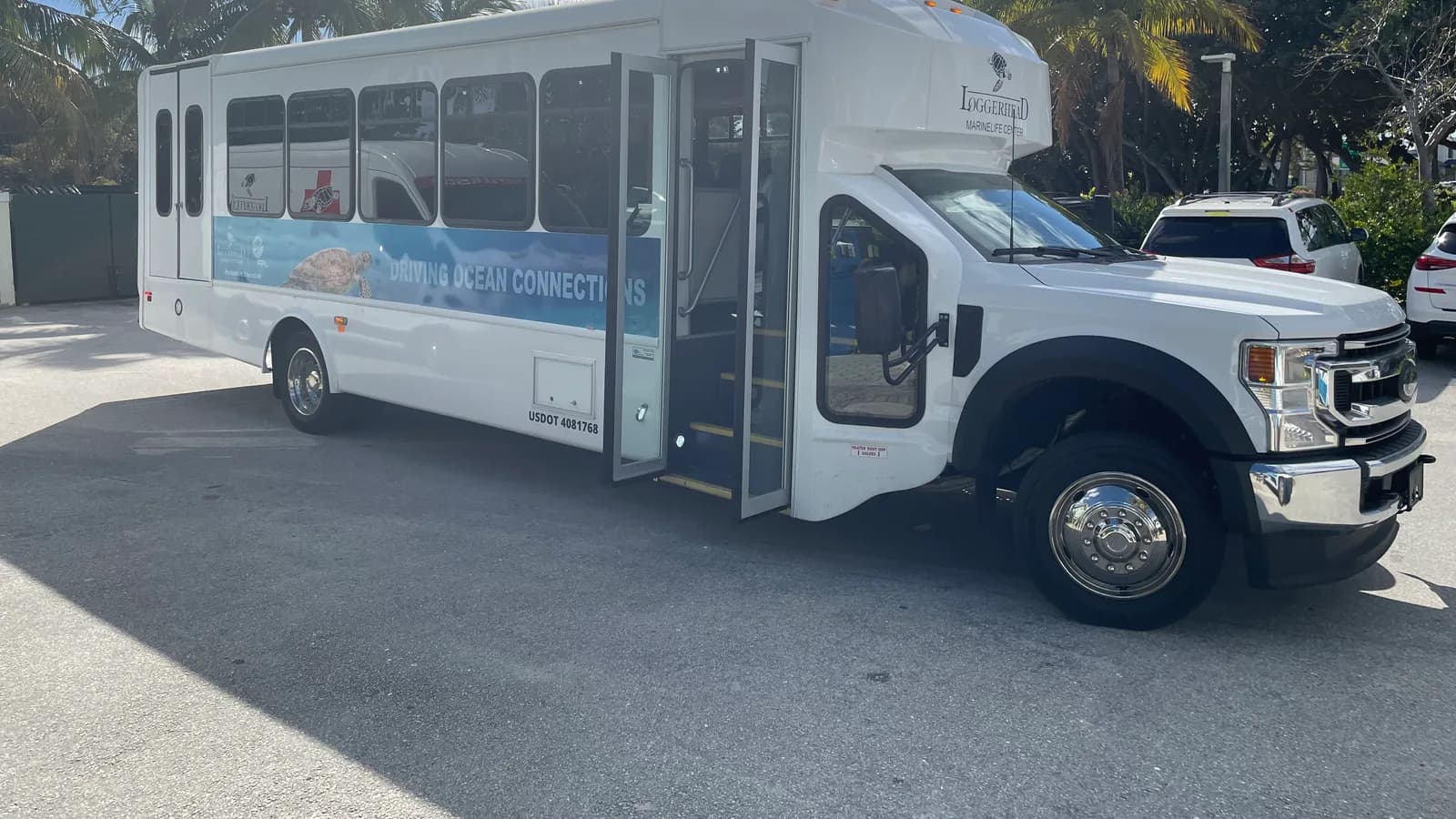
High Point GPS gives hotel and airport shuttle fleets GPS tracking that shows the front desk and guests where each shuttle is on its loop and records every terminal arrival. It works for a hotel, a parking operator or a contracted shuttle company, all from one High Point GPS platform database. A loop looks simple until the phone rings: a guest at Door 4 has waited twenty-five minutes, the front desk cannot reach the driver, and nobody knows whether the shuttle is stuck in the departures loop or already heading back. The live map shows every shuttle with its loop, its scheduled terminal times and its current position, and the front desk and the guest get an ETA they can trust. Geofences at each terminal door, the hotel entrance and the cell-phone lot record every arrival and departure, so a week's on-time report is a list of facts instead of a driver's recollection. A passenger counter or a driver tally in the driver app records loads per run, which a hotel needs when it decides whether to add a second shuttle at 5 a.m. or drop the 11 p.m. run. Idling at the curb is reported by zone, because ten minutes with the engine running at a terminal costs fuel, can draw an airport citation and brings a complaint from the next driver in line. Driver hours, driver ID and pre-trip inspections keep a small fleet compliant, and AI dash cams protect the hotel when a passenger falls in the aisle or a taxi clips the shuttle in the loop.
Common challenges
- Guests waiting at the terminal while the front desk has no answer about when the shuttle will arrive
- Late and missed pickups recorded nowhere, so a review complaint gets answered from memory
- No passenger counts per run, so adding or cutting a departure comes down to a hunch
- Shuttles idling at the curb for ten or fifteen minutes, costing fuel and drawing attention from airport operations
- Driver hours and pre-trip inspections on paper, or not tracked at all, across part-time and overnight drivers
- Passenger injuries and loop collisions with no video and no record of speed or braking
How High Point GPS helps
- Every shuttle on one live map with its loop, scheduled stops and current position, visible to the front desk
- Guest-facing ETA through a public tracking link or a text reply, based on the shuttle's real position
- Geofence arrival and departure records at each terminal door, the hotel entrance and the holding lot
- On-time reports per run, per driver and per week, built from terminal arrival records
- Passenger counts per run from a counter input or a driver tally in the driver app
- Idling reported by zone, with each terminal curb tracked separately from the holding lot
- Driver ID with an NFC reader, hours tracked in the driver app and electronic pre-trip inspections
- Road- and driver-facing AI dash cams for passenger incidents, loop collisions and distracted driving
How can the front desk tell a guest when the shuttle will arrive?
The front desk sees each shuttle on the live map with its position on the loop, the last terminal it left and the arrival estimate for the next stop, so a caller gets a time instead of a shrug. Guests only want to know when the next shuttle reaches their door. Hotels that want to go further give guests the same view: a public tracking link in the confirmation email or a sign at the terminal shows the shuttle moving on the loop and the ETA for that door. Guests stop calling, and the front desk stops relaying radio checks.
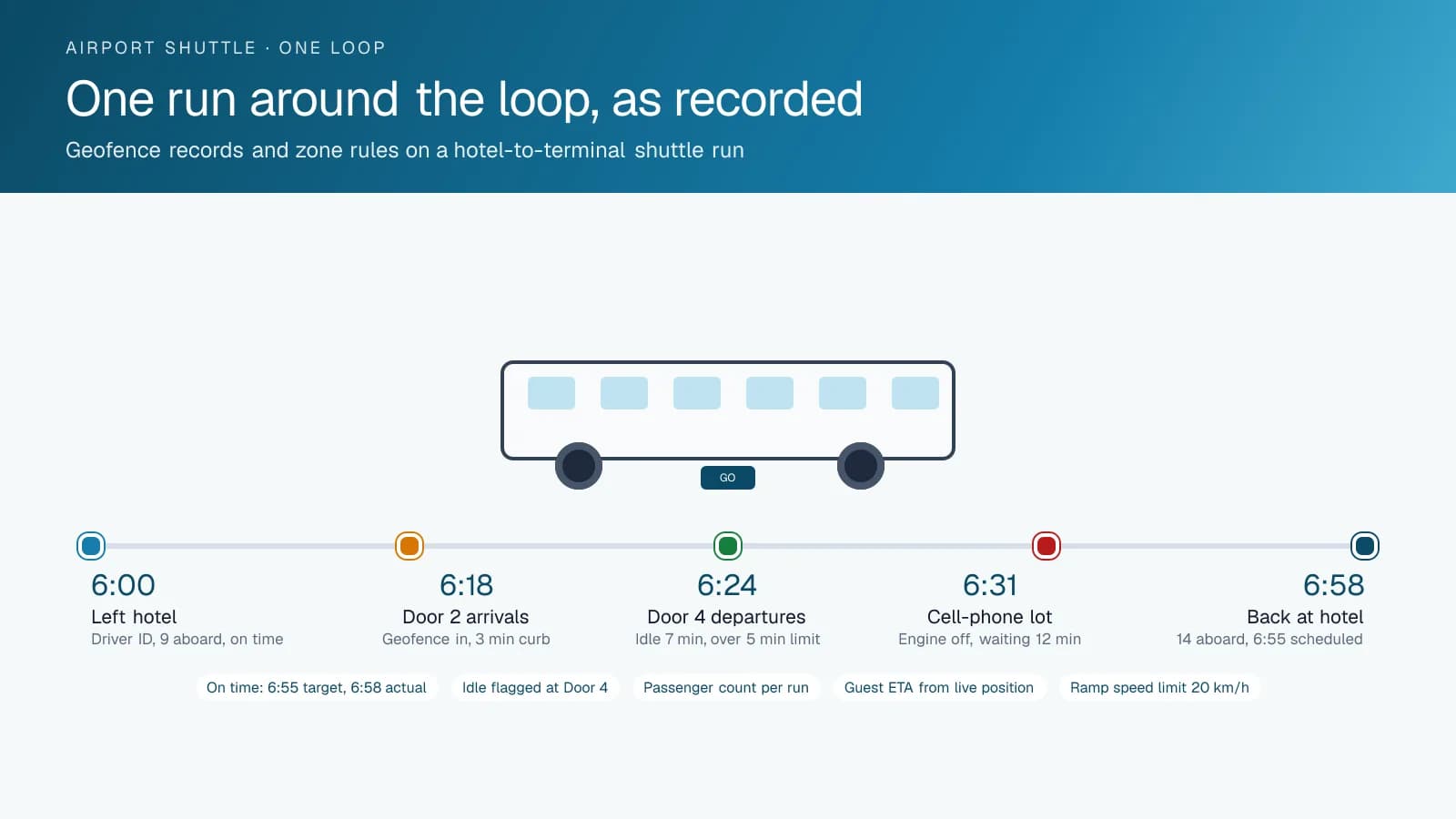
The loop is drawn as a set of geofences: each terminal door, the arrivals curb, the cell-phone lot and the hotel entrance. The GPS tracking device records the entry and exit for each one on every run, and the on-time report compares those records to the hotel's published schedule, run by run. If a guest review says the 6:30 shuttle never came, the record shows whether it reached Door 2 at 6:34 and left at 6:37, or did not run at all. The same report goes to the airport when the operator's permit requires it.
Passenger Counts and the Shape of the Schedule
Shuttle schedules are set once and rarely revisited, because nobody counts who rides. A passenger counter at the door, wired to an auxiliary input, or a two-tap count by the driver in the driver app records the load for each run. Over a month, the platform shows that the 5:15 a.m. departure carries eleven passengers and the 10:45 p.m. run carries one. That is the basis for adding a second early shuttle in the summer, dropping the late run in the winter or replacing a 24-seat bus with a van on Sundays.
The same records support the airport's requirements. Some airports charge shuttle operators a fee per trip around the terminal loop. Terminal geofence records give the trip count, the passenger tally gives the loads, and both come from the platform rather than a driver's clipboard. High Point GPS builds the report the airport wants to see, and it comes out the same way every month. The counts also show which runs need the wheelchair-accessible shuttle, which matters when a hotel has only one.
Idling at the Curb
Idling is where a shuttle fleet loses money without anyone noticing. A driver waiting at the arrivals curb with the engine running for the heat or the air conditioning burns fuel for nothing, and many airports restrict idling at the terminal and enforce the rule. The GPS tracking device records idling by location, and High Point GPS sets a rule for the curb zones that flags any idle beyond the airport's limit. The report shows which drivers idle at the terminal, which idle in the holding lot and which shut down and wait, and the coaching conversation starts from a specific run.
Speed on the loop is treated the same way. The airport roadway, the parking garage ramp and the hotel driveway each get their own limit in a geofence, and a driver taking the ramp at twice the posted speed shows up in their score. The score itself weighs speeding, hard braking and cornering with passengers standing or seated, which is what matters when a guest claims an injury from a sudden stop. Trip replay shows the stop, the speed before it and the braking, and the dash cam, where fitted, shows the cabin.
Hours, Inspections and Video for a Small Fleet
A shuttle fleet is often three or four vehicles and a dozen drivers, many of them part-time or overnight. Driver ID with an IOX-NFCREADERA reader ties each run to the person driving, and the driver app tracks hours where the vehicle class or the operator's policy requires it. The pre-trip inspection runs on the same app, with the shuttle's own checklist: wheelchair lift, doors, interior lights, luggage racks. A defect reaches the maintenance contact before the shuttle leaves the hotel. Maintenance reminders run on engine hours, which matter more than mileage on a vehicle that spends half its day at idle or in the loop.
Dash cams answer the incidents that a hotel's insurer cares about. A road-facing camera shows the taxi that pulled out in the loop; a driver-facing camera with distraction detection shows whether the driver was looking at the road. An interior view, where the hotel chooses to add one, shows the passenger who stood up before the shuttle stopped. Video is retrieved by trip and by event, and the hotel sets retention and access with High Point GPS at setup. Live view on the camera lets the front desk check on a shuttle that is not answering the radio.
Frequently asked questions
Can guests see where the shuttle is?
Yes. A public tracking link, shared in the confirmation email or on a sign at the terminal, shows the shuttle on its loop and the ETA for the guest's door. Guests need no app or login to open it, and the hotel decides what the link shows. The front desk keeps the full live map with every shuttle on it.
How does it measure on-time performance?
Each terminal door, the hotel entrance and the holding lot is a geofence, and the GPS tracking device records every arrival and departure. The platform compares those records to the published schedule and produces on-time reports per run, per driver and per week, with the exceptions listed. The same report goes to the airport when the permit requires it.
Does it count passengers?
Yes, in two ways. A passenger counter at the door can be wired to an auxiliary input on the GPS tracking device, or the driver enters the count for each run in the driver app. Either way, the load per run is stored with the trip and reported by time of day, for schedule decisions and any reporting the airport asks for.
Can it enforce the airport's idling limit?
Yes. Each curb zone is a geofence with its own idling rule, set to the airport's limit. Any idle beyond it is flagged with the driver, the shuttle and the time, and the weekly report shows idling at the terminal separately from idling in the holding lot. The terminal curb and the hotel loop can have different rules.
Do we need ELD hours of service for shuttles?
It depends on the vehicle class, the operator and whether the shuttle crosses jurisdictions, and High Point GPS reviews that with you during setup. Where hours of service apply, the driver app records them. Where they do not, the same app still handles driver login and pre-trip inspections, and driver ID by NFC card works in either case.
Related solutions
Related guides
- What Is Geofencing? How It Works in Fleet Tracking →
- Public Tracking Portal: A Live Vehicle Map for Customers and Residents, No Login →
- IOX-NFCREADERA: Driver ID by NFC Tap, So Every Trip Has a Name on It →
- Fleet Fuel Management: How to Reduce Fleet Fuel Costs →
- How Does a Digital DVIR Work? Inspections, Defects and Repairs →
- Dash Cam With Live View for Fleets: What the Stream Shows and When to Use It →
Get a free quote
- Over 500 fleets
- Since 2013
- 4.9 on Google (19 reviews)
What are you looking for?
Prefer to talk?Call 1-800-613-6323[email protected]