
GPS Fleet Tracking & Telematics
Add-In vs Add-On: What the Two Words Mean and Which One You Need
Add-In vs Add-On: an Add-In is software inside MyGeotab or the Geotab Drive app, and an Add-On is hardware you connect to the device's IOX port.

What Is an Add-In?
The difference between an Add-In and an Add-On: an Add-In is software that runs inside MyGeotab (the High Point GPS platform) or the Geotab Drive app, and an Add-On is hardware that plugs into the GPS tracking device's IOX port. Add-Ins are built on the platform's SDK, appear as a new page, panel or driver-app screen, and read and write your fleet's data through the same API everything else uses. Bus Route Progress, Timeline Map, GeoDocs, ELD Info and Ruleset Switcher are Add-Ins. Geotab and Geotab Marketplace partners publish them, and a Geotab partner with developers, such as High Point GPS, can write one for a single fleet's workflow. You install one in your platform database, and nothing goes in the vehicle.
What Is an Add-On?
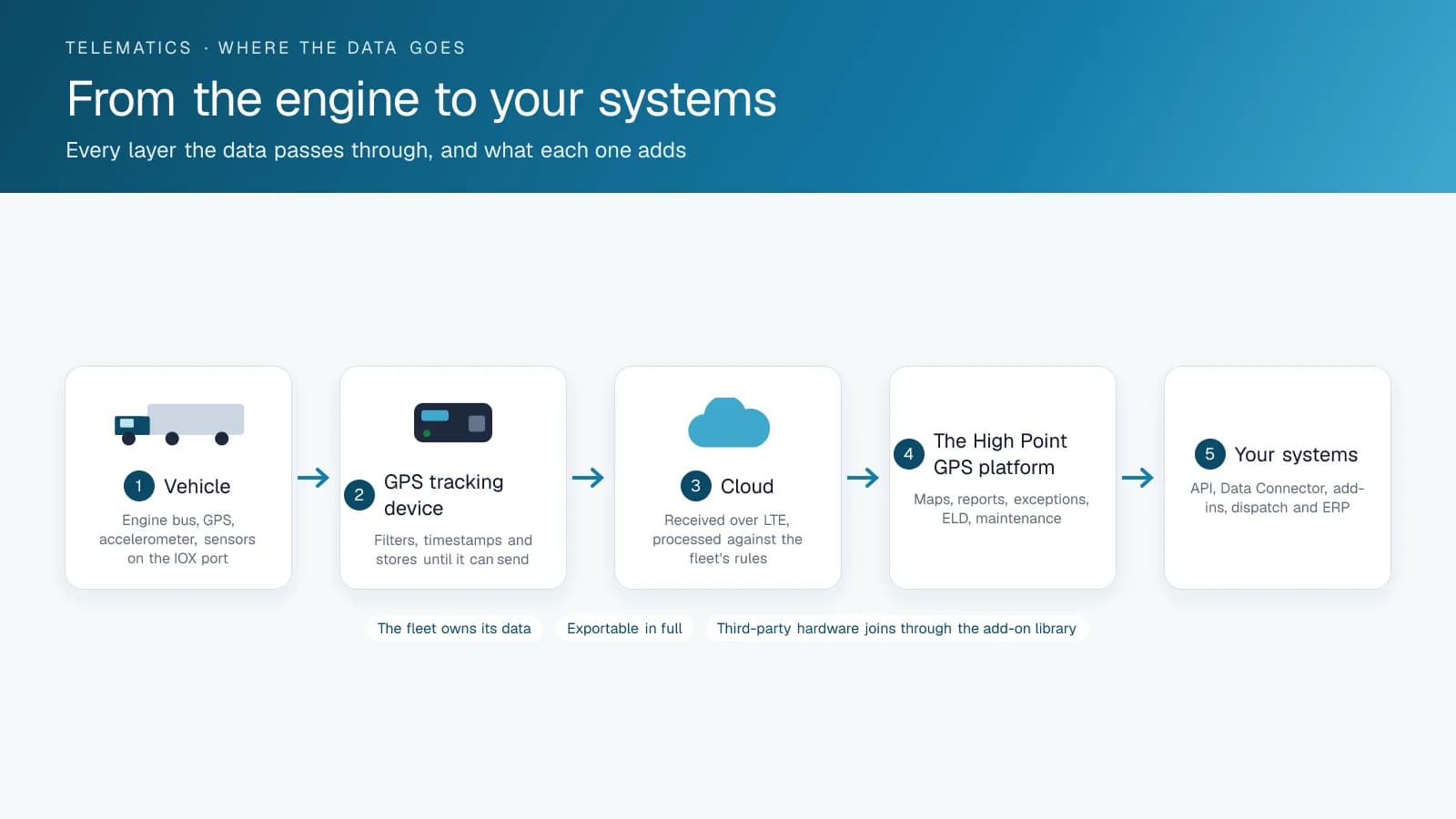
An Add-On is a physical device that connects to the GPS tracking device through its IOX expansion port and sends data over its connection. IOX-BT for Bluetooth tags, IOX-NFCREADERA for driver ID, the Bluetooth sensor gateway and temperature sensors, the PTO reader, cameras that connect through IOX, and the Keyless module are Add-Ons. An installer fits them in the vehicle, and their data appears in the High Point GPS platform as new streams your rules and reports can use. Many come with a companion Add-In that displays it.
Add-In or Add-On: Which One Solves Your Problem?
If your fleet already has the data and needs to see or use it differently (a better view, a report, a workflow, a document, a driver screen), you need an Add-In. If you need data the GPS tracking device lacks, such as a temperature, a door, a driver's identity, a PTO state or video, you need an Add-On. On a school bus, the parent app is an Add-In; the card reader that records a child boarding is an Add-On.
Buying and Building Each One
The Geotab Marketplace, the add-on library High Point GPS works from, lists both, and the listing type shows which is which. Some Add-Ins are free and others are paid, with terms set by each developer; Add-Ons are hardware you buy, sometimes with a plan. A custom Add-In is a development project against the SDK. Custom Add-Ons are rare, since the IOX ecosystem covers most sensors. High Point GPS supplies and installs Add-Ons and builds and deploys Add-Ins for fleets across Canada and the United States.
Examples of Each, Side by Side
The names are close enough that fleets mix them up on purchase orders. These examples show which is which.
| Name | Add-In or Add-On | What it is |
|---|---|---|
| GO Focus Plus | Add-On | Hardware that connects to the GPS tracking device and reports events |
| Asset Data Display | Add-In | A High Point GPS platform page showing ten metrics per vehicle |
| IOX-NFCREADERA | Add-On | Driver ID reader on the IOX port |
| HOS Driver Summary | Add-In | A scheduled report built on ELD data |
| Bluetooth temperature puck | Add-On | Bluetooth sensor heard through IOX-BT or a gateway |
| Public Tracking Portal | Neither: a separate web app on the API | Built by High Point GPS outside the platform |
| Ruleset Switcher | Add-In | A control inside the driver app |
Frequently asked questions
What is an Add-In?
An Add-In is software built on the platform's SDK that runs inside the High Point GPS platform or the driver app, adding pages, panels, reports or workflows from data your fleet already collects. You enable it in your platform database, and nothing is fitted to the vehicle.
What is an Add-On?
An Add-On is hardware that plugs into the GPS tracking device's IOX port, such as Bluetooth readers, driver ID, sensors, cameras and the Keyless module. It adds data the tracking device does not collect on its own, and an installer fits it in the vehicle.
Do I need an installer for an Add-In?
No. You enable an Add-In in your High Point GPS platform database and nothing goes in the vehicle. Add-Ons are hardware on the GPS tracking device's IOX port, so an installer fits one in each vehicle that needs the extra data.
Can a Geotab partner build a custom Add-In?
Yes. Geotab partners with their own developers, including High Point GPS, build custom Add-Ins against the platform's SDK for a single fleet's workflow. The Add-In uses the same API as the rest of the platform. Custom Add-Ons are rare, because the IOX ecosystem covers most sensors.
Where do I find Add-Ins and Add-Ons?
Both are listed in the Geotab Marketplace, the add-on library High Point GPS works from, where the listing type shows whether an item is an Add-In or an Add-On. Your Geotab partner can also supply and install Add-Ons and set up Add-Ins in your MyGeotab database.
Sources
Related solutions & products
Free tools for this topic
Continue reading
- GPS Fleet Tracking & Management Software overview →
- How to Send Documents to Drivers With GeoDocs in MyGeotab →
- Fleet API Explained: What You Can Build With High Point GPS →
- IOX Meaning: What Is an IOX Port and What Does It Do? →
- What Does a Geotab Partner Do? Installation, Setup, Support and Add-Ins →
- More in GPS Fleet Tracking & Telematics →
Get a free quote
- Over 500 fleets
- Since 2013
- 4.9 on Google (19 reviews)
What are you looking for?
Prefer to talk?Call 1-800-613-6323[email protected]