
GPS Fleet Tracking & Telematics
What Is the Geotab Marketplace? Add-Ins High Point GPS Installs
The Geotab Marketplace is Geotab's catalogue of Add-Ins and Add-Ons for safety, compliance, fuel cards and dispatch, and the ones High Point GPS installs.

What Is the Geotab Marketplace?
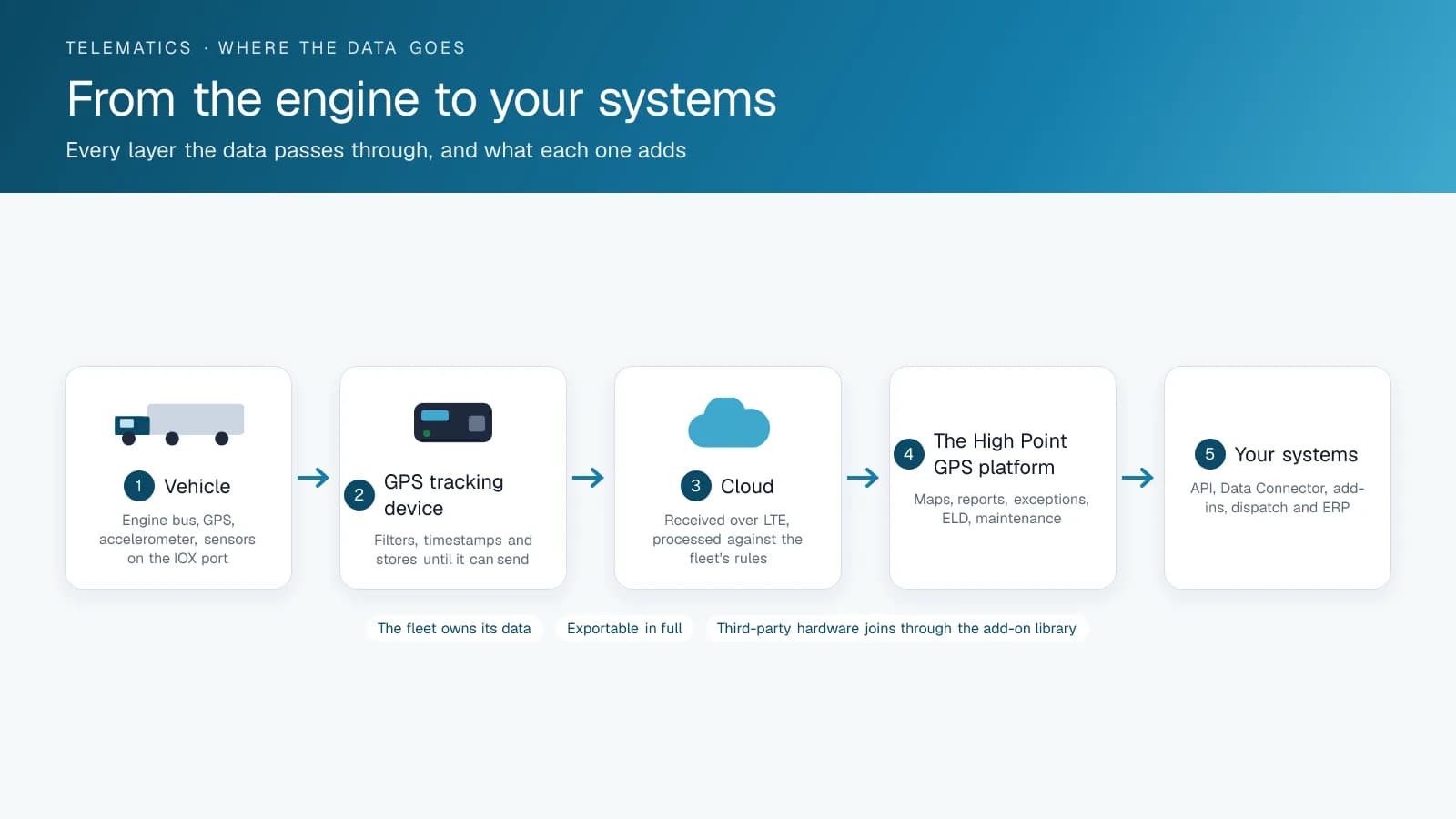
The Geotab Marketplace is a catalogue of Add-Ins and Add-Ons that extend MyGeotab, the platform behind High Point GPS, past its core tracking and reporting. Geotab's own developers build some of them, and third parties build the rest. The Marketplace exists because the platform runs on a public SDK and an open data architecture, so outside developers, Geotab partners like High Point GPS included, can build working features on top of it instead of waiting for Geotab to build everything in-house.
That openness is the reason the Marketplace matters to you. On a closed telematics platform, you get whatever the vendor decides to build. On an open platform with an active add-on catalogue, the feature you need has a fair chance of already existing, and if it doesn't, whoever supports your account may be able to build it.
Not every telematics vendor works this way. Some competitors run a fully closed platform, where every feature ships from the vendor on the vendor's own timeline. That can feel simpler on day one. The cost shows up later, when the feature you need isn't on their roadmap and you have to wait.
What Kinds of Add-Ins Are in the Geotab Marketplace?
Listings in the Geotab Marketplace tend to fall into a handful of recurring categories: safety and video (dash cam and event-review tools), compliance (state- or province-specific reporting helpers and inspection tools), fuel card integrations, dispatch and routing connectors, maintenance and diagnostics add-ons, and asset-tracking extensions. Geotab builds and maintains some of these as part of the core ecosystem. Many others come from third-party companies, or from partners solving a specific customer problem, as we did with GeoDocs.
Fuel card integrations show why this matters day to day. Matching fuel purchases against GPS-verified trip data by hand is tedious cross-referencing, and an Add-In can automate it. The integration catches a fuel card used somewhere the tracked vehicle never went, a common fraud pattern that is hard to spot when someone has to compare two separate systems by hand.
Built-In Features vs. Marketplace Add-Ins vs. Custom Add-Ins
Keep three tiers straight. Core MyGeotab features (tracking, basic reporting, driver scoring) come with the platform whether or not you install any Add-Ins. Marketplace Add-Ins are pre-built extensions you install for a specific capability; some are free, some are paid, and Geotab or a third party builds them. Custom Add-Ins are built for one fleet's workflow, either in-house by a technical team or, more often for fleets without their own developers, by a Geotab partner like High Point GPS.
The High Point GPS add-on library puts these in one place: the Marketplace hardware and software we've vetted, next to custom Add-Ins we built ourselves that you won't find anywhere else, such as GeoDocs for document management in the cab.
Knowing which tier a feature request falls into changes the conversation. "Is there a Marketplace Add-In for this?" is a quick search. "Can this be built?" is a longer conversation with your Geotab partner about scope, timeline and cost. On an open platform you can have that second conversation. On a closed one, you can't.
How Do You Evaluate a Geotab Marketplace Add-In Before Installing It?
Before you install anything, check what data or system access the Add-In requests and whether its developer has updated it recently. An abandoned Add-In is a real risk on a platform that keeps changing. Then find out who supports it if something breaks: the original developer, Geotab or your Geotab partner. The answer varies a lot between listings, and buyers tend to underrate it until something fails and they don't know who to call.
Test a new Add-In on a small group of vehicles before rolling it out fleet-wide, the same way you'd pilot any new software. An Add-In that behaves well on five vehicles usually scales fine to five hundred. If it does cause a data conflict or slows something down, you want to find that out on a small pilot group, where it's far less disruptive than after a full rollout.
When Should You Ask for a Custom Add-In?
If you've looked through the Geotab Marketplace and nothing fits how your team works, ask your Geotab partner about a custom Add-In. Settling for a close-enough fit or a manual workaround usually costs more over time. The platform's open SDK was built to let partners fill exactly this kind of gap. Asking "does the platform have a feature for this?" is a different question, and the honest answer is often "not yet, but it can be built."
GeoDocs is a real case. High Point GPS built it because nothing in the Marketplace handled document management in the cab at the time; we had no interest in building software for its own sake. A good custom Add-In usually starts the same way, with a specific, recurring workflow problem that off-the-shelf tools keep coming close to solving without quite getting there.
Which Geotab Marketplace Add-Ins Does High Point GPS Install Most?
Here is a short list from the Marketplace and our own catalogue, sorted by the problem each one answers, for fleets browsing it for the first time.
| Problem | Add-In or Add-On | Type |
|---|---|---|
| Documents expire in gloveboxes | GeoDocs | Custom Add-In by High Point GPS |
| Nobody reviews HOS violations | HOS Driver Summary | Add-In, scheduled report |
| Dispatch assigns loads without seeing hours | Compliance Data Summary | Add-In on the live map |
| Driver profiles fail roadside data checks | ELD Settings Validator | Add-In |
| Cross-border drivers on the wrong ruleset | Ruleset Switcher | Add-In in the driver app |
| Fuel card misuse | BlueArrow Fuel | Add-In with fuel card integration |
| A customer asks where the truck is | Timeline Map; Public Tracking Portal | Add-In; custom web app on the API |
| Who was driving the shared truck | IOX-NFCREADERA driver ID | Add-On |
| Video for claims and coaching | GO Focus Plus or GO Focus Pro | Add-On cameras |
| Temperature record per compartment | Bluetooth pucks, wired probes and a sensor gateway | Add-On sensors |
Frequently asked questions
Is everything in the Geotab Marketplace free?
No. Some Add-Ins in the Geotab Marketplace are free, while others need a paid subscription or a one-time purchase. Pricing is set by each developer and varies from listing to listing. Check the specific listing for the Add-In you want before you plan around it, and don't assume it is free or paid.
Who supports a Geotab Marketplace Add-In if something goes wrong?
That depends on the Add-In. Support can come from the original third-party developer, from Geotab itself for its own listings, or from your Geotab partner if they helped implement it. Confirm who is responsible before you rely on an Add-In for anything business-critical, so you know who to call when it breaks.
Can High Point GPS build a custom Add-In that isn't in the Geotab Marketplace?
Yes. High Point GPS has done this with tools like GeoDocs, which we built for a specific workflow the Marketplace didn't cover. If nothing in the Marketplace fits your team's process, ask us about a custom Add-In. The platform's open SDK lets Geotab partners build features the catalogue doesn't offer yet.
Should I pilot a new Add-In before rolling it out fleet-wide?
Yes, piloting a new Add-In is good practice. Testing it on a small group of vehicles first brings data conflicts or performance issues to the surface while they're still easy to fix. After a full rollout, the same issue affects every vehicle and takes far more work to unwind.
Related solutions & products
Free tools for this topic
Related terms
Continue reading
- GPS Fleet Tracking & Management Software overview →
- Bus Route Progress: Bus Route Tracking That Shows Which Buses Are On Route, Late or Parked →
- Asset Data Display: A Fleet Dashboard of Ten Vehicle Metrics in the High Point GPS Platform →
- Add-In vs Add-On: What the Two Words Mean and Which One You Need →
- What Is Geotab? The Company, GO Devices, MyGeotab and the Marketplace →
- More in GPS Fleet Tracking & Telematics →
Get a free quote
- Over 500 fleets
- Since 2013
- 4.9 on Google (19 reviews)
What are you looking for?
Prefer to talk?Call 1-800-613-6323[email protected]