
Industry
GPS Fleet Tracking for Taxi, Limousine & Chauffeur Services
GPS tracking for taxi, limousine and chauffeur fleets: every free car on the dispatch map, each ride tied to its driver, hours on record, and trip replay.
Updated September 21, 2026
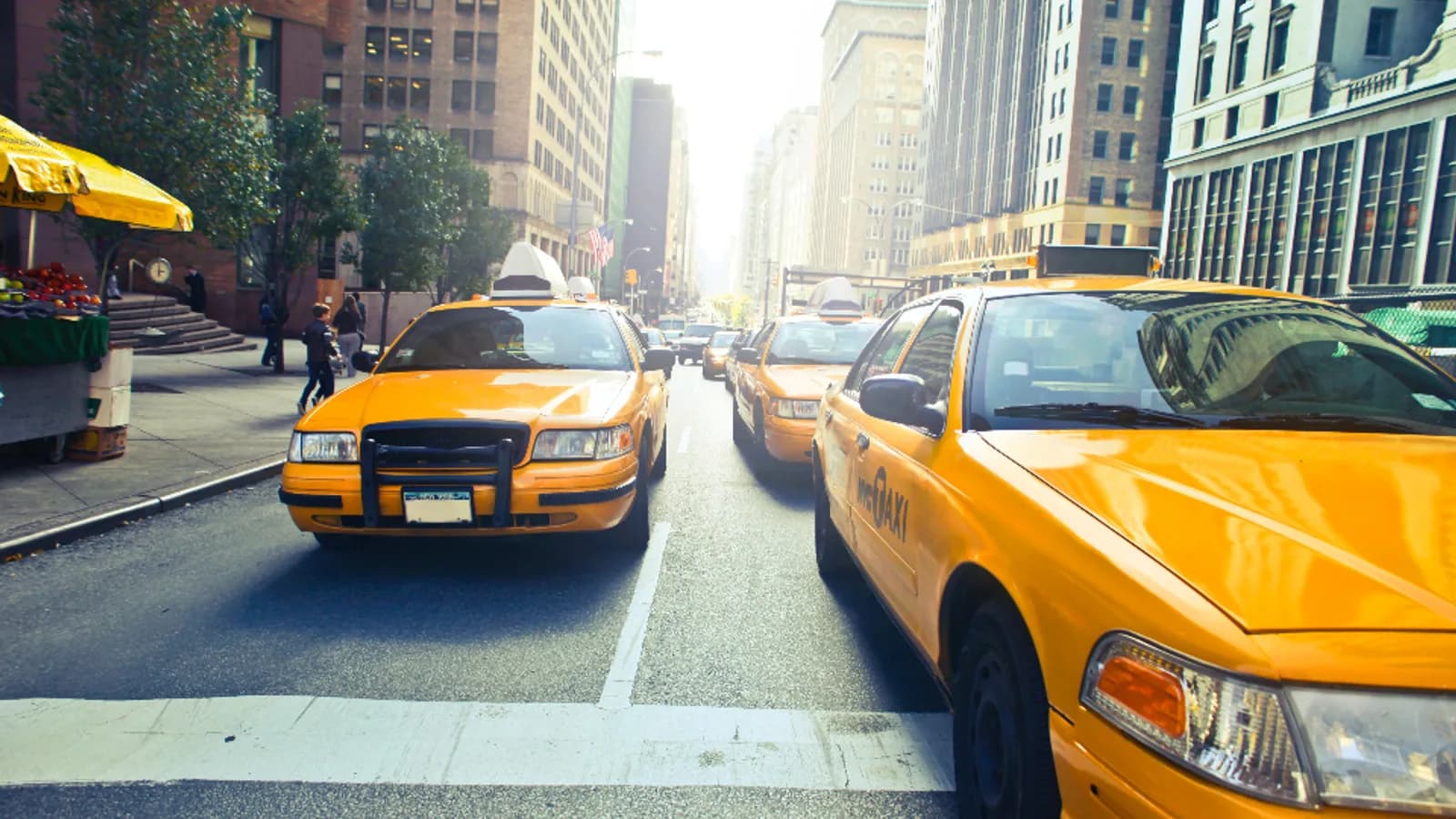
GPS tracking for taxi, limousine and chauffeur services from High Point GPS shows dispatch every available car, ties each ride to the driver behind the wheel and keeps the trip replay ready for a customer dispute. It is set up for owner-operator taxi fleets and corporate chauffeur operations alike. A passenger fleet sells time and trust: the car arrives when promised, the driver is who the company says, and the ride matches what the customer was billed. Every sedan, SUV, van and stretch sits on one live map for dispatch. Drivers log in with an IOX-NFCREADERA card, so each trip belongs to a named, licensed person instead of a car that three people drive in a week. Geofences around the airport queue, hotel ranks and event venues record when a car entered and left. That settles it when a customer says the driver was late, or a driver says they waited an hour. If a passenger disputes a fare or a route, the trip replay shows the road taken, the speed and the stops, and if the company runs cabin cameras, the AI dash cam clip shows what happened inside. Driver hours come from the ignition and the login, which is what a licensing authority or corporate account asks for when it audits a fleet's fatigue policy. Electronic DVIR in the driver app puts the car's condition on record before each shift. Engine-hours maintenance and fault codes keep cars that run twenty hours a day out of unplanned downtime.
Common challenges
- Dispatch running on radio check-ins and guesses about which car is free and closest
- Cars shared between drivers with no record of who was behind the wheel on a given trip
- Complaints about a late pickup, a long route or a driver's conduct, with no record to check them against
- Driver hours limits set by the licensing authority or corporate accounts that the company cannot show it enforces
- Airport queue and rank time nobody measures, so nobody knows if the airport run pays
- Pre-shift inspections skipped or faked, with condition complaints reaching the company from the customer
How High Point GPS helps
- Live dispatch map of every car with its status, the logged-in driver and distance to the next pickup
- Driver ID through the IOX-NFCREADERA, so every trip and driving event belongs to a named driver
- Geofences around the airport queue, hotel ranks and venues that log entry, wait time and exit
- Trip replay with route, speed and stops for any ride, ready when a customer disputes a fare or route
- AI dash cams with a road-facing view and an optional cabin-facing view, retrieved by trip and by event
- Driver hours from ignition and login, reported against the limit the licensing authority or account sets
- Electronic pre-shift DVIR in the driver app, with defects sent to the shop before the car takes a passenger
- Maintenance on engine hours and mileage with fault codes, for cars that run two shifts a day
How does GPS tracking help taxi and limousine dispatch?
It shows the dispatcher every car, so the ride goes to the right one. Each vehicle sits on one live map with its status, the driver logged in and its distance to a new pickup, and the dispatcher can give the ride to the car that is nearest instead of the one that answered the radio first. A corporate account with a standing hotel pickup can watch the car approach. You can see the car that has sat at the airport cell lot for ninety minutes, and the one that just finished a drop-off two blocks from a new request. High Point GPS sets up the map for the dispatch desk, and the open API connects it to your booking software if you run one.
The same map answers the customer on the phone. When a passenger asks where the car is, dispatch reads the position and arrival estimate off the screen. When a passenger asks why the car has not arrived, the trip history shows whether it was dispatched late, stuck in traffic or sent to the wrong address. The GPS tracking device keeps recording trips in a parking garage with no signal, so a pickup at an underground hotel entrance lands on the record once the car comes back up.
The driver behind the wheel
In a fleet where cars change hands between shifts, the vehicle's record is not the driver's record. The IOX-NFCREADERA reader on the GPS tracking device asks the driver to tap a card at the start of the shift, and every trip, every speeding event and every hard brake from then on is attributed to that driver until the next login. When a licensing authority asks who was driving the car on a given ride, the answer is in the platform. When a corporate account requires that only vetted drivers serve its executives, the login record shows compliance without a paper log.
The login also opens the hours record. Ignition and login times give the start of a shift, and the platform reports hours driven against the limit the company, the licensing authority or the account sets. A driver approaching the limit shows up on the dispatch screen before the next ride is assigned. Driver scoring flags the habits that matter in a passenger vehicle, such as hard acceleration with a client in the back, and the coaching conversation starts from a specific trip on a specific day rather than a general complaint.
Settling disputes with the trip replay
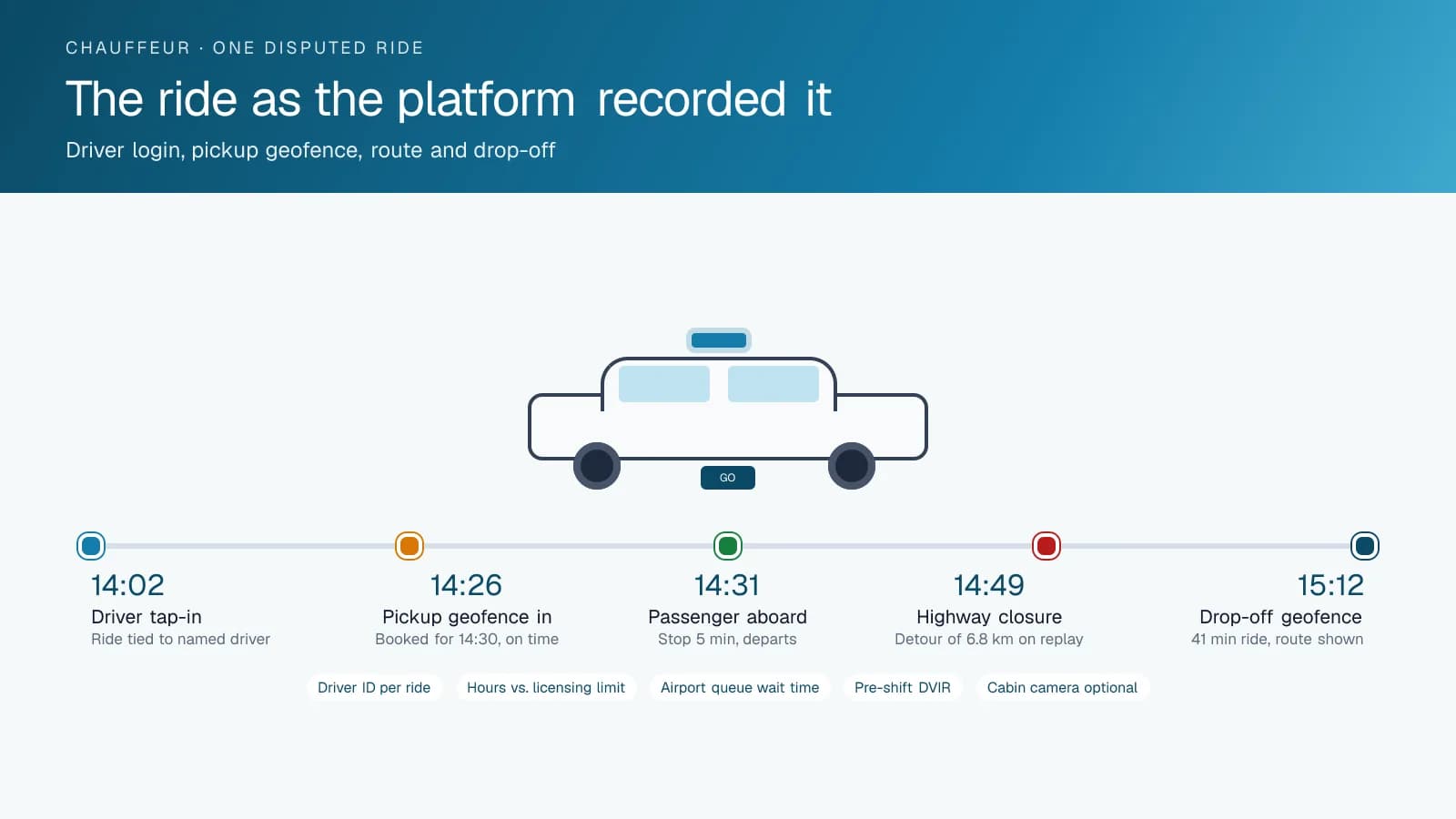
A fare dispute is a conversation about a route. The trip replay shows the road the car took, the speed on each segment, every stop and the time at each one, and a manager reviewing a complaint sees within a minute whether the driver went the long way or the highway was closed. A complaint that the driver was late is answered by the geofence on the pickup address and the time the car entered it. A claim that the car never arrived is answered the same way. High Point GPS sets these reports up so the person handling complaints can pull the ride by date and driver and see the whole trip on one screen.
Some disputes are about conduct rather than routes. AI dash cams with a road-facing view record what happened outside, and a cabin-facing camera, where the company chooses to run one and where local rules allow, records what happened inside. Clips are retrieved by trip and by event, and a passenger's complaint or a driver's report of an abusive fare is reviewed from footage rather than from two conflicting accounts. The company sets retention and access, and the same footage is what an insurer asks for after a collision with another vehicle.
Airport queues, vehicle condition and uptime
The airport run can be the best money in the fleet or the worst, and without queue data an operator cannot tell which. A geofence around the airport holding lot records when each car entered the queue and when it left with a fare, and a report by hour of day shows the average wait. An operator who sees a two-hour average on weekday afternoons and a twenty-minute average on Sunday evenings staffs the airport accordingly. The same geofences on hotel ranks and event venues show which of them are worth a car sitting idle.
Passengers judge the fleet by the car they sit in. Electronic DVIR in the driver app has the driver walk through the vehicle before the shift, with the tires, lights, interior and any damage recorded and time-stamped, and a defect goes to the shop before the car takes its first passenger. Maintenance reminders on engine hours and mileage keep the two-shift cars serviced on time, and fault codes reach the shop the day the engine logs them. The car that would have stalled on a wedding run gets its charging fault fixed on Tuesday morning instead.
Frequently asked questions
Can I tell which driver was in the car on a specific trip?
Yes. The IOX-NFCREADERA reader on the GPS tracking device has each driver tap a card at the start of a shift. Every trip and driving event from then until the next login goes to that driver. When a licensing authority or corporate account asks who drove a particular ride, you can pull the answer from the platform in a minute.
How does the trip replay help with a fare dispute?
The replay shows the route the car took, the speed on each segment, every stop and the time at each one, for any ride on any day. A manager can see whether the driver took the long way or the direct road was closed. The geofence at the pickup address gives the arrival time to the minute.
Can the system record driver hours for our licensing authority?
Yes. Ignition and login times mark the start and end of each shift, and the platform reports hours driven per driver against the limit the company or the authority sets. Dispatch sees a driver nearing the limit before assigning the next ride. You can export the hours report when the licensing authority or an account audits you.
Does the dash cam record inside the car?
Only if you choose a cabin-facing camera. The standard road-facing camera records what happens outside the car. A cabin-facing camera is optional, and whether to run one depends on company policy and local rules. Where you use one, clips are retrieved by trip and event, and the company sets retention and who can view the footage.
Can I measure how long cars wait at the airport?
Yes. A geofence around the airport holding lot records when each car joins the queue and when it leaves with a fare, and a report by hour of day shows the average wait. Operators use that report to decide how many cars to send to the airport at different times of the week, and which runs are worth the wait.
Related solutions
Related guides
- IOX-NFCREADERA: Driver ID by NFC Tap, So Every Trip Has a Name on It →
- Timeline Map: Replaying a Trip Minute by Minute to Settle a Dispute →
- What Is Geofencing? How It Works in Fleet Tracking →
- Can a GPS Tracker Record Audio or Video? What the Fleet Tracking Device Captures →
- How Does a Digital DVIR Work? Inspections, Defects and Repairs →
- Driver Safety Scorecard: How Driver Scoring Works for Fleets →
Get a free quote
- Over 500 fleets
- Since 2013
- 4.9 on Google (19 reviews)
What are you looking for?
Prefer to talk?Call 1-800-613-6323[email protected]