
Industry
GPS Fleet Tracking for Universities & Campus Fleets
GPS tracking for university and college fleets puts pool cars, shuttles and grounds trucks on one map and ties each trip to a driver and a department.
Updated September 21, 2026
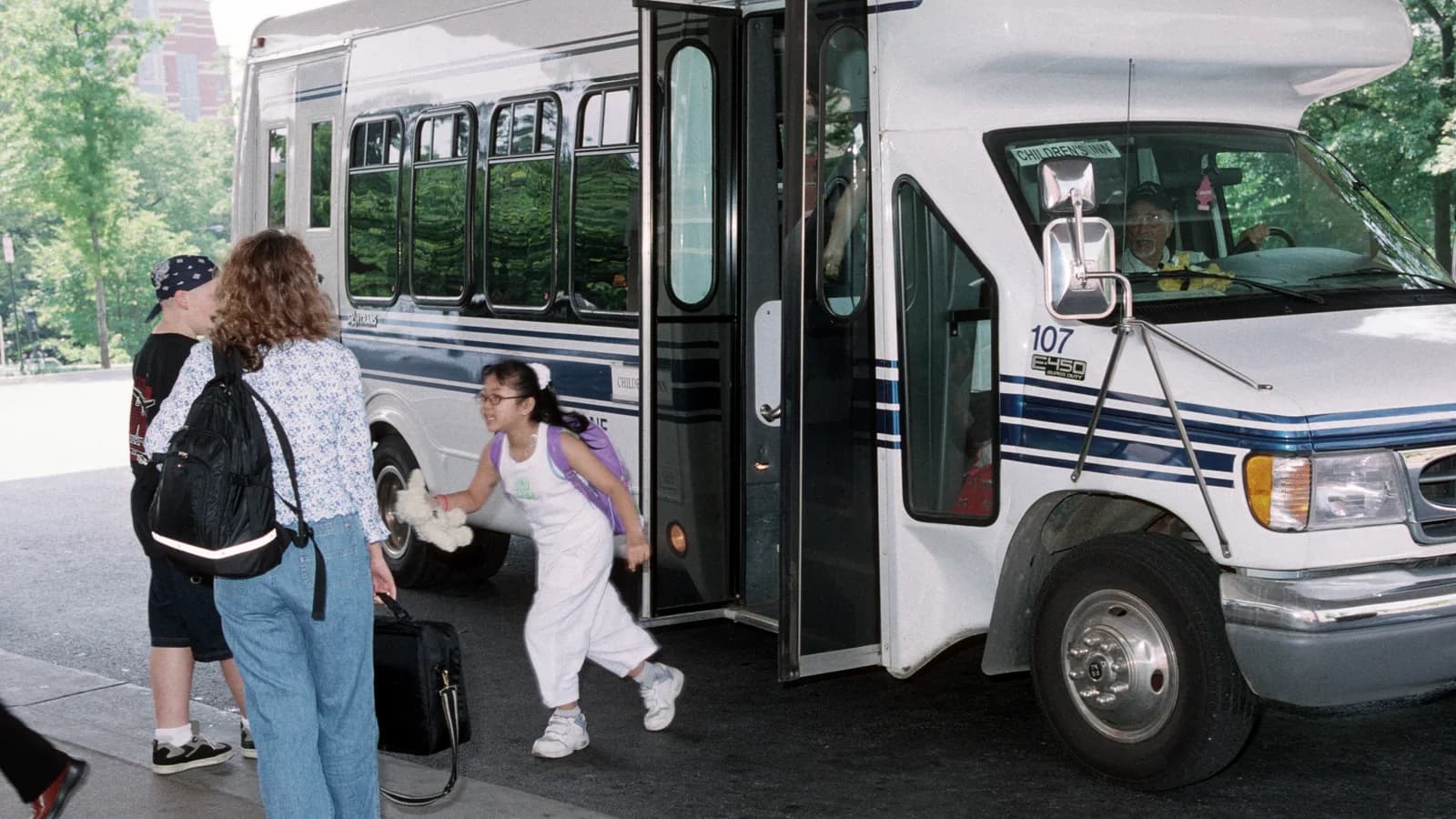
High Point GPS provides GPS tracking for university and college fleets: the motor pool, department vehicles, campus shuttles, grounds and facilities trucks, and security patrols. Every vehicle sits in one High Point GPS platform database, grouped to mirror the org chart, and each trip is tied to a driver and a department. A university fleet is a dozen fleets sharing one parking structure. The motor pool lends sedans and vans to departments by the day; athletics has its own buses; facilities runs pickups, sweepers and a bucket truck; campus transit runs shuttles on a loop; security patrols overnight. Each group has its own budget line, its own drivers (some of them students) and its own idea of who is responsible for the van that came back with a dent. The fleet office sees everything, a department head sees their own vehicles, and the monthly chargeback for each cost centre comes from actual kilometres and hours instead of a mileage sheet nobody filled in. Driver ID with an NFC reader ties each trip to a person, which the fleet office needs when a student driver takes a pool van off campus at midnight. Reservations and keys connect to the same platform, so the vehicle that was booked, checked out and driven is the same vehicle in every record. Campus shuttles get on-time reporting and a rider-facing map. Grounds trucks get engine-hours maintenance and PTO tracking for the plow and the sprayer. The whole fleet gets pre-trip inspections and a driver score the risk office can point to, all set up by one vendor, so the fleet manager can say what the university's vehicles do.
Common challenges
- Department vehicles the fleet office cannot see, budgeted by six different cost centres with six different rules
- Motor pool chargebacks built from paper mileage sheets that are estimated, late or blank
- Student and casual drivers using pool vans with no record of who was driving when the damage happened
- Campus shuttles running a published schedule with no data on whether they keep it or who rides
- Grounds and facilities trucks serviced by the calendar while the plow, sweeper and bucket truck run on hours nobody counts
- A risk office asking for driver safety data the university has never collected
How High Point GPS helps
- One High Point GPS platform database with a group per department: the fleet office sees everything and each unit sees its own
- Driver ID with an IOX-NFCREADERA reader, tying every pool-vehicle trip to a named driver and their department
- Monthly per-department reporting on kilometres, hours, fuel and idling, exported for chargebacks
- Reservation and key-management integration through the open API, so booked, checked out and driven are one record
- Campus shuttle on-time reporting from geofenced stops, with a rider-facing map if the university wants one
- PTO and attachment tracking on plows, sprayers and lifts through IOX-AUXM inputs, tied to time and place
- Engine-hours maintenance for grounds equipment and mileage-based service for the pool, with fault codes sent to the shop
- Electronic pre-trip inspections and driver scoring by department, with dash cams on the buses and shuttles
How does GPS tracking work across a university's departments?
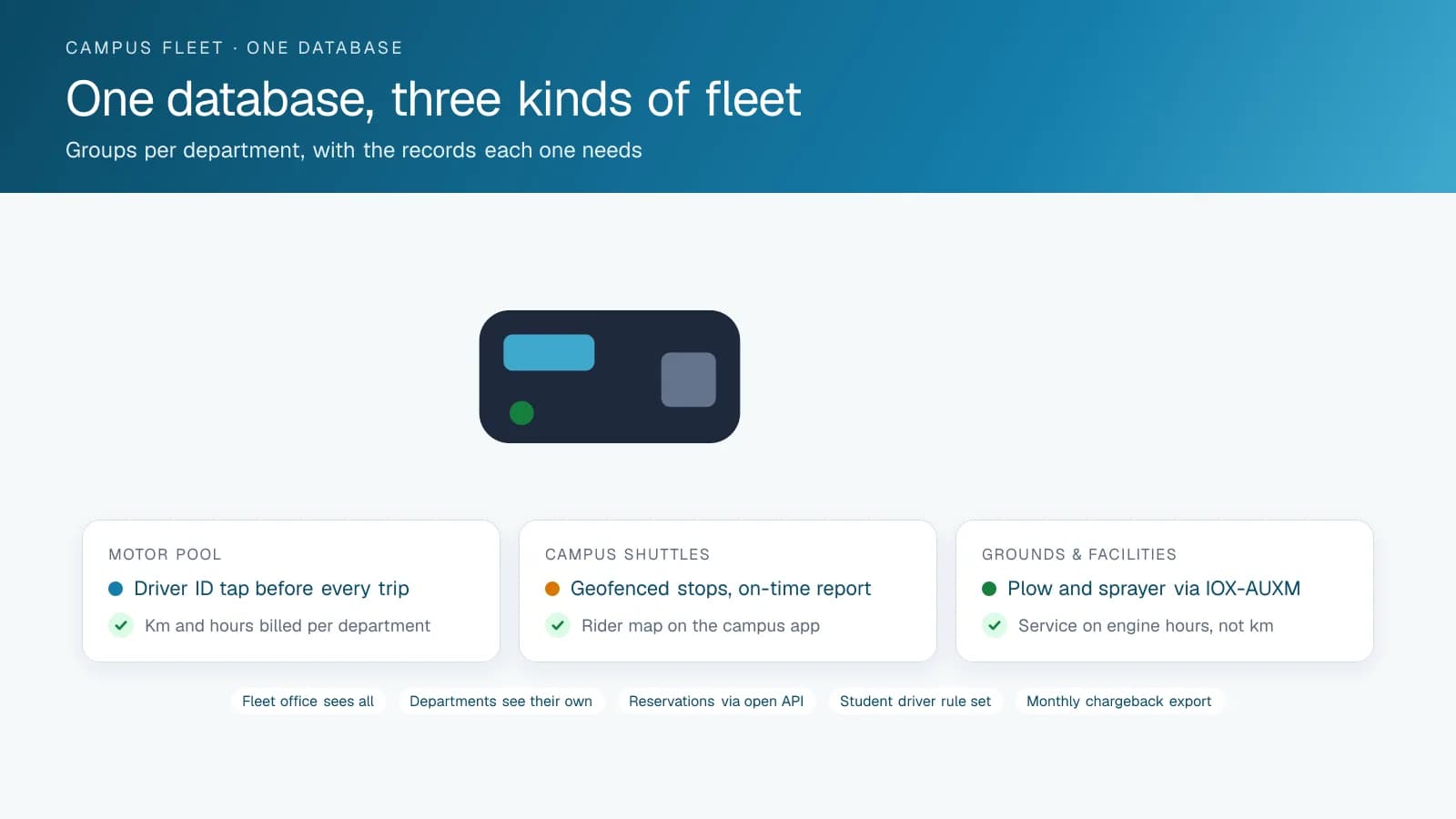
GPS tracking for a university fleet works through one database with a group for each department, so the fleet office sees every vehicle and each department sees only its own. High Point GPS builds the High Point GPS platform database with a group for each department, faculty or auxiliary unit, and permissions to match. The director of facilities sees the grounds trucks and the bucket truck; the athletics coordinator sees the team buses; nobody outside a department sees its vehicles unless the fleet office allows it. Reports, rules and alerts follow the groups, so a speeding alert on a security patrol vehicle goes to the security supervisor and not to the whole campus.
Most universities buy the platform for the monthly report per department. Each cost centre's kilometres, engine hours, fuel purchases and idling time come out of the same records, in a format the finance office can load. The motor pool bills departments from the trips actually driven, with the driver and the reservation attached. A dispute over whether the van really covered 400 kilometres in March ends with a trip list. The same export feeds the sustainability office's fuel and emissions reporting, department by department, with no second round of data collection.
Who Is Driving the Pool Van
Pool vehicles are driven by staff, faculty, graduate students and undergraduates on approved lists, and the question after any incident is who was behind the wheel. An IOX-NFCREADERA reader in each pool vehicle requires the driver to tap a card before the trip is attributed, and the platform can be set to alert when a vehicle moves with no driver identified. The trip record then carries the driver, their department, the reservation and the route. When a van comes back from a field trip with a dent, the fleet office knows which trip and which driver, and the driver-facing camera, if the university fits one, shows the moment.
The reservation system connects through the open API. A booking in the university's reservation tool becomes an expected trip; the key cabinet's checkout becomes a checkout event; the vehicle's geofence exit becomes the start. The fleet office sees the reservations that were never driven, the vehicles that left without a reservation and the trips that ran a day past their return date. A vehicle not returned by the reservation's end triggers a reminder to the driver and a note to the fleet office, and the pool's utilization report shows which vehicles are booked solid and which could be released.
Shuttles, Grounds Trucks and Everything In Between
Campus shuttles run a loop between residences, the main campus and a park-and-ride, and students plan their mornings around it. Each stop is a geofence, so the on-time report for the loop is built from actual arrivals, and a rider-facing map on the campus app shows where the next shuttle is. Grounds and facilities trucks are the opposite kind of fleet: low kilometres, high hours, expensive attachments. An IOX-AUXM input on the plow, the salt spreader or the sprayer records when the attachment was working, which is the record for a slip-and-fall claim in January and for the sustainability office asking how much salt went on which lot.
The bucket truck, the sweeper and the tractor are serviced on engine hours instead of mileage, and the maintenance reminders follow. Fault codes from the engine go to the shop as they appear. A rugged GPS tracking device handles the tractor and the mower, and Bluetooth asset tags cover the trailers and the portable generators that belong to facilities but never plug into a diagnostic port. The same asset tags find the trailer that a department borrowed for a field station and never brought back. Both appear in the same department group as the truck that tows them.
Safety, Inspections and the Risk Office
A university's risk and insurance office wants a driver safety program it can describe, and a fleet tracking platform is most of one. Driver scoring on speeding, hard braking, cornering and seat-belt use is reported by department, and the fleet office runs a monthly review with the departments whose scores need it. Student drivers get their own rule set with tighter thresholds, and an alert when a pool vehicle leaves an approved radius after hours. Speed limits in geofences around the campus core reflect the posted limits and the pedestrians.
Pre-trip inspections in the driver app replace the checklist on the sun visor for the buses, the shuttles and the trucks, and defects reach the shop before the vehicle is on the road. AI dash cams on the buses and shuttles, road- and driver-facing, provide the video for a collision or a passenger claim. High Point GPS handles installation across the campus fleet, including the vehicles that live at the athletics complex and the farm, and stays on as the support contact. When a new department joins, its group is added and the rules already in place apply to it.
Frequently asked questions
Can each department see only its own vehicles?
Yes. The High Point GPS platform database is built with a group per department and matching permissions. The fleet office sees everything, a department head sees their own vehicles, drivers and reports, and alerts go to the right supervisor. Groups can change when a department reorganizes, reports and alerts follow them, and a user can belong to more than one.
How does it support motor pool chargebacks?
Each trip carries the vehicle, the driver, their department and the kilometres and hours driven. A monthly report per cost centre exports kilometres, hours, fuel and idling in a format the finance office can load, so chargebacks come from actual use. The driver and reservation stay attached to each trip in case a department questions its charge.
Can it identify student drivers?
Yes. An IOX-NFCREADERA reader in each pool vehicle requires a card tap before the trip is attributed, and the platform can alert when a vehicle moves with no driver identified. Student drivers can have their own rule set with tighter speed and after-hours thresholds, and trips with no identified driver are listed for the fleet office to follow up.
Does it integrate with our reservation and key system?
Yes, through the open API. Reservations become expected trips, key checkouts become events and the vehicle's departure becomes the start of the trip. High Point GPS has connected reservation tools and key cabinets before and scopes the integration with the university's IT group. Your existing tools stay in place, and the platform adds the vehicle side of the record.
What about equipment that has no diagnostic port?
A rugged GPS tracking device covers tractors, mowers and older equipment, and it reports engine hours for the maintenance schedule. Bluetooth asset tags and battery-powered trackers cover trailers, generators and other unpowered assets. All of them appear on the same map and in the same department groups as the vehicles that tow or carry them.
Related solutions
Related guides
- Public Sector Fleet Tracking and Dispatch for Government Fleets →
- IOX-NFCREADERA: Driver ID by NFC Tap, So Every Trip Has a Name on It →
- Keyless Monitor: The Command Centre for a Shared Vehicle Pool →
- Fleet Maintenance Schedule: Engine Hours vs Calendar and Mileage →
- Asset Tracker Tags vs. Powered GPS Trackers for Equipment →
- Data Connector: Fleet Data in Power BI, Excel and Tableau Without the API →
Get a free quote
- Over 500 fleets
- Since 2013
- 4.9 on Google (19 reviews)
What are you looking for?
Prefer to talk?Call 1-800-613-6323[email protected]