
Video Safety & Dash Cams
Collision Reconstruction in the High Point GPS Platform: Reading the Seconds Before and After an Impact
Collision reconstruction turns a GPS tracker's accelerometer record into an accident report on speed, braking and impact that insurers can read.
What Does Collision Reconstruction Work From?
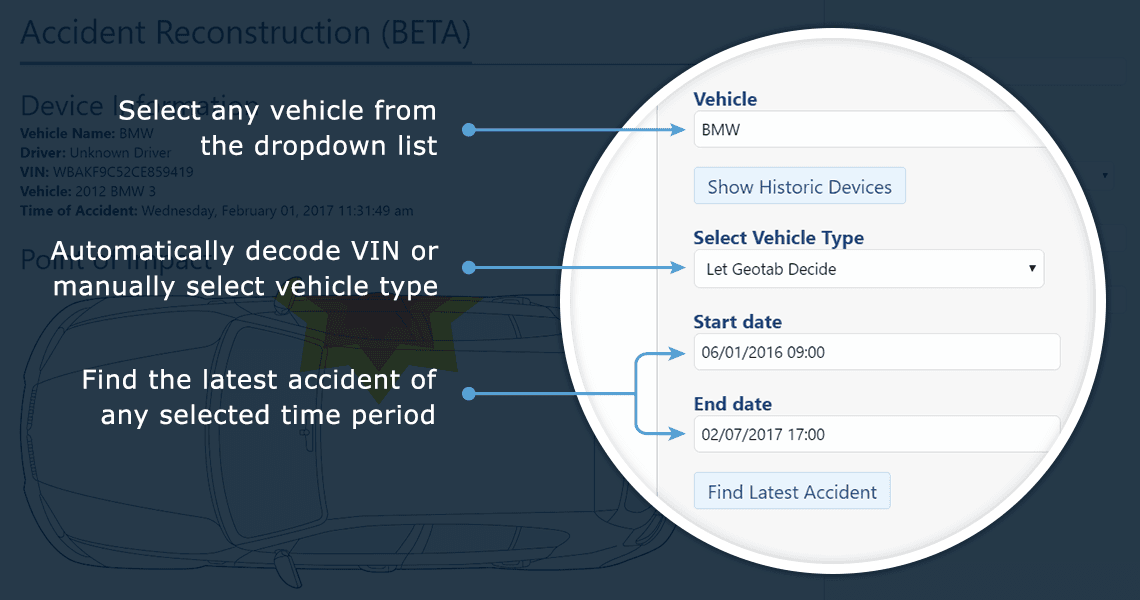
Collision Reconstruction turns the accelerometer record of a crash into an accident report on the seconds before and after impact: speed, braking, direction and force. The GPS tracking device has a three-axis accelerometer sampling many times a second. In normal driving it feeds the harsh braking and cornering events on the driver scorecard. When it senses collision forces, it switches to high-resolution logging for the seconds around impact and flags the event. The raw record is a set of curves (forward and lateral acceleration, speed, heading) plus GPS position, stamped to a fraction of a second.
What the Add-In Makes of It
The add-in builds a report from that record: the moment and direction of impact, speed at impact and in the seconds before, whether and when the driver braked, the deceleration profile and how the vehicle moved afterwards. It draws the sequence on the map and in charts, then states the findings in plain terms ('vehicle travelling at 47 km/h, braking began 1.8 seconds before impact, impact from the front-left'), so nobody has to interpret the curves.
Who Reads a Collision Reconstruction Report?
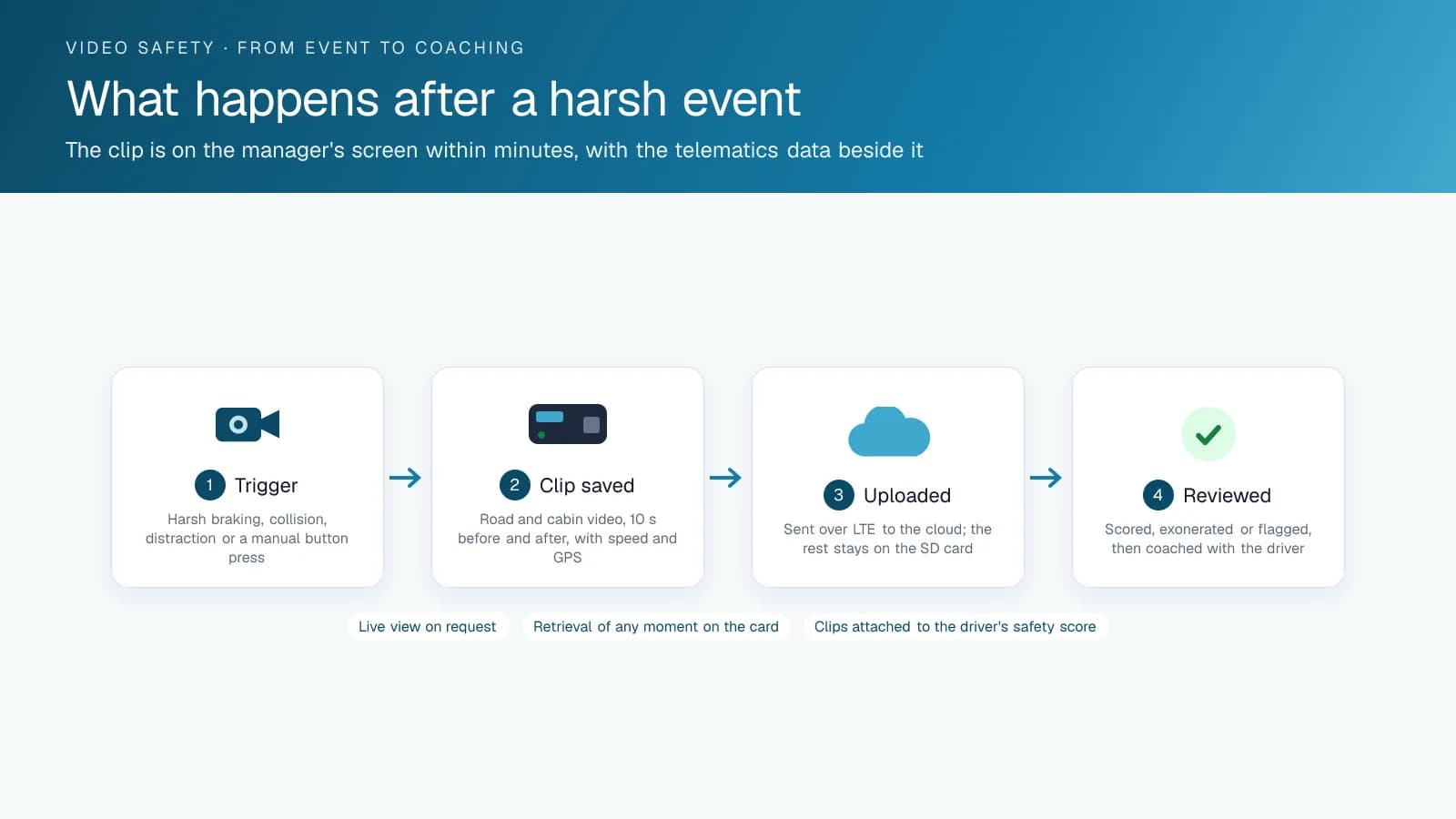
The insurer reads it first. A report showing your truck was stationary when struck, or braking hard before a car pulled out, changes how the claim is assigned. Lawyers can use it in litigation after a serious collision. Your safety manager uses it for the internal review and coaching. With a camera, the report sits next to the video, so the numbers and the footage confirm each other.
Reading a Report: The Numbers That Matter
A reconstruction report carries a dozen figures, and a claims adjuster reads four of them first. Knowing which ones lets a safety manager summarize an incident in one sentence.
| Figure | What it tells the reader |
|---|---|
| Speed at impact | Whether the vehicle was moving, stopped, or within the limit |
| Braking onset | Seconds before impact the driver reacted; late braking suggests distraction |
| Peak deceleration | Severity of the impact in g, which correlates with injury and damage |
| Impact direction | Front, rear, side; where the other vehicle came from |
| Post-impact movement | Whether the vehicle was pushed, spun, or came to rest in lane |
| Heading and position | Which lane and which direction, matched to the map and the camera |
Setup
The add-in reads accelerometer data the GPS tracking device already records, so you add no hardware. You install it from the add-on library into your fleet's database, and it produces a report for any collision-flagged event. High Point GPS deploys it alongside camera systems for fleets across Canada and the United States.
Frequently asked questions
What is collision reconstruction in fleet tracking?
Collision Reconstruction is an add-in from the add-on library. It turns the high-resolution accelerometer record the GPS tracking device captures during a collision into a readable report showing the point of impact, speed and braking before impact, and how the vehicle moved afterwards.
Does it need a camera?
No. It works from the accelerometer and GPS data the tracking device already records, so a vehicle without a camera still gets a report. When the vehicle has a camera, the report and the video sit together, and you can check the numbers against the footage.
How accurate is the speed at impact?
The speed at impact comes from the device's own GPS and accelerometer data, sampled many times a second. It is the same record the platform uses for the driver scorecard, so the figure reflects what the vehicle reported, not an estimate made afterwards.
Can it be used in a claim or a lawsuit?
Yes. Fleets can provide the report to insurers, and lawyers can use it in litigation as part of the telematics record, though whether a court admits it depends on the jurisdiction. It gives the adjuster or the court a timeline built from vehicle data, instead of from the drivers' conflicting accounts.
Does it record every trip at high resolution?
No. The device logs at its normal rate during everyday driving, which is the data behind harsh braking and cornering events. It switches to high-resolution capture of the seconds around impact only when it senses forces consistent with a collision, then flags the event to the platform.
Related solutions & products
Free tools for this topic
Continue reading
- Dash Cams & AI Video Safety overview →
- Dash Cam With Live View for Fleets: What the Stream Shows and When to Use It →
- What Is a Dual Dash Cam With AI? How the GO Focus Plus Coaches Drivers →
- Can a GPS Tracker Record Audio or Video? What the Fleet Tracking Device Captures →
- What Is ADAS? Advanced Driver Assistance Systems in Fleet Vehicles and Dash Cams →
- More in Video Safety & Dash Cams →
Get a free quote
- Over 500 fleets
- Since 2013
- 4.9 on Google (19 reviews)
What are you looking for?
Prefer to talk?Call 1-800-613-6323[email protected]