
GPS Fleet Tracking & Telematics
Passenger ID: Recording Every Student or Employee Boarding With a Card Tap
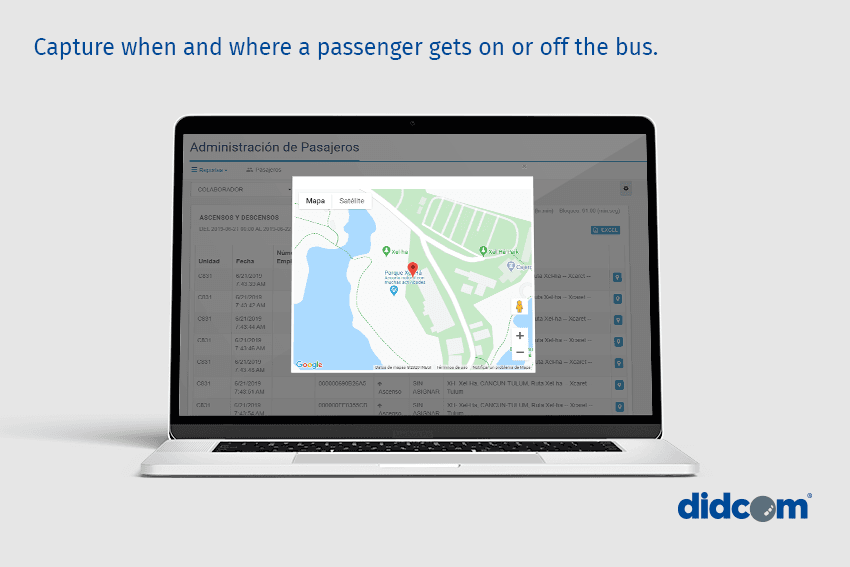
Passenger ID tracks student and employee ridership: each rider taps a card or fob, and every boarding and drop-off is logged with the bus's GPS position.
How Does Passenger ID Record Boarding?
Passenger ID tracks student and employee ridership: a card tap at the bus door records each boarding and drop-off, along with the time and the bus's GPS position. School bus operators, employee shuttles and paratransit providers all get the same call: was the rider on the bus, and where did they get off? A driver with sixty children aboard can't answer from memory, and a head count at the school comes too late. Each rider taps a card or fob at the door reader when boarding and again when leaving. The reader connects to the GPS tracking device through the IOX port and logs the rider, time and position for each tap.
What the Operator Sees
In the High Point GPS platform, each bus carries a live manifest: who is aboard now, who boarded at which stop, who has not tapped off. You set exceptions as rules like any other, such as a rider still aboard when the bus reaches the yard, a rider off at someone else's stop, or a rider who didn't board on an expected day. Reports by route and by day feed the board's ridership planning, and the contractor's billing where it is per rider.
What the Parent Sees
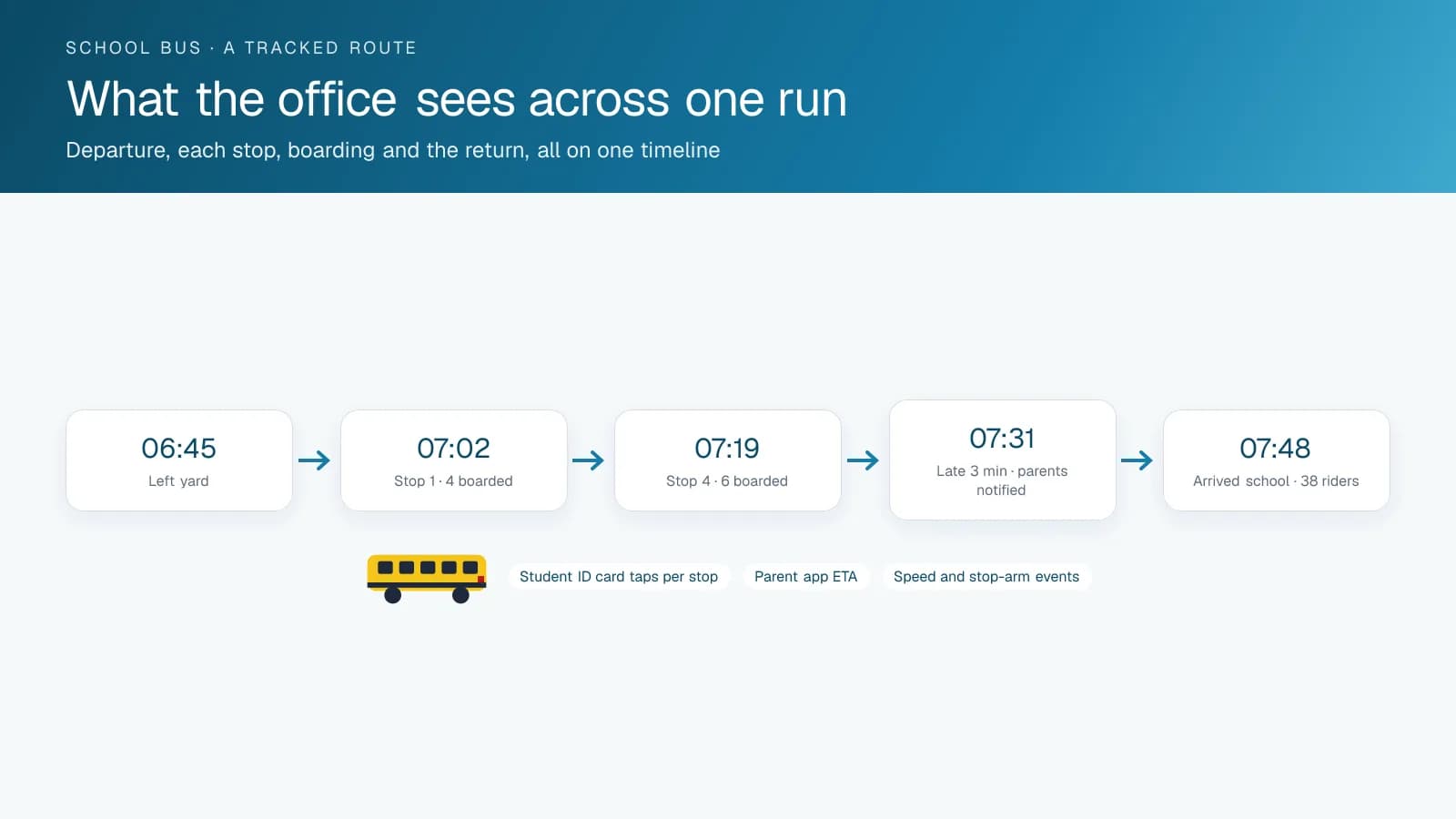
If the operator deploys a parent app, each tap becomes a notification: boarded at 7:42, off at 8:05 at the school. That beats 'the bus passed your stop', and parents ask for it once they know it exists. Access is scoped so a parent sees only their own child.
Privacy and Data Retention for Student Records
A boarding record is personal information about a child, so the operator sets the rules before issuing the first card. Cards carry an ID number, and the name lives only in the platform. Manifest access is limited to dispatch, the school board's transportation office and the driver's own bus. Parent-app access shows one child to one verified account. Records are kept for the period in the board's retention schedule, then deleted. Quebec boards align this with Law 25 and Ontario boards with MFIPPA, and both usually ask the contractor for a short data-handling statement to attach to the parent consent form. High Point GPS provides that statement with the deployment.
How Do You Set Up Passenger ID?
You need a reader at each bus door connected to the GPS tracking device, cards or fobs registered in the platform, your exception rules and, if you want it, the parent-facing add-in. High Point GPS installs Passenger ID for school boards, contractors and shuttle operators across Canada and the United States.
Frequently asked questions
What is Passenger ID?
Passenger ID is a card or fob system with a reader at the bus door. Riders tap on when boarding and off when leaving, and the reader, working through the GPS tracking device, records who tapped, when, and where the bus was at that moment.
Does it work for employees as well as students?
Yes. Employee shuttles and paratransit services use the same readers and cards as school buses. Each rider gets a card or fob and taps on and off at the door, and the operator gets the same live manifest, exception alerts and ridership reports.
Can it alert when a child does not get off?
Yes. If a rider is still marked aboard when the bus reaches the yard, the platform flags an exception. It does the same when a rider taps off at a stop that isn't theirs, and both cases show up on the exception report for dispatch to follow up.
Can parents see the taps?
Yes, if the operator deploys a parent app. Boarding and departure taps then appear as notifications with the time and place, for that parent's child only. Each verified account is scoped to one child, so no parent sees another family's records.
What if a rider forgets the card?
The driver records the boarding by hand in the app, so the rider still appears on the manifest. The exception report lists every manual entry separately, which lets dispatch or the school follow up with riders who regularly board without tapping.
Related solutions & products
Free tools for this topic
Related terms
Continue reading
- GPS Fleet Tracking & Management Software overview →
- Bus Route Progress: Bus Route Tracking That Shows Which Buses Are On Route, Late or Parked →
- How to Write an AVL RFP for Snow Plows, With a Requirement Template →
- Plow Tracker Maps: How Cities Show Residents Where the Snow Plows Have Been →
- School Bus Tracker App: Can You Track a School Bus, and What Does Each Person See? →
- More in GPS Fleet Tracking & Telematics →
Get a free quote
- Over 500 fleets
- Since 2013
- 4.9 on Google (19 reviews)
What are you looking for?
Prefer to talk?Call 1-800-613-6323[email protected]