
Video Safety & Dash Cams
Video Telematics: How AI Dash Cam Video Works With the High Point GPS Platform
Video telematics ties each dash cam clip to a GPS tracking event, tagged with vehicle, driver and speed. How the camera connects and what triggers video.
How Does Video Telematics Work on the High Point GPS Platform?
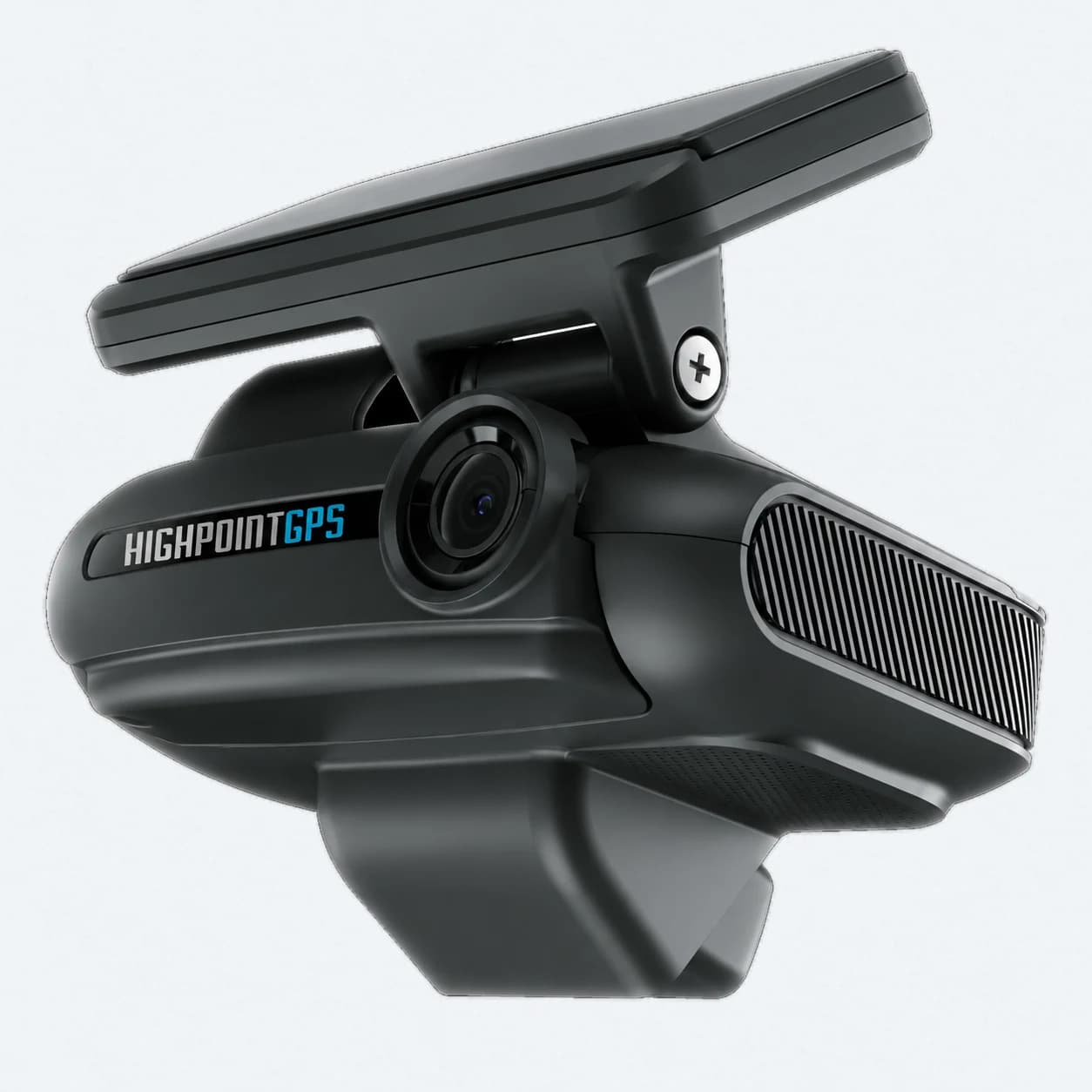
Video telematics means the dash cam and the GPS tracking device work as one system: the device detects the event, the camera supplies the clip, and the High Point GPS platform files it with the vehicle, the driver and the location. On High Point GPS, the dash cam is an add-on that connects to the telematics device in the vehicle, and the platform decides which events trigger video and where the clips go. That explains why a search for 'High Point GPS dash cam' turns up more than one product. High Point GPS provides, installs and supports Geotab's two AI cameras, the GO Focus Plus and the GO Focus Pro, and the platform handles the triggering events, where clips land, which driver they attach to and the reports that pull it together.
How Does the Dash Cam Connect to the GPS Tracking Device?
The camera mounts on the windshield and connects to the telematics device in the vehicle, which links it to that device's events and the platform's requests. It sends clips up over its own cellular connection. Installation is the GPS tracking device's harness install plus a cable run to the windshield, and High Point GPS confirms the camera and device pairing for each vehicle before install. The GO Focus Pro adds side and rear cameras for trucks that need them.
How Do Events From the Truck Trigger AI Video?
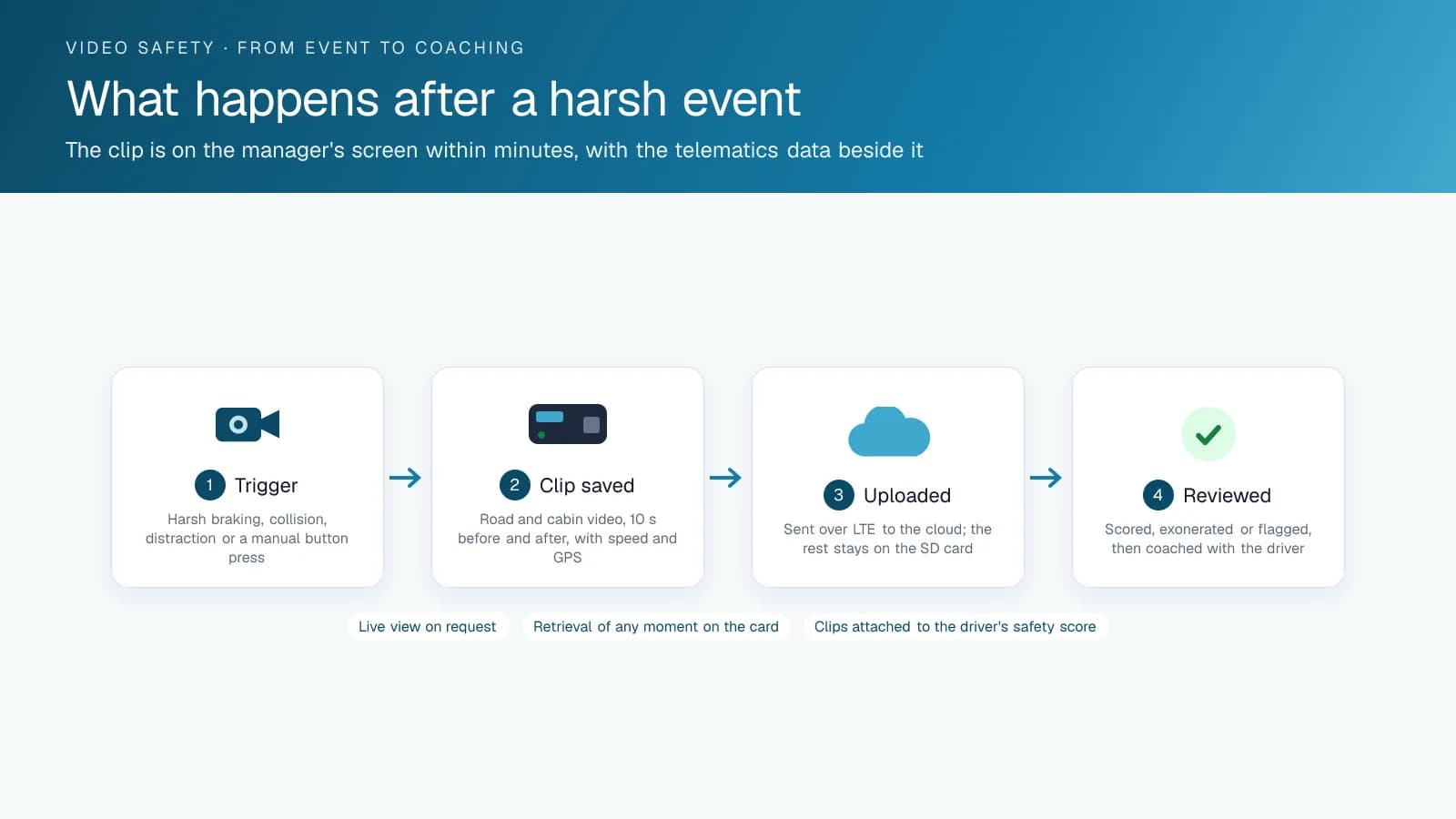
The GPS tracking device already detects harsh braking, harsh acceleration, cornering, speeding and collisions, calibrated for each vehicle. When one of those events happens, the platform asks the camera for the clip around that moment. The clip shows up in the High Point GPS platform tagged with the vehicle, the driver logged in at the time, the location and the event. The camera's own AI catches what the device can't see: for the GO Focus Plus, Geotab lists distracted driving, fatigue, tailgating, backing incidents and blind spot risks. It alerts the driver in the cab when it happens, and those events request clips the same way.
A safety manager can also pull video for any time window from the platform. That is how you check a customer complaint or a damage claim at a dock without calling the driver.
What You See in the High Point GPS Platform
Where the video appears, and what it is attached to.
| In the High Point GPS platform | What it gives you |
|---|---|
| Event with a clip | The harsh event, the map position, the speed trace and the video, together |
| Driver's safety scorecard | Camera-detected events alongside device events, per driver |
| Coaching workflow | Assign a clip to a coaching session; track it to completion |
| Video request | Any time window, any vehicle, from the platform |
| Exception rules | Alert a manager on a collision, on repeated distraction, on a camera going offline |
| Retention and access | Who can view and export, for how long |
How to Choose a Dash Cam for the High Point GPS Platform
Start with the events you want the camera to detect. Distraction and following distance are the two that change driver behaviour. Decide too whether you need a driver-facing lens at all. Next comes coverage: a dual camera suits most vehicles, and trucks with blind spots need five. After that, check night image quality, tamper detection, how the camera behaves out of coverage, and who installs and supports it. The camera is an add-on, so you can swap it later without changing anything else in the system. For that reason, choose the platform first and the camera second.
The Cameras High Point GPS Installs, Compared
High Point GPS installs Geotab's two AI cameras, and the table shows the fleets each one suits. Both report events into the platform and attach clips to the driver and vehicle.
Geotab's Marketplace also lists cameras from other makers, such as the Lytx Surfsight AI-12 and the Rosco DV6, which other providers offer. They link to the platform cloud to cloud rather than by a cable to the GPS tracking device, and High Point GPS does not install them.
| Camera | Channels | Strengths | Typical fleet |
|---|---|---|---|
| GO Focus Plus | Road and driver | Deepest platform integration, provisioned from the platform, installed and supported by High Point GPS along with the GPS tracking device | Fleets wanting one login and one support line |
| GO Focus Pro | Road and driver, plus up to 5 auxiliary cameras | Side and rear coverage on the same platform integration | Trucks and larger vehicles with blind spots |
Frequently asked questions
Which dash cams does High Point GPS offer?
High Point GPS provides, installs and supports the GO Focus Plus, a road and driver camera built to pair with the vehicle's telematics device, and the GO Focus Pro, which takes up to 5 auxiliary cameras on the sides and rear. Geotab's Marketplace also lists cameras from other makers, such as Lytx and Rosco, which other providers offer and which link through the cloud.
How does the camera know when to save a clip?
The GPS tracking device's own events, such as harsh braking, a collision or speeding, request the clip around that moment. The camera's AI adds its own events; on the GO Focus Plus, Geotab lists distracted driving, fatigue and tailgating among them. A manager can also request video for any time window from the High Point GPS platform.
Where does the dash cam video appear?
The video appears in the High Point GPS platform, attached to the event, the vehicle, the driver logged in at the time and the map position. It also shows on the driver's safety scorecard, where a manager can assign the clip to a coaching session and track it through the coaching workflow.
Can I switch cameras later without changing platforms?
Yes. The camera is an add-on to the GPS tracking device and the High Point GPS platform, so you can change cameras or add more while the platform, the events and the reports stay the same. That flexibility is the reason to choose the platform first and the camera second.
Sources
Related solutions & products
Free tools for this topic
Related terms
Continue reading
- Dash Cams & AI Video Safety overview →
- What Is a Dual Dash Cam With AI? How the GO Focus Plus Coaches Drivers →
- What Is MyGeotab? The Fleet Platform High Point GPS Supports →
- Authorized Driver Tool: Only Approved Drivers Can Start the Vehicle →
- How Does a GPS Tracking Device Work? From the Diagnostic Port to the Dashboard →
- More in Video Safety & Dash Cams →
Get a free quote
- Over 500 fleets
- Since 2013
- 4.9 on Google (19 reviews)
What are you looking for?
Prefer to talk?Call 1-800-613-6323[email protected]