
GPS Fleet Tracking & Telematics
Zone Visit Targets: Grading Drivers Against Time-on-Site Targets for an Objective Bonus
Zone Visit Targets grades each driver's time on site against a zone target from GPS data, so the driver incentive program pays on a score both sides trust.

Why Base a Driver Bonus on Zone Visit Targets?
Zone Visit Targets sets a time-on-site target for each zone, grades every visit against it from GPS data and totals the result per driver, so the driver bonus rests on a score, not a supervisor's impression. In many fleets a supervisor decides the productivity bonus, and the fast driver who takes a long lunch and the slow driver who waits at every dock get graded on how they seem. The argument at bonus time is then about fairness instead of numbers. You need a number both sides can see, calculated the same way for everyone, from data neither side entered.
How Does the Add-In Grade a Visit?
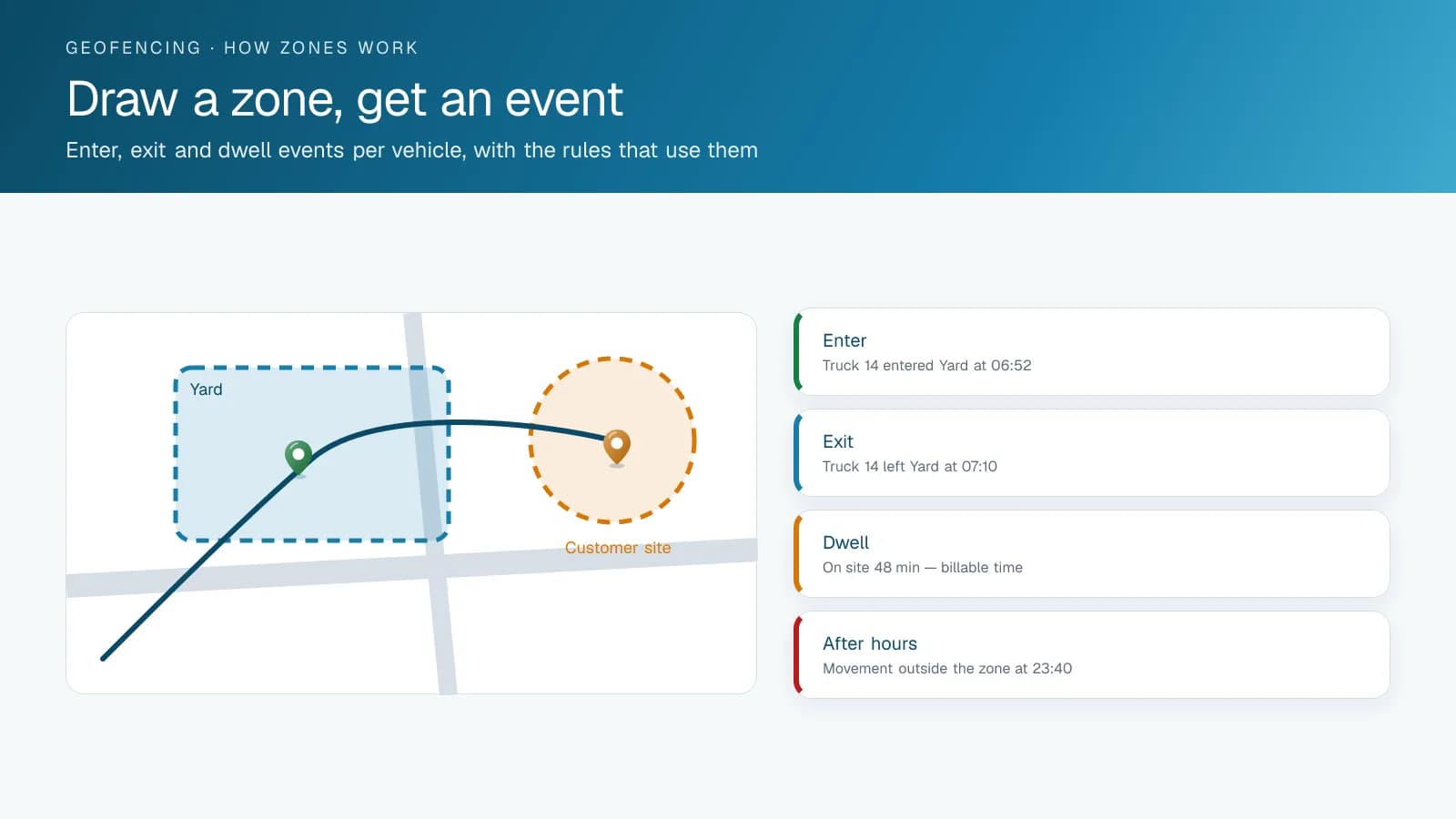
Each zone is a geofence in the High Point GPS platform with its own target: fifteen minutes at a residential delivery, forty-five at a commercial dock, twenty at the transfer station. When a vehicle enters a zone, the add-in takes the entry and exit times from the GPS data, compares time on site with the target and grades the visit as on target, over or well over. Visits add up to a score per driver for the period, weighted however the fleet chooses, and the bonus formula reads it. A supervisor can excuse a visit that ran long at a busy dock, with a note that stays on the record.
What Changes for Drivers and Supervisors?
Drivers see their own scores during the period, so behaviour changes before the bonus is decided, not after someone disputes it. Supervisors stop defending impressions and review exceptions. You also see which zones have targets nobody can meet, a routing or customer problem, and adjust the target without penalizing every driver. In aggregate, the same data is the dwell-time report you take to customers who keep trucks waiting.
How Do You Set Targets Drivers Accept?
A visit target works when it matches a standard the driver already believes in. Fleets that do this well set targets from last quarter's measured visits, not from a sales goal, so drivers who were already doing the job can reach the first month's bonus. They grade a visit by the rule the customer contract implies, such as ten minutes inside the geofence for a service call or a stop with the door sensor open for a delivery. Drivers see the same screen the manager sees, so a missed visit is a fact both can check. Targets then rise a few percent a quarter, and the bonus is paid from the report the day it runs, which gives the number weight.
What Does Deployment Involve?
Before go-live, you draw the zones as geofences with targets and agree the scoring weights with the drivers or their representatives. A bonus formula introduced without that conversation is the quickest way to lose it. High Point GPS sets up zones, targets and scoring for fleets across Canada and the United States, and adapts the grading where a collective agreement specifies how productivity is measured.
Frequently asked questions
What is Zone Visit Targets?
Zone Visit Targets is a High Point GPS platform add-in that sets a time target for each geofenced zone and grades every visit against it using GPS entry and exit times. It totals the graded visits into a score per driver, and the fleet's bonus formula reads that score.
Can a supervisor excuse a long visit?
Yes. When a visit runs long for a reason outside the driver's control, such as a busy customer dock, a supervisor can excuse it with a note. The note stays on the record next to the visit, so anyone reviewing the score can see why it was excused.
Do drivers see their scores?
Yes. Drivers see their own scores during the period, not only at the end, so they can change how they work before the bonus is decided. They see the same screen as the manager, so a missed visit is a fact both sides can check.
Does it need driver input?
No. The add-in records each visit from the vehicle's GPS position as it enters and leaves a geofenced zone, so drivers do not log anything. Because neither the driver nor the supervisor enters the data, the score is calculated the same way for every driver.
What if a target is unrealistic?
The data shows it. When nobody meets the target for a zone, the problem lies with routing or the customer, and the fleet adjusts the target instead of penalizing every driver. Starting from last quarter's measured visits keeps targets within reach.
Related solutions & products
Free tools for this topic
Continue reading
- GPS Fleet Tracking & Management Software overview →
- Timeline Map: Replaying a Trip Minute by Minute to Settle a Dispute →
- How Does Trailer GPS Tracking Work, With or Without a Truck? →
- Trailer Tracking Software and Systems: Reports, Alerts and Integrations →
- Data Connector: Fleet Data in Power BI, Excel and Tableau Without the API →
- More in GPS Fleet Tracking & Telematics →
Get a free quote
- Over 500 fleets
- Since 2013
- 4.9 on Google (19 reviews)
What are you looking for?
Prefer to talk?Call 1-800-613-6323[email protected]